
BurkiXR - Minecraft Skins & Skin History
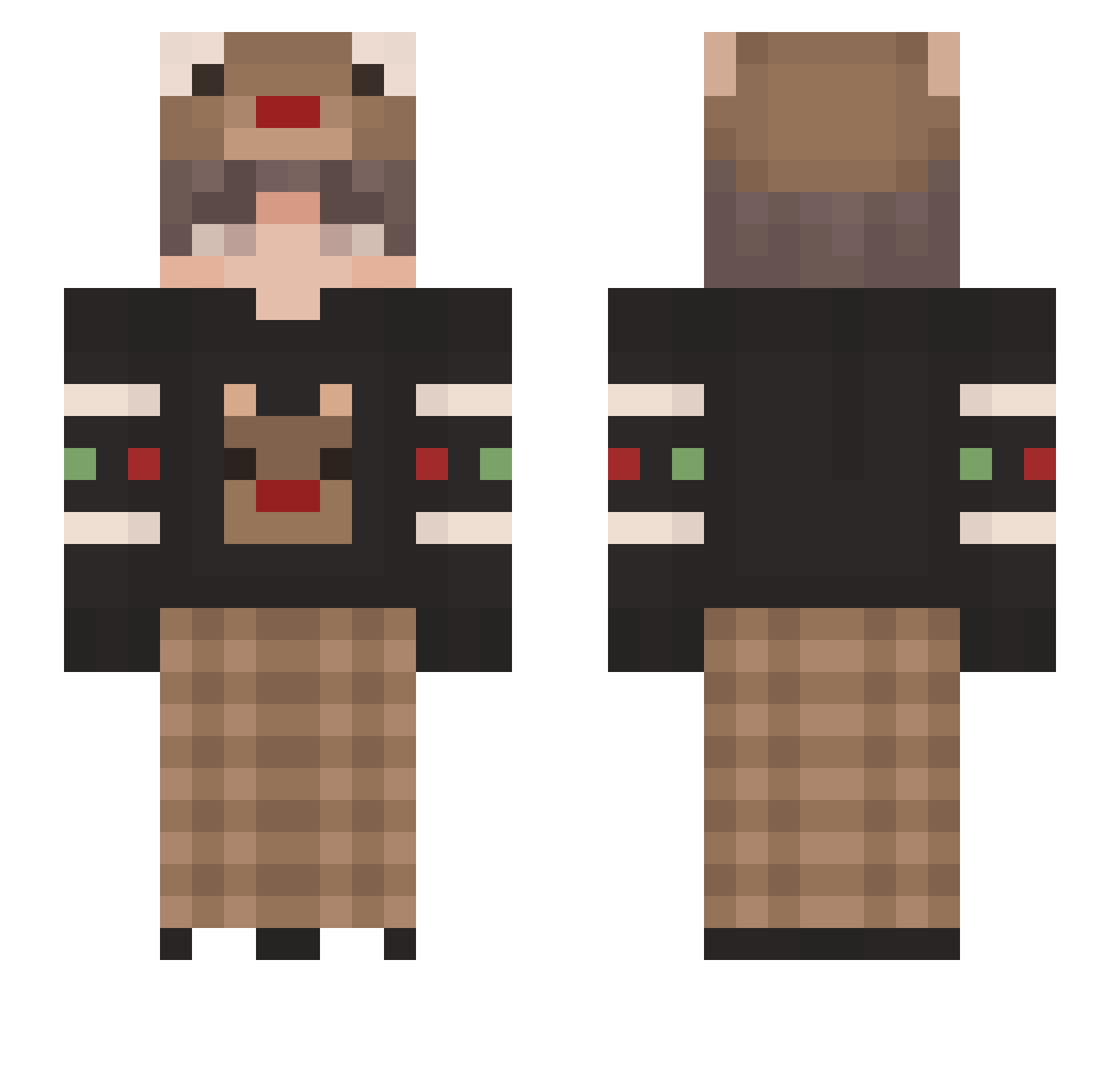
Current Minecraft skin of the player BurkiXR, loaded from the official Mojang API. Rotate the 3D model with your mouse or finger, then download the skin as a PNG file and use it in Minecraft: Bedrock Edition or Java Edition for free. When BurkiXR changes their skin, this page updates automatically and the old skin stays in the history below.
Other players with this skin (124)
BurkiXR was the 58th player we have seen with this skin, first spotted on 14.09.2026. The same skin was seen on these players. Open a nickname to see their current skin and skin history.
 MollyWater67 Neqptune UrUleu picksomenumbers mowwel Cookie275 Goldenzzz 31Aydin31 drew6411 hasifiik AnjSalHan02 BySaldi SunlessYawn LemonLime614 mifangg ByAndrex34 willabeast55 ____tiramisu lopesinho CoelhoJH GOATEK420 Faith11 CItonicIsHere mintchoco14 Discord_Haru SVETAANANAS recrentov BackFromReality Eun_Si_o ShaneTheAngel chegd ObsceneReality ThargoN_SG JSOGaming Garfilexx Noxxunx OpnLy SirHows yirenzhixia GorillaMajor fawndagree9885 bilibili2539 xTiwlyx_02xo3o EmreWinchester 0xAlpayy Syphid notkneel AdmaX3908 IAmNotAFurry552 Cyrosiz Happymeal49 Rafaello54 SilverTin Lefit0407 Zoema JegErDeilig Agent_Bacong Yursh05 robim Limoes
More Reindeer Minecraft skins
How to install the BurkiXR skin
- Press the Download button above to save the skin as a PNG file.
- Minecraft: Bedrock Edition (PE): open the Dressing Room from the main menu (or tap your character → Edit Character), go to Classic Skins → Owned, press the + (new skin) button, choose the downloaded PNG and pick the Slim (Alex) model. Works on PC and mobile; consoles cannot import custom skins.
- Minecraft: Java Edition: open the Minecraft Launcher, go to the Skins tab, click New Skin, load the PNG, pick the Slim (Alex) model and press Save & Use. You can also upload it at minecraft.net → Profile → Change Skin.
The skin does not show up after import - what should I do?
Restart Minecraft and open the Dressing Room again - imported skins sometimes appear only after a restart. Also make sure you selected the imported skin and picked the Slim (Alex) model.
Which model should I choose, Classic or Slim?
This skin is designed for the Slim (Alex) model. If you pick the wrong model, the arms of the skin will look stretched or squeezed.
Is the skin of BurkiXR free to download?
Yes. Press Download, save the PNG file and use it in Minecraft: Bedrock Edition or Java Edition - no payment or registration needed. The skin also works on multiplayer servers and Realms.
More skins
Looking for more? Go back to all Minecraft skins and check the top skins of the week, month and all time, or find any player's skin by nickname.