
DanielDillon - Minecraft Skins & Skin History
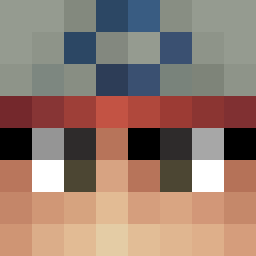
Current Minecraft skin of the player DanielDillon, loaded from the official Mojang API. Rotate the 3D model with your mouse or finger, then download the skin as a PNG file and use it in Minecraft: Bedrock Edition or Java Edition for free. When DanielDillon changes their skin, this page updates automatically and the old skin stays in the history below.

Other players with this skin (353)
DanielDillon was the 25th player we have seen with this skin, first spotted on 04.08.2026. The same skin was seen on these players. Open a nickname to see their current skin and skin history.
 Littenismyfriend
 pzdin pospax
 MARIO_BUBBLETEA pichhaso
 Calving2014 Drab_Client TheToastOnFire1 MVPkaczka7 BrandonVera12 Blondyaylana RedFoxy2016
 RyanIshizaki
 ReinerZornXXL st1tch_debil3
 Ad1rHadad Theoreo226 onesoul13 TheCurseForge _Steve01
 voldemuerte
 ElliotPJ1 Eus199
 Lukasz3213 dreadon1 TheSlowKing Malissia SeTien glitched_RMC imustshave32 yoni2310 SarahEliza
 izqou0 S25Ultra256GB jar201
 redqwiller
 OllieBobs2015 JessevanDelft srillex Yumm_Oreos108070
 EinfachNils187 melancholyyy_ ageeswag Dragonix300
 ZackZerbZpc Hanabi_Tamaki Nopparut SteveReznik _Dream___MC
 XDNoahCraft
 phupii Dkz_z ldhldh1105 BRYANUYU Pyntar TheFacistCow45
 swagnob21 IUisQueen oveurgoon Aninbot
How to install the DanielDillon skin
- Press the Download button above to save the skin as a PNG file.
- Minecraft: Bedrock Edition (PE): open the Dressing Room from the main menu (or tap your character → Edit Character), go to Classic Skins → Owned, press the + (new skin) button, choose the downloaded PNG and pick the Classic (Steve) model. Works on PC and mobile; consoles cannot import custom skins.
- Minecraft: Java Edition: open the Minecraft Launcher, go to the Skins tab, click New Skin, load the PNG, pick the Classic (Steve) model and press Save & Use. You can also upload it at minecraft.net → Profile → Change Skin.
The skin does not show up after import - what should I do?
Restart Minecraft and open the Dressing Room again - imported skins sometimes appear only after a restart. Also make sure you selected the imported skin and picked the Classic (Steve) model.
Which model should I choose, Classic or Slim?
This skin is designed for the Classic (Steve) model. If you pick the wrong model, the arms of the skin will look stretched or squeezed.
Is the skin of DanielDillon free to download?
Yes. Press Download, save the PNG file and use it in Minecraft: Bedrock Edition or Java Edition - no payment or registration needed. The skin also works on multiplayer servers and Realms.
More skins
Looking for more? Go back to all Minecraft skins and check the top skins of the week, month and all time, or find any player's skin by nickname.