
Daniel57YT - Minecraft Skins & Skin History
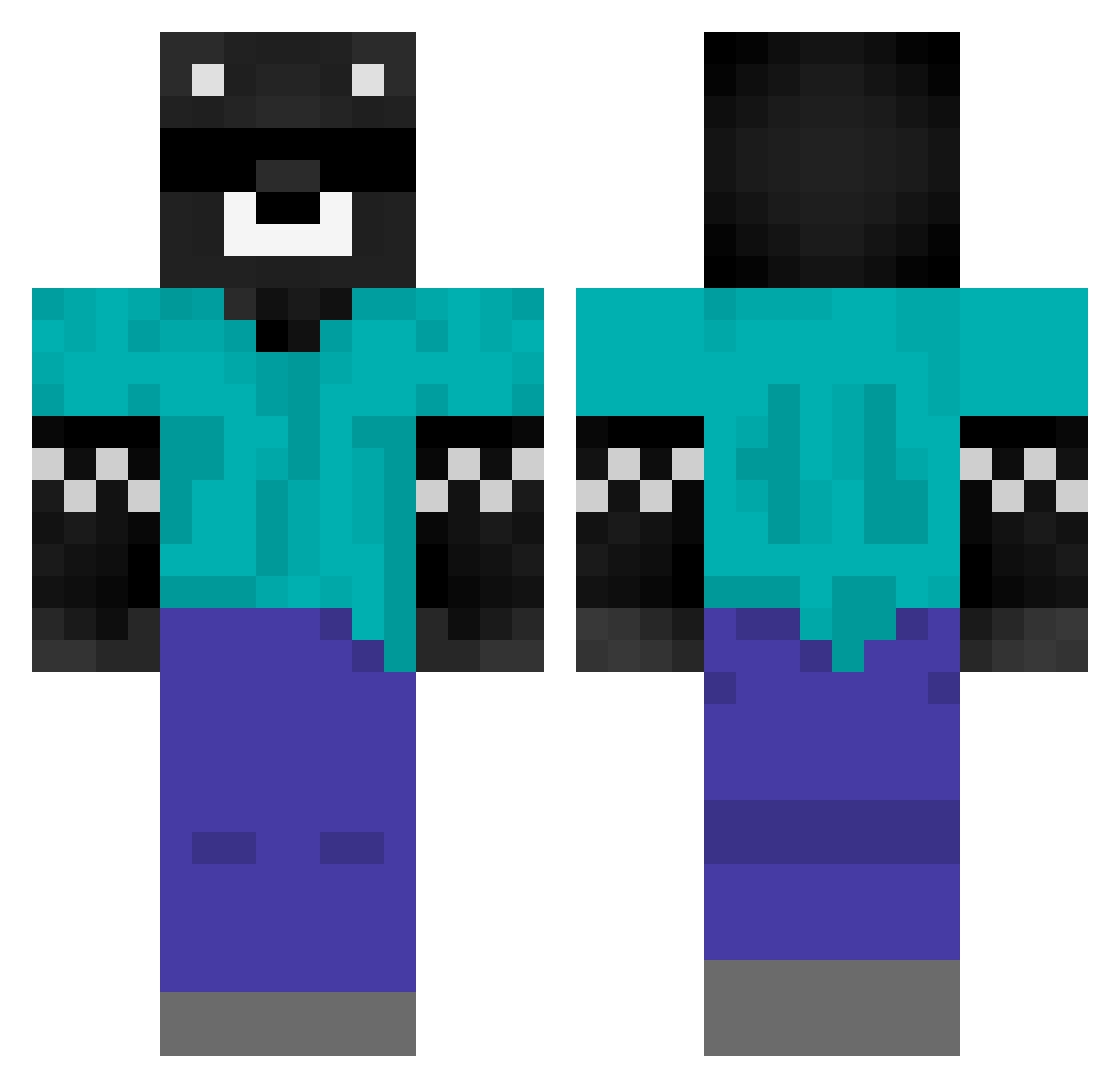
Current Minecraft skin of the player Daniel57YT, loaded from the official Mojang API. Rotate the 3D model with your mouse or finger, then download the skin as a PNG file and use it in Minecraft: Bedrock Edition or Java Edition for free. When Daniel57YT changes their skin, this page updates automatically and the old skin stays in the history below.
Other players with this skin (415)
Daniel57YT was the 372nd player we have seen with this skin, first spotted on 22.10.2026. The same skin was seen on these players. Open a nickname to see their current skin and skin history.
 benjoide123 ZenJPY Pugs454 santinobloo TOSIVC Santimgg mosjuan cristobal1234567 rookidddd BenjaxXGG ItsPablo23 ZoWen2 Faze_Tilin36 AbiiKitten codeyelty_720 F3lix_37 Danielxd101 xDiogo1 Themasterofgod neyncp Mancuarzo GODYUPI cebolleta_12 ciro2010 dylancraft42 xiiceon Adrian_M_C_ Pauloo11 Retrolake666 jeanca56 electro40 baenen11 gnollae rotoxmc Astridd13 spreenjudioo kabumm_ aeixcc Dilanx0 TheBoyJuaNn iAmDome C3_Nexx _Insanoh alexcapo3090 GE2332 NightMovie39195 ASSailantcone KeviinR xbzscara millo00 AGUSTINRIFFOXL JPGC frionelmessi1233 NARUTOVI Spreen_DMC CreeperNinja51X ByRelaxy guille_xx Titoo09 infiniti_kun
More Bear Minecraft skins
How to install the Daniel57YT skin
- Press the Download button above to save the skin as a PNG file.
- Minecraft: Bedrock Edition (PE): open the Dressing Room from the main menu (or tap your character → Edit Character), go to Classic Skins → Owned, press the + (new skin) button, choose the downloaded PNG and pick the Classic (Steve) model. Works on PC and mobile; consoles cannot import custom skins.
- Minecraft: Java Edition: open the Minecraft Launcher, go to the Skins tab, click New Skin, load the PNG, pick the Classic (Steve) model and press Save & Use. You can also upload it at minecraft.net → Profile → Change Skin.
The skin does not show up after import - what should I do?
Restart Minecraft and open the Dressing Room again - imported skins sometimes appear only after a restart. Also make sure you selected the imported skin and picked the Classic (Steve) model.
Which model should I choose, Classic or Slim?
This skin is designed for the Classic (Steve) model. If you pick the wrong model, the arms of the skin will look stretched or squeezed.
Is the skin of Daniel57YT free to download?
Yes. Press Download, save the PNG file and use it in Minecraft: Bedrock Edition or Java Edition - no payment or registration needed. The skin also works on multiplayer servers and Realms.
More skins
Looking for more? Go back to all Minecraft skins and check the top skins of the week, month and all time, or find any player's skin by nickname.