
guille_xx - Minecraft Skins & Skin History
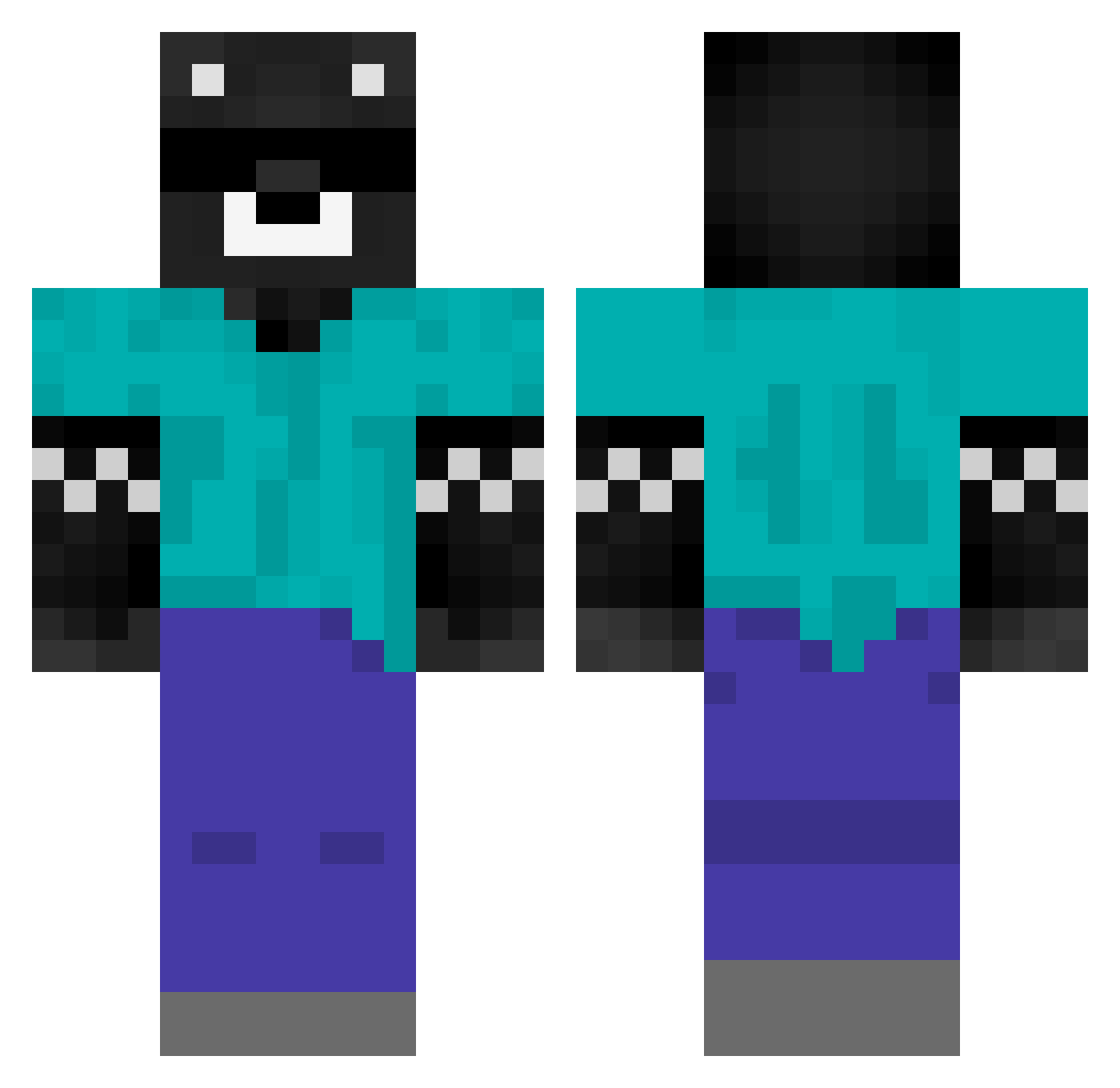
Current Minecraft skin of the player guille_xx, loaded from the official Mojang API. Rotate the 3D model with your mouse or finger, then download the skin as a PNG file and use it in Minecraft: Bedrock Edition or Java Edition for free. When guille_xx changes their skin, this page updates automatically and the old skin stays in the history below.
Other players with this skin (500)
guille_xx was the 343rd player we have seen with this skin, first spotted on 16.10.2026. The same skin was seen on these players. Open a nickname to see their current skin and skin history.
 CreeperNinja51X infiniti_kun Spreen_DMC NARUTOVI Ianb0202 YuliuuZ CommandFork frionelmessi1233 JeldeR_A JPGC AGUSTINRIFFOXL Eliaasng millo00 F3L108 xbzscara KeviinR ASSailantcone Overfale ItzAlejo joshua7exe papu4567 TheBoyJuaNn Dilanx0 aeixcc Kitze_cat kabumm_ nicolas209290394 Mateo467 leonardo2938 rotoxmc gnollae baenen11 MUI_GustiYT MCARLOS2405 lutanox L3oNc1tO ciro2010 Lacreta123 zMassi neyncp cachaperuanos Danielxd101 ivanvazxu AbiiKitten Noobmaster43283 Faze_Tilin36 ZoWen2 ItsPablo23 BenjaxXGG jsportillo rookidddd spreene MANUELOLAY ClarinengerFan TheBenjananz _zDroper_ Tanshanti Damajito1 santinobloo Elmerrick
More Bear Minecraft skins
How to install the guille_xx skin
- Press the Download button above to save the skin as a PNG file.
- Minecraft: Bedrock Edition (PE): open the Dressing Room from the main menu (or tap your character → Edit Character), go to Classic Skins → Owned, press the + (new skin) button, choose the downloaded PNG and pick the Classic (Steve) model. Works on PC and mobile; consoles cannot import custom skins.
- Minecraft: Java Edition: open the Minecraft Launcher, go to the Skins tab, click New Skin, load the PNG, pick the Classic (Steve) model and press Save & Use. You can also upload it at minecraft.net → Profile → Change Skin.
The skin does not show up after import - what should I do?
Restart Minecraft and open the Dressing Room again - imported skins sometimes appear only after a restart. Also make sure you selected the imported skin and picked the Classic (Steve) model.
Which model should I choose, Classic or Slim?
This skin is designed for the Classic (Steve) model. If you pick the wrong model, the arms of the skin will look stretched or squeezed.
Is the skin of guille_xx free to download?
Yes. Press Download, save the PNG file and use it in Minecraft: Bedrock Edition or Java Edition - no payment or registration needed. The skin also works on multiplayer servers and Realms.
More skins
Looking for more? Go back to all Minecraft skins and check the top skins of the week, month and all time, or find any player's skin by nickname.