
Damjogil - Minecraft Skins & Skin History
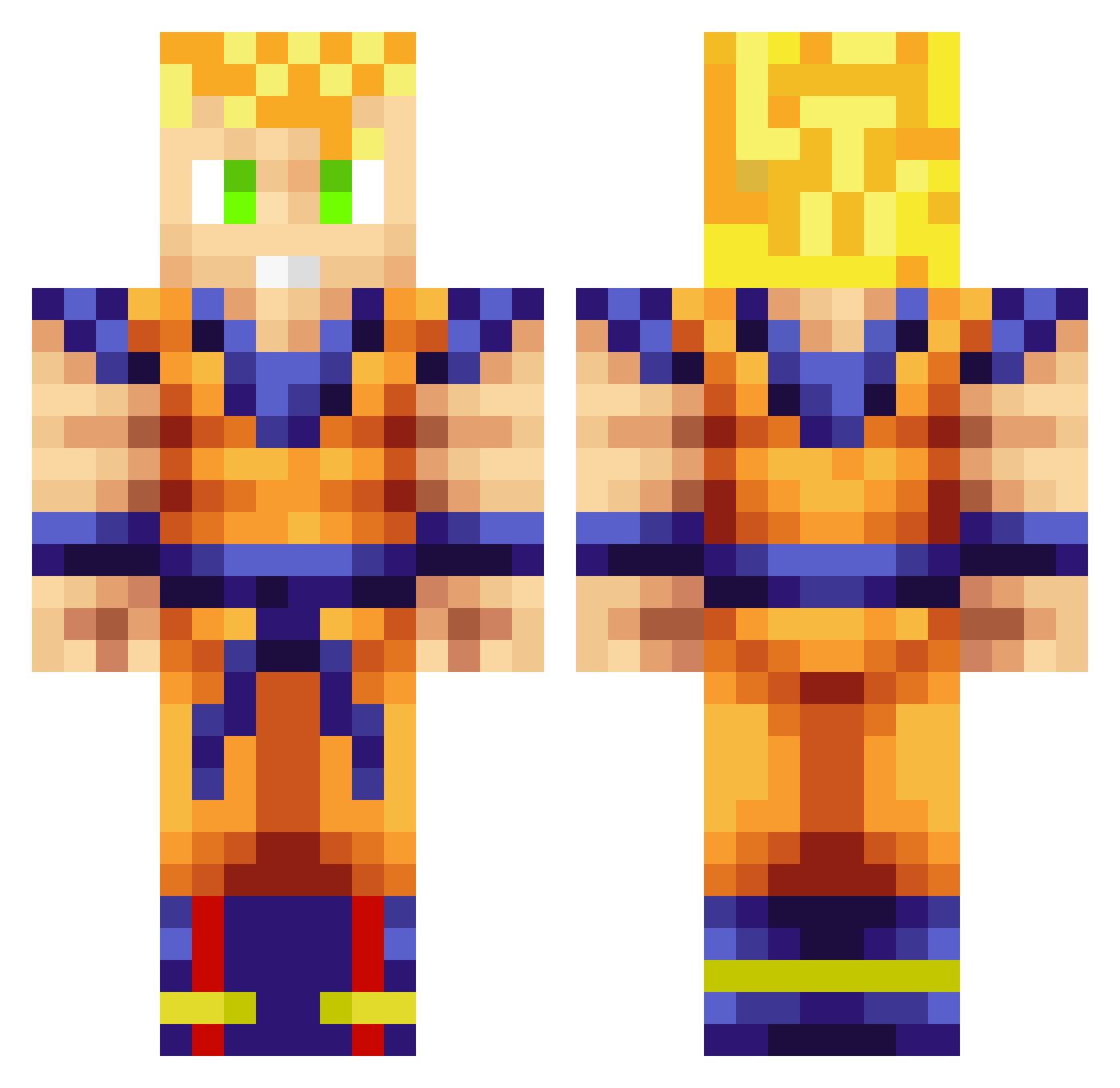
Current Minecraft skin of the player Damjogil, loaded from the official Mojang API. Rotate the 3D model with your mouse or finger, then download the skin as a PNG file and use it in Minecraft: Bedrock Edition or Java Edition for free. When Damjogil changes their skin, this page updates automatically and the old skin stays in the history below.
Other players with this skin (258)
Damjogil was the 236th player we have seen with this skin, first spotted on 23.10.2026. The same skin was seen on these players. Open a nickname to see their current skin and skin history.
 DJMike33 KIRKOR MrVodafone EpicVenom390 xEaques Block_Soul SoyShini xleadxxfarmerx SaiiKo19 Oceloft_7 Deadpool0745 c59tony Gussss777 booshard Aashno SoosPlays BigWhite244 Ruidle Crush_Lion Gatorex24 redkun26 GANGBJO Gamer17coco M_Wolf739 ZeroLucky77 jppj67 Edulord4 QuebinhoDaSouza TheMarcel0806 advancedclock140 maftybanana Raruto222 WooDongJin Kalio0 KingCJ2210 ducu2201 NJSanchez ViPCrystal Scrooger Zenith_01 habbo666 playersito01 Scholvas Kaiser83125 SlayerOfLaFlame Jacksparrow3 Felisaurio Makaay82 ILPAT01 EliamJD10 SergioT10 Zepekenso Ratzor2107 AlMeLi27 W33D_SHOT T_TEI SonGoku199 MauriGC Playmaker3090 harker
More Goku Minecraft skins
How to install the Damjogil skin
- Press the Download button above to save the skin as a PNG file.
- Minecraft: Bedrock Edition (PE): open the Dressing Room from the main menu (or tap your character → Edit Character), go to Classic Skins → Owned, press the + (new skin) button, choose the downloaded PNG and pick the Classic (Steve) model. Works on PC and mobile; consoles cannot import custom skins.
- Minecraft: Java Edition: open the Minecraft Launcher, go to the Skins tab, click New Skin, load the PNG, pick the Classic (Steve) model and press Save & Use. You can also upload it at minecraft.net → Profile → Change Skin.
The skin does not show up after import - what should I do?
Restart Minecraft and open the Dressing Room again - imported skins sometimes appear only after a restart. Also make sure you selected the imported skin and picked the Classic (Steve) model.
Which model should I choose, Classic or Slim?
This skin is designed for the Classic (Steve) model. If you pick the wrong model, the arms of the skin will look stretched or squeezed.
Is the skin of Damjogil free to download?
Yes. Press Download, save the PNG file and use it in Minecraft: Bedrock Edition or Java Edition - no payment or registration needed. The skin also works on multiplayer servers and Realms.
More skins
Looking for more? Go back to all Minecraft skins and check the top skins of the week, month and all time, or find any player's skin by nickname.