
DM3155 - Minecraft Skins & Skin History
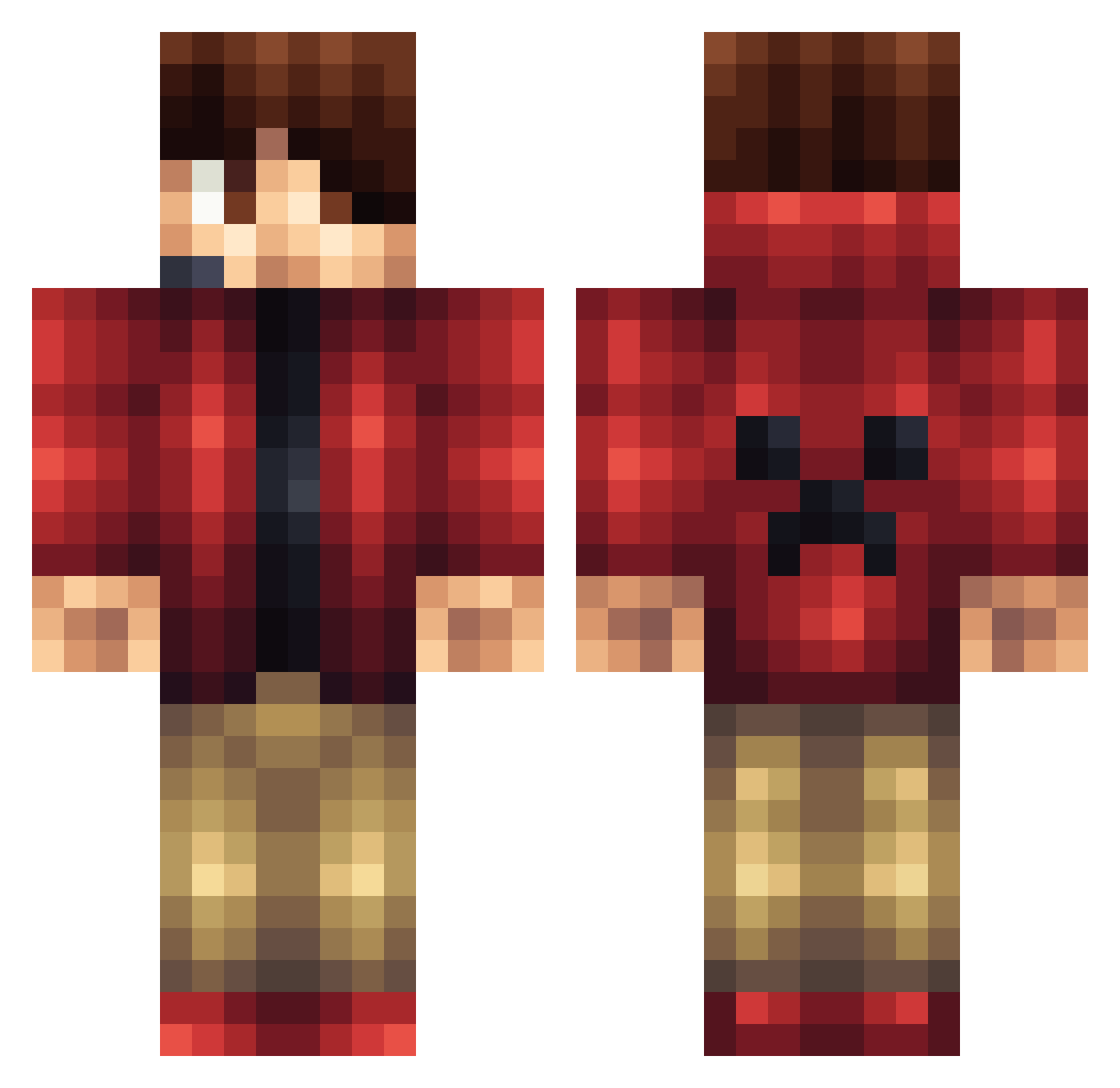
Current Minecraft skin of the player DM3155, loaded from the official Mojang API. Rotate the 3D model with your mouse or finger, then download the skin as a PNG file and use it in Minecraft: Bedrock Edition or Java Edition for free. When DM3155 changes their skin, this page updates automatically and the old skin stays in the history below.
Other players with this skin (1165)
DM3155 was the 732nd player we have seen with this skin, first spotted on 30.09.2026. The same skin was seen on these players. Open a nickname to see their current skin and skin history.
 jmaxham DJC94 Himain limoguy2012 echeverria00 M3vil_abuses ghostguy9 JanCapon CookiiM0nster adiawesome26 AUDRAA cowkiller52 Spikeyness RuqieDDoS x_EliteFighter_x MadMonstah thisguy0715 ChirpyBebbe Im_Fiz diamond_dude65 Ninetailsmode Seittu 11ADabbs KaptiveKaptan55 luigi_time7 tommif95 capt_pigman Mbough nick0312 Oliv3rDr OwnWealzZ Paddocks1 Qilux ryantopdog Wikoim solidsteel6239 TNA_SCAR Dieterlp123 AxelTurbo jesse01727 CaptainCarlIvar Megacold mb_95 YaBoiMiney oTyyz Mr_Cool_777 HCM_Jawer Texasfrosch Rishidan Germsoon snowdill sims213 Repkay SiddharthM MaximumMicah Rodney841 cherie0915 Niu_Rou PickyBrownie jamesjaden2355
More Headset Minecraft skins
How to install the DM3155 skin
- Press the Download button above to save the skin as a PNG file.
- Minecraft: Bedrock Edition (PE): open the Dressing Room from the main menu (or tap your character → Edit Character), go to Classic Skins → Owned, press the + (new skin) button, choose the downloaded PNG and pick the Classic (Steve) model. Works on PC and mobile; consoles cannot import custom skins.
- Minecraft: Java Edition: open the Minecraft Launcher, go to the Skins tab, click New Skin, load the PNG, pick the Classic (Steve) model and press Save & Use. You can also upload it at minecraft.net → Profile → Change Skin.
The skin does not show up after import - what should I do?
Restart Minecraft and open the Dressing Room again - imported skins sometimes appear only after a restart. Also make sure you selected the imported skin and picked the Classic (Steve) model.
Which model should I choose, Classic or Slim?
This skin is designed for the Classic (Steve) model. If you pick the wrong model, the arms of the skin will look stretched or squeezed.
Is the skin of DM3155 free to download?
Yes. Press Download, save the PNG file and use it in Minecraft: Bedrock Edition or Java Edition - no payment or registration needed. The skin also works on multiplayer servers and Realms.
More skins
Looking for more? Go back to all Minecraft skins and check the top skins of the week, month and all time, or find any player's skin by nickname.