
DL99 - Minecraft Skins & Skin History
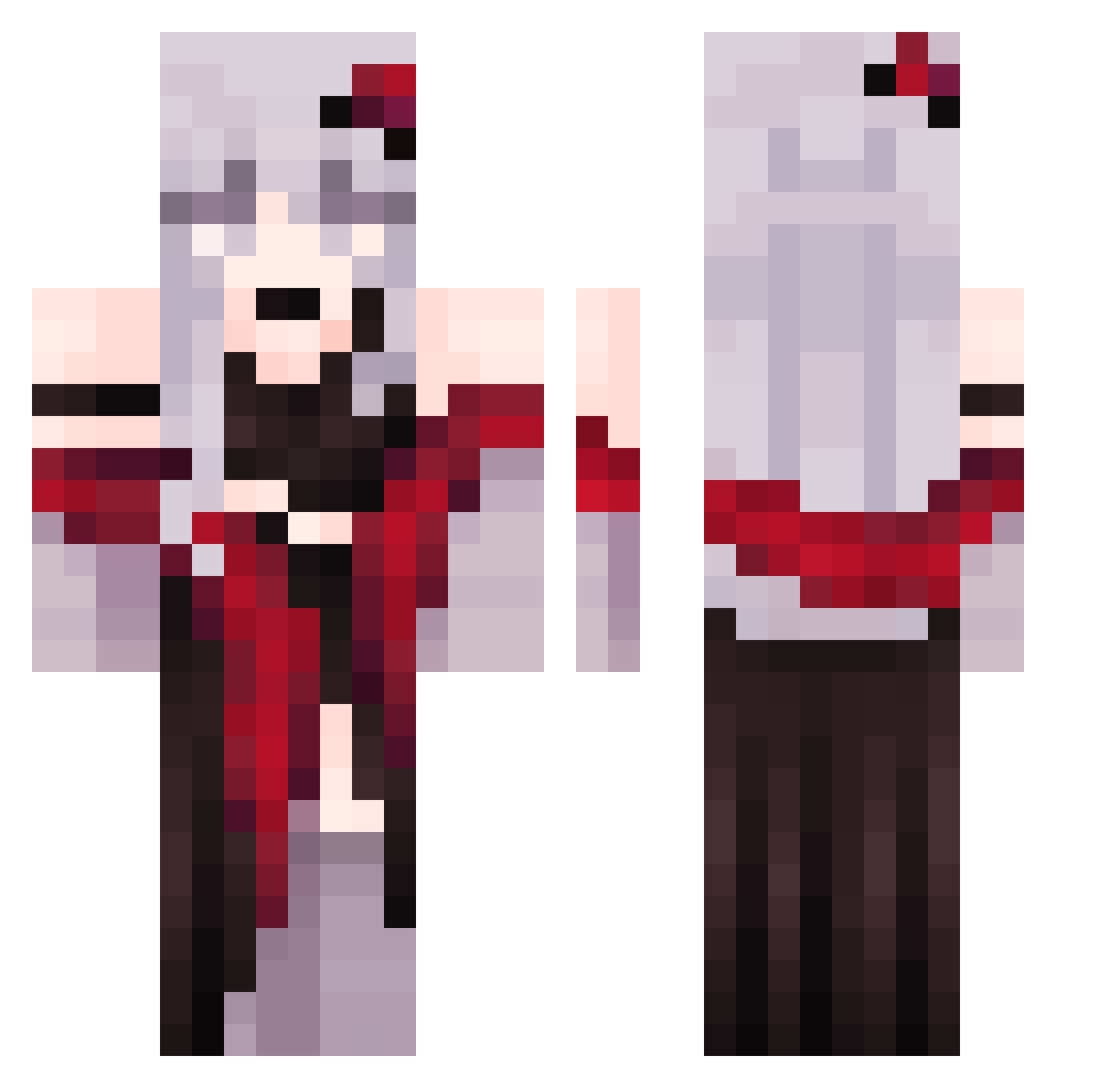
Current Minecraft skin of the player DL99, loaded from the official Mojang API. Rotate the 3D model with your mouse or finger, then download the skin as a PNG file and use it in Minecraft: Bedrock Edition or Java Edition for free. When DL99 changes their skin, this page updates automatically and the old skin stays in the history below.
Other players with this skin (369)
DL99 was the 333rd player we have seen with this skin, first spotted on 07.11.2026. The same skin was seen on these players. Open a nickname to see their current skin and skin history.
 theiful HarunaZZ Ary100krata LianaGamer SweetCandyMoon MoWerling BELIMDEMAKINA GorillaNo2 xAqustyna tefiinha rashy_kuan2 cinnamon_19_ AriiZonaa_LiiGht 0721Read iCuawn ATOMEGA1986 StarAlbert yuruyurucream NekoShiroShi Helcat_yas mangojjuya sellyw13 TangTang224 xXx_ClaZZic_xXx ONLYLOVE_CHEN Horizon387 Dipp_ Menyadie bigaso icehunxxx SonurAli mana_11 llTTSoraTTll Ukolili RetroWife Heksa1994 Aniffka SynWill ilysan vanGohg xFilesE et200415 FlimXo Kiwiplay123 OngMommy im_a_patato IronghMan haramya Meet_End Kyrozn SleepinglnMyRoom OrangeCat922 BlackPinkL1SA kevin123287 Gohnun Devke5 BloomInTheMud zsoull shijiale SIGUIYA
More Anime Girl Minecraft skins
See all 15169 Anime Girl skins
How to install the DL99 skin
- Press the Download button above to save the skin as a PNG file.
- Minecraft: Bedrock Edition (PE): open the Dressing Room from the main menu (or tap your character → Edit Character), go to Classic Skins → Owned, press the + (new skin) button, choose the downloaded PNG and pick the Classic (Steve) model. Works on PC and mobile; consoles cannot import custom skins.
- Minecraft: Java Edition: open the Minecraft Launcher, go to the Skins tab, click New Skin, load the PNG, pick the Classic (Steve) model and press Save & Use. You can also upload it at minecraft.net → Profile → Change Skin.
The skin does not show up after import - what should I do?
Restart Minecraft and open the Dressing Room again - imported skins sometimes appear only after a restart. Also make sure you selected the imported skin and picked the Classic (Steve) model.
Which model should I choose, Classic or Slim?
This skin is designed for the Classic (Steve) model. If you pick the wrong model, the arms of the skin will look stretched or squeezed.
Is the skin of DL99 free to download?
Yes. Press Download, save the PNG file and use it in Minecraft: Bedrock Edition or Java Edition - no payment or registration needed. The skin also works on multiplayer servers and Realms.
More skins
Looking for more? Go back to all Minecraft skins and check the top skins of the week, month and all time, or find any player's skin by nickname.