
DJBrew - Minecraft Skins & Skin History
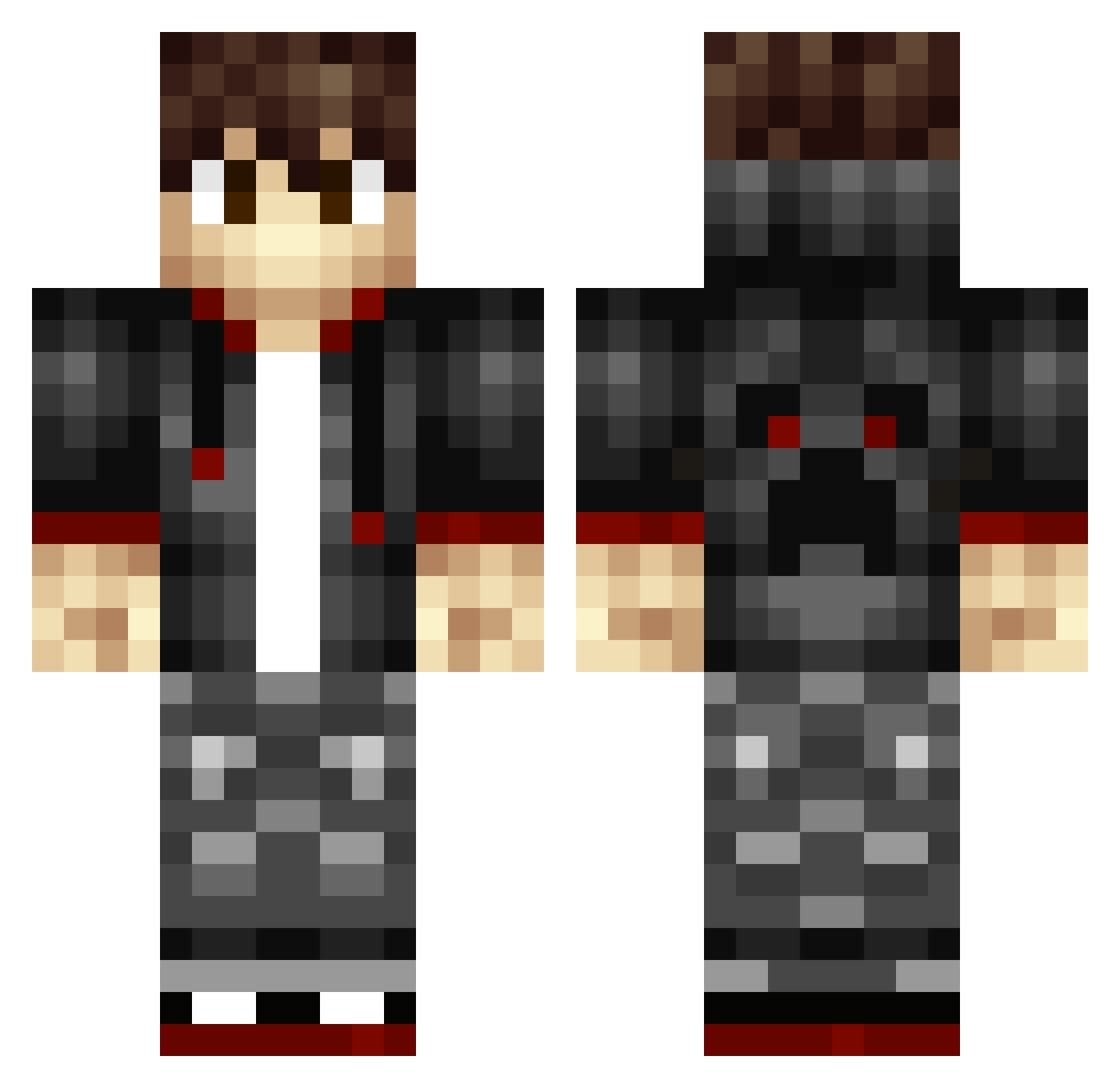
Current Minecraft skin of the player DJBrew, loaded from the official Mojang API. Rotate the 3D model with your mouse or finger, then download the skin as a PNG file and use it in Minecraft: Bedrock Edition or Java Edition for free. When DJBrew changes their skin, this page updates automatically and the old skin stays in the history below.
Other players with this skin (344)
DJBrew was the 88th player we have seen with this skin, first spotted on 25.08.2026. The same skin was seen on these players. Open a nickname to see their current skin and skin history.
 oTJKo LemonSkittlz mastercat9 Crazy4272 James22dt Captn_D jeshua2007 SleekGaming Maxi__S TylerStorm10 XpX2016 Skippy5005 Jesse_PSV Samsquanch007 Dreyfus_ ugSouls Pewzsn yusuf21 anglecaster JeiBlu mustangcharger NinjaTree71 Lembi StrongerThanEver EliteBeast666 TrikkeyMC SeminarRoom20 ArizonaKid04 Steintz Ruglemusa Kylermm UnspokenTrip Robogaming336 Clawfull Zico0102 RogviX MrW3lsh Juho_1997 gabepederson JigglenautsII BLACK_PANTER15 DinoAlPacino dolidoil926 shaash SneakyMC_ ZombieKid_23 AlecCadz Skitice DankDreams420 Motakava BubblyDad Ashieboyyy Stre4K Zarkito kidfury0907 Redshadowww virens_cn vxdragonslayer dontugetit UtopianChaos
How to install the DJBrew skin
- Press the Download button above to save the skin as a PNG file.
- Minecraft: Bedrock Edition (PE): open the Dressing Room from the main menu (or tap your character → Edit Character), go to Classic Skins → Owned, press the + (new skin) button, choose the downloaded PNG and pick the Classic (Steve) model. Works on PC and mobile; consoles cannot import custom skins.
- Minecraft: Java Edition: open the Minecraft Launcher, go to the Skins tab, click New Skin, load the PNG, pick the Classic (Steve) model and press Save & Use. You can also upload it at minecraft.net → Profile → Change Skin.
The skin does not show up after import - what should I do?
Restart Minecraft and open the Dressing Room again - imported skins sometimes appear only after a restart. Also make sure you selected the imported skin and picked the Classic (Steve) model.
Which model should I choose, Classic or Slim?
This skin is designed for the Classic (Steve) model. If you pick the wrong model, the arms of the skin will look stretched or squeezed.
Is the skin of DJBrew free to download?
Yes. Press Download, save the PNG file and use it in Minecraft: Bedrock Edition or Java Edition - no payment or registration needed. The skin also works on multiplayer servers and Realms.
More skins
Looking for more? Go back to all Minecraft skins and check the top skins of the week, month and all time, or find any player's skin by nickname.