
DHPlaysYT - Minecraft Skins & Skin History
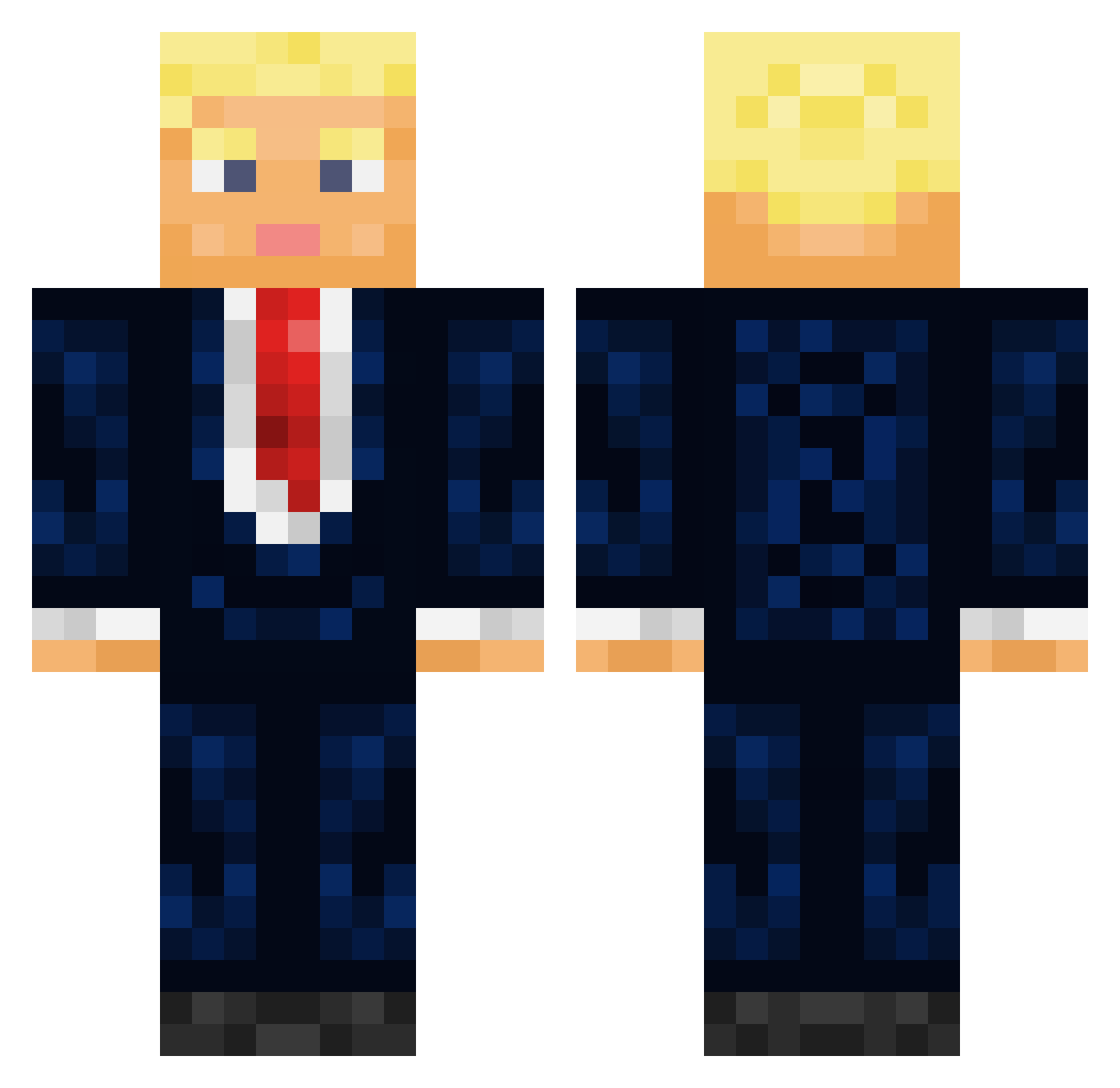
Current Minecraft skin of the player DHPlaysYT, loaded from the official Mojang API. Rotate the 3D model with your mouse or finger, then download the skin as a PNG file and use it in Minecraft: Bedrock Edition or Java Edition for free. When DHPlaysYT changes their skin, this page updates automatically and the old skin stays in the history below.
Other players with this skin (544)
DHPlaysYT was the 442nd player we have seen with this skin, first spotted on 02.11.2026. The same skin was seen on these players. Open a nickname to see their current skin and skin history.
 Jedimaster14464 IvanDreamStar666 unstake HDskygamer GoDofWxR Mummy_0 kingdrysdale DDkingen Neros_Morgan Samu9_9 BigHolder Rijkseend Pfizzy66 eminemfan8 IAMTHECLORAX jonte0427 ianxddd BejaHD Miqht MarineLePen76 SnoopieSS GixerBen I_am_a_fireball SoS_SoS StateDepartment ChrisTheRN DonaldTrump4547 FilMan_CZ TOSHIOO_ JuMB0_JiMB0 Teo1111 sltctao LauBlei Steandbar thebigpancakeman FJMurulauk MrDenadii ThudsTV Unindentified RicktusGrinner_2 Jason_yf Jenkins0075 gggmaximggg xWilsonM8 FonFom1 Thebestgamer122 GamerGirl69DD SrDuckNoodles CLoW_017 Liam_Cav Tamago9314 JYLEE0911 Querasija legion12320 jewish_monkey93 smat4 Der_Rothaarige Jank1e HerbertKlaus PapiiPabloo
More Donald Trump Minecraft skins
See all 368 Donald Trump skins
How to install the DHPlaysYT skin
- Press the Download button above to save the skin as a PNG file.
- Minecraft: Bedrock Edition (PE): open the Dressing Room from the main menu (or tap your character → Edit Character), go to Classic Skins → Owned, press the + (new skin) button, choose the downloaded PNG and pick the Classic (Steve) model. Works on PC and mobile; consoles cannot import custom skins.
- Minecraft: Java Edition: open the Minecraft Launcher, go to the Skins tab, click New Skin, load the PNG, pick the Classic (Steve) model and press Save & Use. You can also upload it at minecraft.net → Profile → Change Skin.
The skin does not show up after import - what should I do?
Restart Minecraft and open the Dressing Room again - imported skins sometimes appear only after a restart. Also make sure you selected the imported skin and picked the Classic (Steve) model.
Which model should I choose, Classic or Slim?
This skin is designed for the Classic (Steve) model. If you pick the wrong model, the arms of the skin will look stretched or squeezed.
Is the skin of DHPlaysYT free to download?
Yes. Press Download, save the PNG file and use it in Minecraft: Bedrock Edition or Java Edition - no payment or registration needed. The skin also works on multiplayer servers and Realms.
More skins
Looking for more? Go back to all Minecraft skins and check the top skins of the week, month and all time, or find any player's skin by nickname.