
DCSDCSD - Minecraft Skins & Skin History
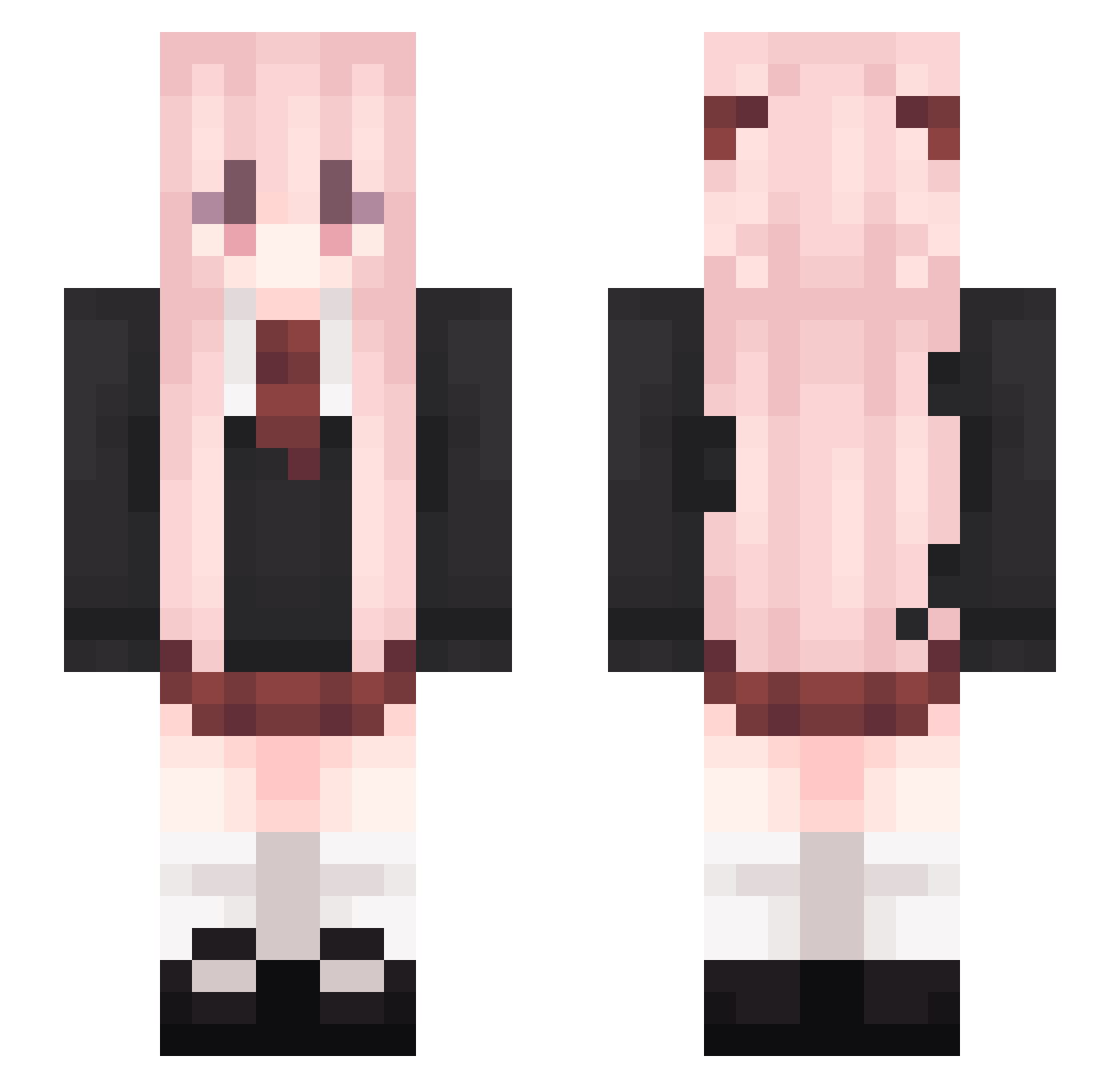
Current Minecraft skin of the player DCSDCSD, loaded from the official Mojang API. Rotate the 3D model with your mouse or finger, then download the skin as a PNG file and use it in Minecraft: Bedrock Edition or Java Edition for free. When DCSDCSD changes their skin, this page updates automatically and the old skin stays in the history below.
Other players with this skin (541)
DCSDCSD was the 274th player we have seen with this skin, first spotted on 26.09.2026. The same skin was seen on these players. Open a nickname to see their current skin and skin history.
 Ssun0303 sileyer huajun2022 SASHA_LAO5 yichui alinsdfasd qwqyl baochaocj Zhizi_111 LLLL_p xiaoyan0813 Lohse233 nioing eitas v1olett_ xiaoyue_qh Shuangcan XiaoXiaoChen linkrainbow HangSangm LilySinclair Maxkung12 12346798745 Yukino_Erik TimppaFIN wzc1227 NEHRyr muy257 Yue_Chu_ Qihai1225 Yuzuru0 Giesberto Douew KUN555 CCCL_OL foid_killer_161 XiaoZhou2023 Regret_XZZzl champion_YT cwxuan YanHua_Zz Chenghui2021 zFe3 HaiYanYa L3oxy xiaoxiaoji666 Eren1017 Stampedzap ChuXin520 Petrichor_Cher LittleQ1 CCTV002 koverlhit_512997 Lz_XiaoYao xixi1314 Ruo_Xi kirito55a8 Shikinam1Asuka HFL208 Momo_Velia_DK
More School Uniform Minecraft skins
See all 6996 School Uniform skins
How to install the DCSDCSD skin
- Press the Download button above to save the skin as a PNG file.
- Minecraft: Bedrock Edition (PE): open the Dressing Room from the main menu (or tap your character → Edit Character), go to Classic Skins → Owned, press the + (new skin) button, choose the downloaded PNG and pick the Slim (Alex) model. Works on PC and mobile; consoles cannot import custom skins.
- Minecraft: Java Edition: open the Minecraft Launcher, go to the Skins tab, click New Skin, load the PNG, pick the Slim (Alex) model and press Save & Use. You can also upload it at minecraft.net → Profile → Change Skin.
The skin does not show up after import - what should I do?
Restart Minecraft and open the Dressing Room again - imported skins sometimes appear only after a restart. Also make sure you selected the imported skin and picked the Slim (Alex) model.
Which model should I choose, Classic or Slim?
This skin is designed for the Slim (Alex) model. If you pick the wrong model, the arms of the skin will look stretched or squeezed.
Is the skin of DCSDCSD free to download?
Yes. Press Download, save the PNG file and use it in Minecraft: Bedrock Edition or Java Edition - no payment or registration needed. The skin also works on multiplayer servers and Realms.
More skins
Looking for more? Go back to all Minecraft skins and check the top skins of the week, month and all time, or find any player's skin by nickname.