
DARHUMAN - Minecraft Skins & Skin History
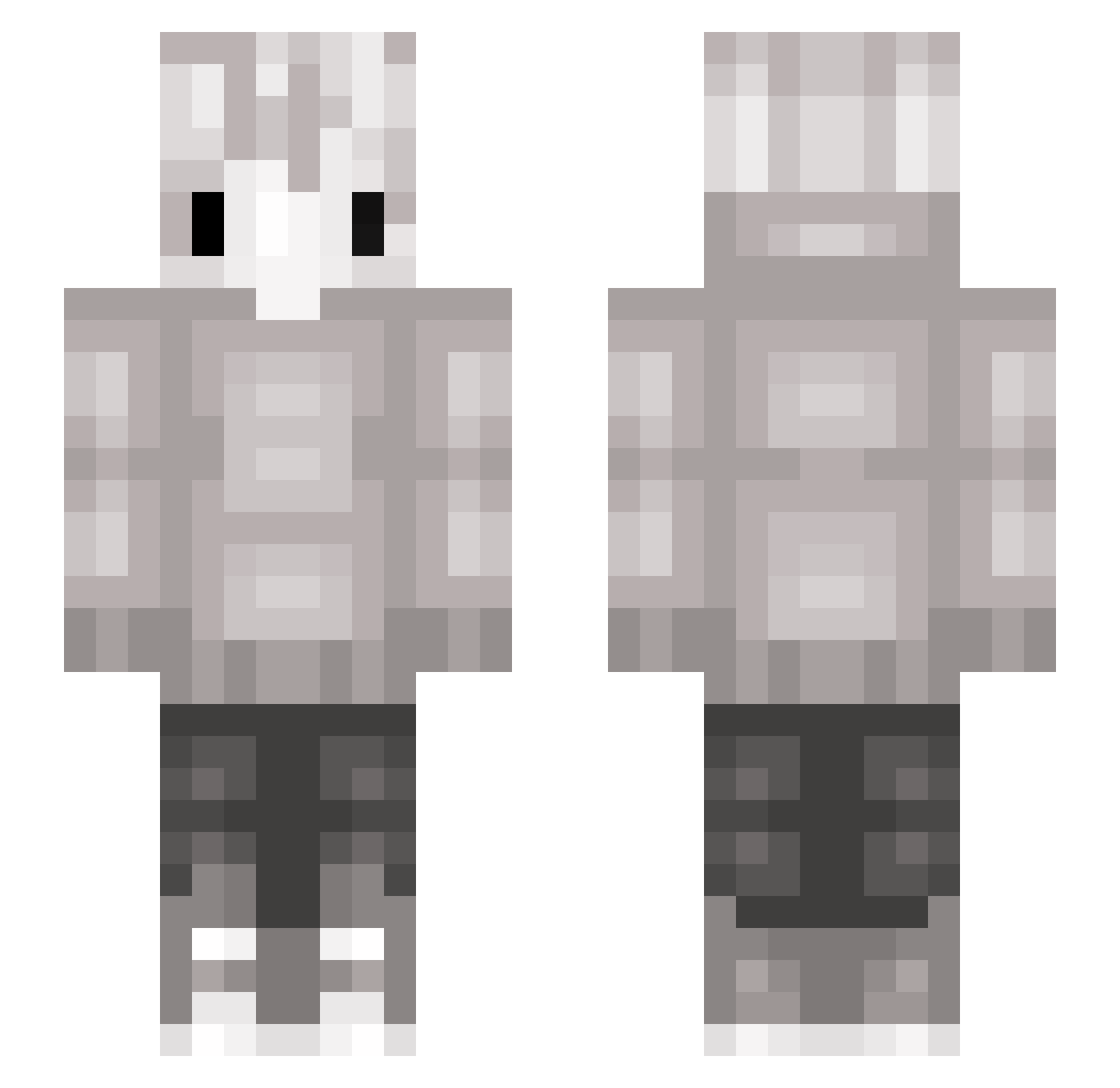
Current Minecraft skin of the player DARHUMAN, loaded from the official Mojang API. Rotate the 3D model with your mouse or finger, then download the skin as a PNG file and use it in Minecraft: Bedrock Edition or Java Edition for free. When DARHUMAN changes their skin, this page updates automatically and the old skin stays in the history below.
Other players with this skin (117)
DARHUMAN was the 50th player we have seen with this skin, first spotted on 05.09.2026. The same skin was seen on these players. Open a nickname to see their current skin and skin history.
 em_ilya WobyLand linyarn Raiugo ungetto_sway98 Yorkson Fillap TheForbiddenW SparkPlug258 elniggachi m_u_T BroGhost1015 Dillsif_ WhiteF5 potsquat Brutax_200 Dragonhunter20XX koto7x
 RedSkiesOfficial _stillhere MooorWolf Demisse alekseighost Ezray_ HELLYEAH666 Pandafield arda_world saruMANN__ Simbaliten Neb___ ZoeyP FlashDrive FarmerBae 1312Reiwilo Exquiloo Aragaming18 nico8571 iErnYeager Mage100 Snuks Mistrz222 Rondyr Kydygames confusionwolf is_Whiteee hakey1975 AdamWithoutEve off_sls 0shski JuiceBox123876 GhostBlender nini_colcol Masato4 uqsn InsomniaDuo Quodrehh deki_69 iDevind 4Lies CiiiO_2582
More Cat Ears Minecraft skins
How to install the DARHUMAN skin
- Press the Download button above to save the skin as a PNG file.
- Minecraft: Bedrock Edition (PE): open the Dressing Room from the main menu (or tap your character → Edit Character), go to Classic Skins → Owned, press the + (new skin) button, choose the downloaded PNG and pick the Slim (Alex) model. Works on PC and mobile; consoles cannot import custom skins.
- Minecraft: Java Edition: open the Minecraft Launcher, go to the Skins tab, click New Skin, load the PNG, pick the Slim (Alex) model and press Save & Use. You can also upload it at minecraft.net → Profile → Change Skin.
The skin does not show up after import - what should I do?
Restart Minecraft and open the Dressing Room again - imported skins sometimes appear only after a restart. Also make sure you selected the imported skin and picked the Slim (Alex) model.
Which model should I choose, Classic or Slim?
This skin is designed for the Slim (Alex) model. If you pick the wrong model, the arms of the skin will look stretched or squeezed.
Is the skin of DARHUMAN free to download?
Yes. Press Download, save the PNG file and use it in Minecraft: Bedrock Edition or Java Edition - no payment or registration needed. The skin also works on multiplayer servers and Realms.
More skins
Looking for more? Go back to all Minecraft skins and check the top skins of the week, month and all time, or find any player's skin by nickname.