
D1vinion - Minecraft Skins & Skin History
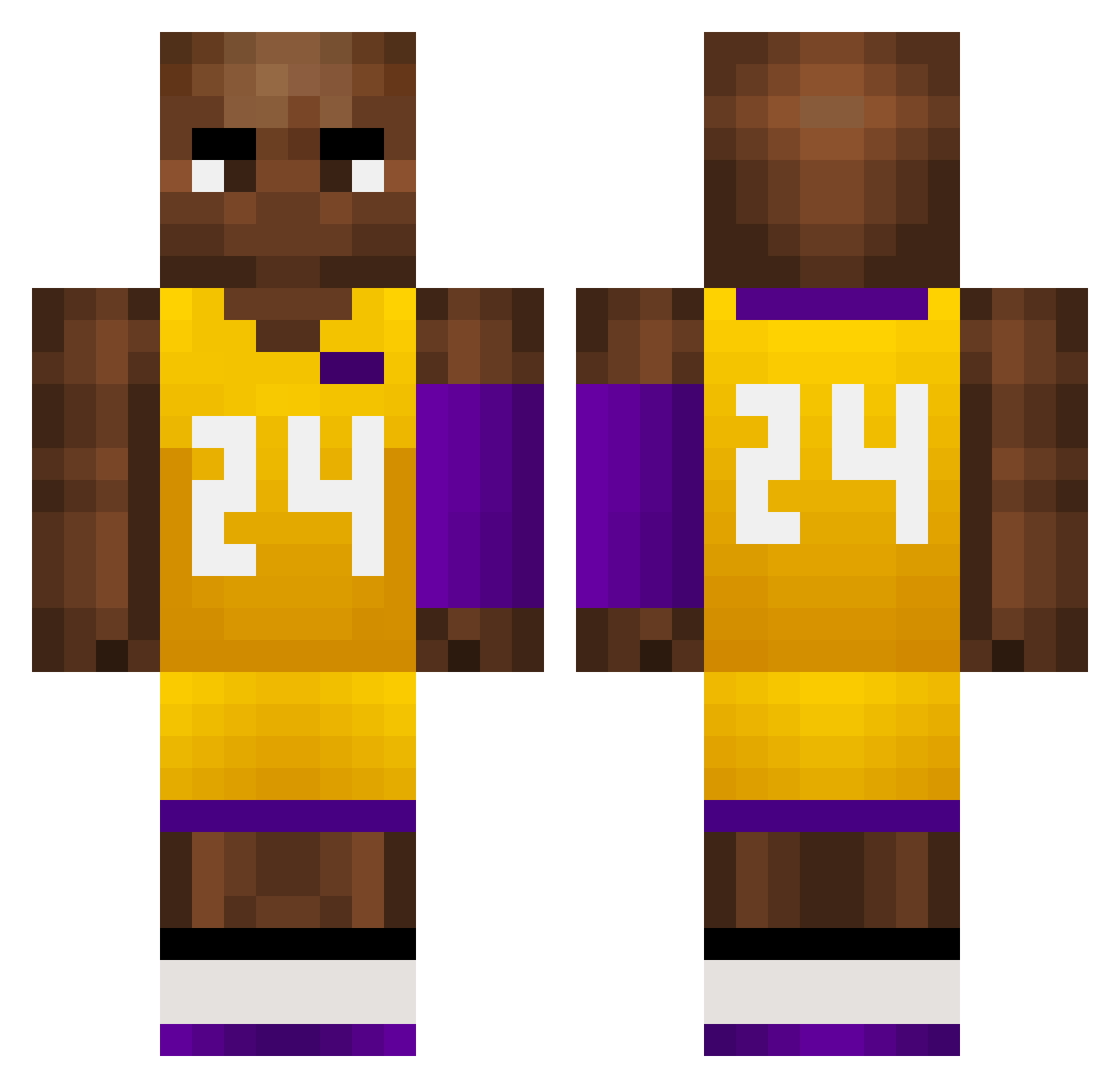
Current Minecraft skin of the player D1vinion, loaded from the official Mojang API. Rotate the 3D model with your mouse or finger, then download the skin as a PNG file and use it in Minecraft: Bedrock Edition or Java Edition for free. When D1vinion changes their skin, this page updates automatically and the old skin stays in the history below.
Other players with this skin (727)
D1vinion was the 81st player we have seen with this skin, first spotted on 05.08.2026. The same skin was seen on these players. Open a nickname to see their current skin and skin history.
 TaiSonRZR US_BWquHRUXMz909 volunteer110 KobeBBryant berlurry Kumbus_ PirkanParhaat redsox241 Zamudio_o LexRekington Jetlag_69 dukalass DDDTANG111 TheTrapKing ssshhh12138
 Oquendo824 melokream hopehighs Foolneglect qRs413 ShiYonbi Zain_8 WestCoastGrunt Goldhell twitch_zuki111 show1n JRENAUD24 ThePusherNR1 tjp219 garlicdog69420 ntdlink OkatyyKrazyy Avacada Rewox_ march7th37 SSDS_offical CycI0ne Rayy0108 Haerin_20060515 ACCEBREAD Anand4D MoBambaThe2nd Dr_jadenK NutsandButts kVa710 Ober02 CleverGermany HeyyyJackk whatcanIsay16
 matigagatek _jagger0204_ warriorsman81 Demiaan_6 LianJunJun EL_Secretario s1mple_6 GamerBoyAlon Marcoribezzo Hamishfitz QOW133
More Kobe Bryant Minecraft skins
How to install the D1vinion skin
- Press the Download button above to save the skin as a PNG file.
- Minecraft: Bedrock Edition (PE): open the Dressing Room from the main menu (or tap your character → Edit Character), go to Classic Skins → Owned, press the + (new skin) button, choose the downloaded PNG and pick the Classic (Steve) model. Works on PC and mobile; consoles cannot import custom skins.
- Minecraft: Java Edition: open the Minecraft Launcher, go to the Skins tab, click New Skin, load the PNG, pick the Classic (Steve) model and press Save & Use. You can also upload it at minecraft.net → Profile → Change Skin.
The skin does not show up after import - what should I do?
Restart Minecraft and open the Dressing Room again - imported skins sometimes appear only after a restart. Also make sure you selected the imported skin and picked the Classic (Steve) model.
Which model should I choose, Classic or Slim?
This skin is designed for the Classic (Steve) model. If you pick the wrong model, the arms of the skin will look stretched or squeezed.
Is the skin of D1vinion free to download?
Yes. Press Download, save the PNG file and use it in Minecraft: Bedrock Edition or Java Edition - no payment or registration needed. The skin also works on multiplayer servers and Realms.
More skins
Looking for more? Go back to all Minecraft skins and check the top skins of the week, month and all time, or find any player's skin by nickname.