
D0ner_Kebab - Minecraft Skins & Skin History
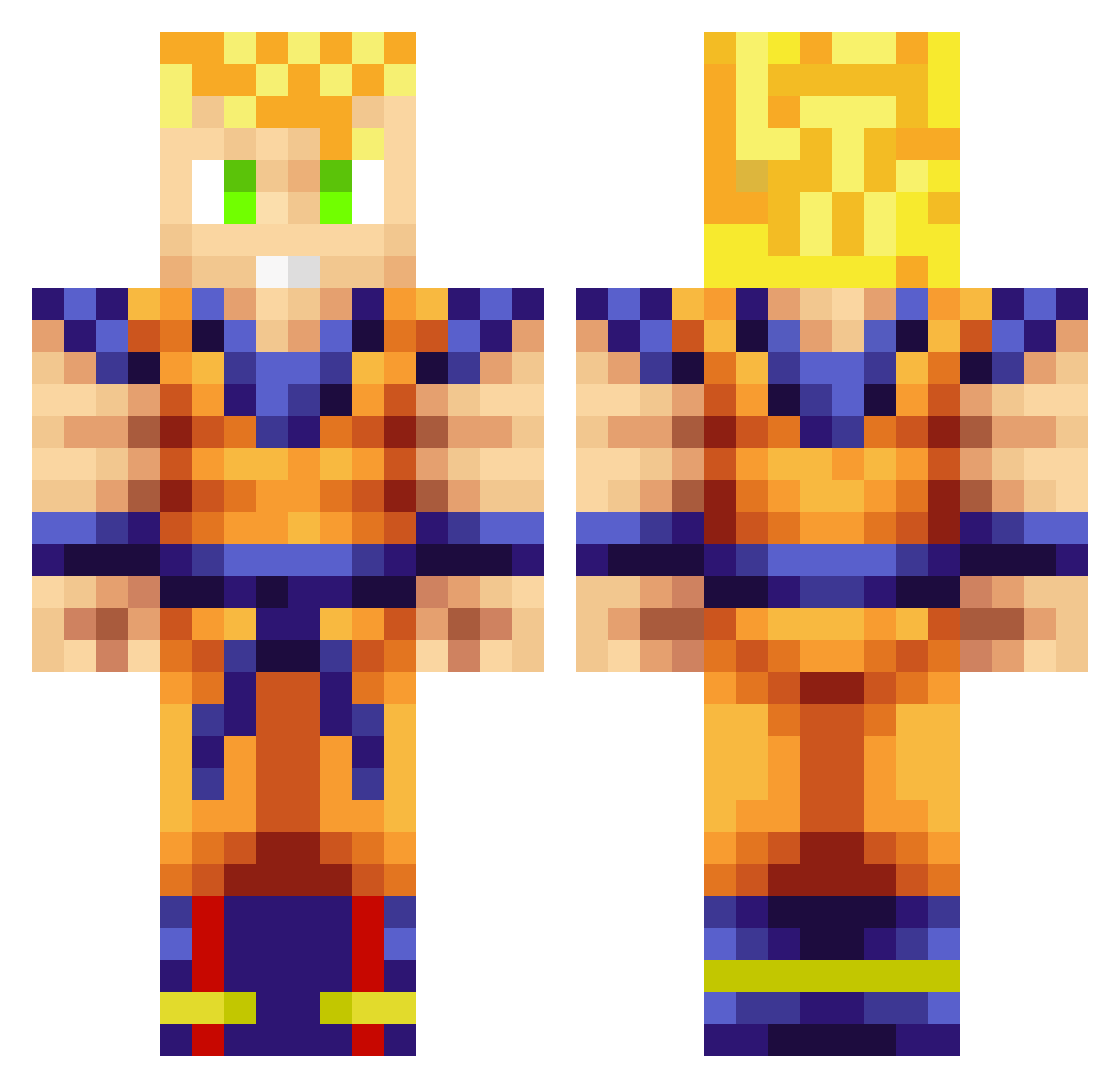
Current Minecraft skin of the player D0ner_Kebab, loaded from the official Mojang API. Rotate the 3D model with your mouse or finger, then download the skin as a PNG file and use it in Minecraft: Bedrock Edition or Java Edition for free. When D0ner_Kebab changes their skin, this page updates automatically and the old skin stays in the history below.
Other players with this skin (1076)
D0ner_Kebab was the 968th player we have seen with this skin, first spotted on 09.11.2026. The same skin was seen on these players. Open a nickname to see their current skin and skin history.
 conner112233 Ara31 minisurf3 PaperHead3 iaurelio Paintball_Angel miqdadthegreat Trogmak Montelll Shagoh 8RI Cotsley midgetezio carioshi7 TATOX99 damian29271 bigwill_ow ThorLPer allensheng suchti31 l3lood_Money Qugon maakeko danceforgold bojovink Jewcub1024 paultor player434767 dryana Arlindos24 Dizzle2010 Whiplashed83 KenshinHimura8 Eviscera WillFactor CallurPapa Maunja hamanator123 BillyN428 xAwesomeMan007x LasseStidsborg LordCeaser Tibias Nvers PeterMaster1810 gregoryann Slammydog GamblerOegret assassin1404 Abdullah__Q8i KozMiCKinGz DallasWolfe19 Onyx27 3u0 Cacaman123 CalltheguysPlays makkarra Big_Daddy0719 kevinbin1 Craftavi
More Goku Minecraft skins
How to install the D0ner_Kebab skin
- Press the Download button above to save the skin as a PNG file.
- Minecraft: Bedrock Edition (PE): open the Dressing Room from the main menu (or tap your character → Edit Character), go to Classic Skins → Owned, press the + (new skin) button, choose the downloaded PNG and pick the Classic (Steve) model. Works on PC and mobile; consoles cannot import custom skins.
- Minecraft: Java Edition: open the Minecraft Launcher, go to the Skins tab, click New Skin, load the PNG, pick the Classic (Steve) model and press Save & Use. You can also upload it at minecraft.net → Profile → Change Skin.
The skin does not show up after import - what should I do?
Restart Minecraft and open the Dressing Room again - imported skins sometimes appear only after a restart. Also make sure you selected the imported skin and picked the Classic (Steve) model.
Which model should I choose, Classic or Slim?
This skin is designed for the Classic (Steve) model. If you pick the wrong model, the arms of the skin will look stretched or squeezed.
Is the skin of D0ner_Kebab free to download?
Yes. Press Download, save the PNG file and use it in Minecraft: Bedrock Edition or Java Edition - no payment or registration needed. The skin also works on multiplayer servers and Realms.
More skins
Looking for more? Go back to all Minecraft skins and check the top skins of the week, month and all time, or find any player's skin by nickname.