
Czuks - Minecraft Skins & Skin History
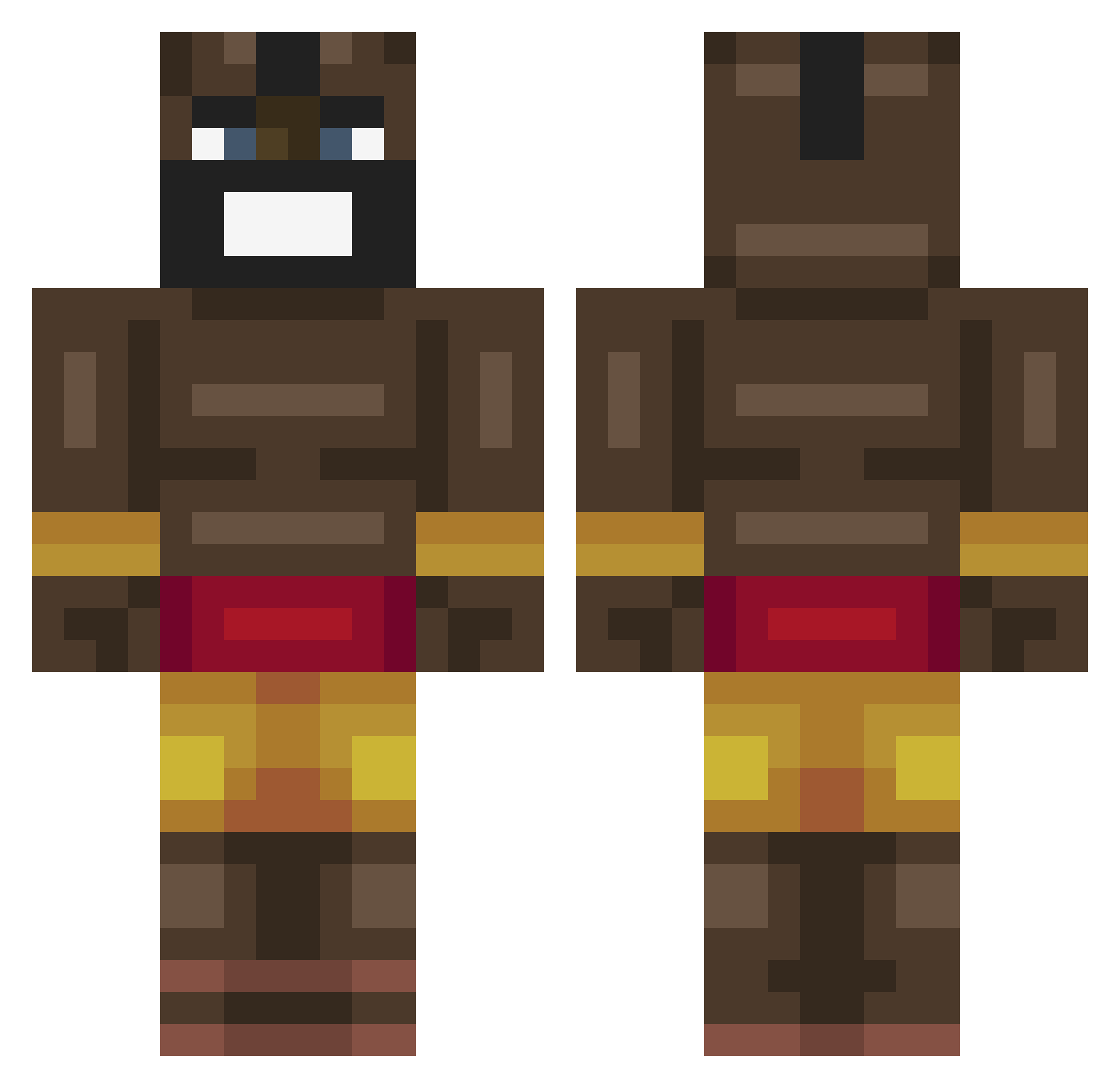
Current Minecraft skin of the player Czuks, loaded from the official Mojang API. Rotate the 3D model with your mouse or finger, then download the skin as a PNG file and use it in Minecraft: Bedrock Edition or Java Edition for free. When Czuks changes their skin, this page updates automatically and the old skin stays in the history below.
Other players with this skin (463)
Czuks was the 287th player we have seen with this skin, first spotted on 06.10.2026. The same skin was seen on these players. Open a nickname to see their current skin and skin history.
 HenneHorn007 SchullPapi _ChunKKK Rzepa903 Aware___ Michaelkudahl Crazylad999 Rockstar7878 rex0525 SUS_FANZ LONGLIVEICE monkeyboy187 orylom The_BubKroninini McSwaino Lulexx Qinlong098 c0rd0 NotWaze MisterKjell Monkey_Moksh wikzar StoneCold185 pers_djurigafilm Blitz24H Fartrand69 oluwatobi27 Strawberry_Jam1 GuiCmds SeymourBhuttes Astro_Marky Terrariaontop superdurp316 jalafomi road21 Belpiccione Jakaroony_2007 Alecwatts T0M593 GeneralVAnxl urtw joethemanhoe H1tleris NomaxM MaruIsBored Fraankensteinsch bvuky johnnyyXD Fragile1321 Cskk Acub3ns ITZ_Tyla WillemVerc Kosovoy fuldpsykose FlowerBloomsIT SchokiiiDomme Glabason carlosgamer00 Nilvet
More Celebrity Minecraft skins
How to install the Czuks skin
- Press the Download button above to save the skin as a PNG file.
- Minecraft: Bedrock Edition (PE): open the Dressing Room from the main menu (or tap your character → Edit Character), go to Classic Skins → Owned, press the + (new skin) button, choose the downloaded PNG and pick the Classic (Steve) model. Works on PC and mobile; consoles cannot import custom skins.
- Minecraft: Java Edition: open the Minecraft Launcher, go to the Skins tab, click New Skin, load the PNG, pick the Classic (Steve) model and press Save & Use. You can also upload it at minecraft.net → Profile → Change Skin.
The skin does not show up after import - what should I do?
Restart Minecraft and open the Dressing Room again - imported skins sometimes appear only after a restart. Also make sure you selected the imported skin and picked the Classic (Steve) model.
Which model should I choose, Classic or Slim?
This skin is designed for the Classic (Steve) model. If you pick the wrong model, the arms of the skin will look stretched or squeezed.
Is the skin of Czuks free to download?
Yes. Press Download, save the PNG file and use it in Minecraft: Bedrock Edition or Java Edition - no payment or registration needed. The skin also works on multiplayer servers and Realms.
More skins
Looking for more? Go back to all Minecraft skins and check the top skins of the week, month and all time, or find any player's skin by nickname.