
CyberNeo13 - Minecraft Skins & Skin History
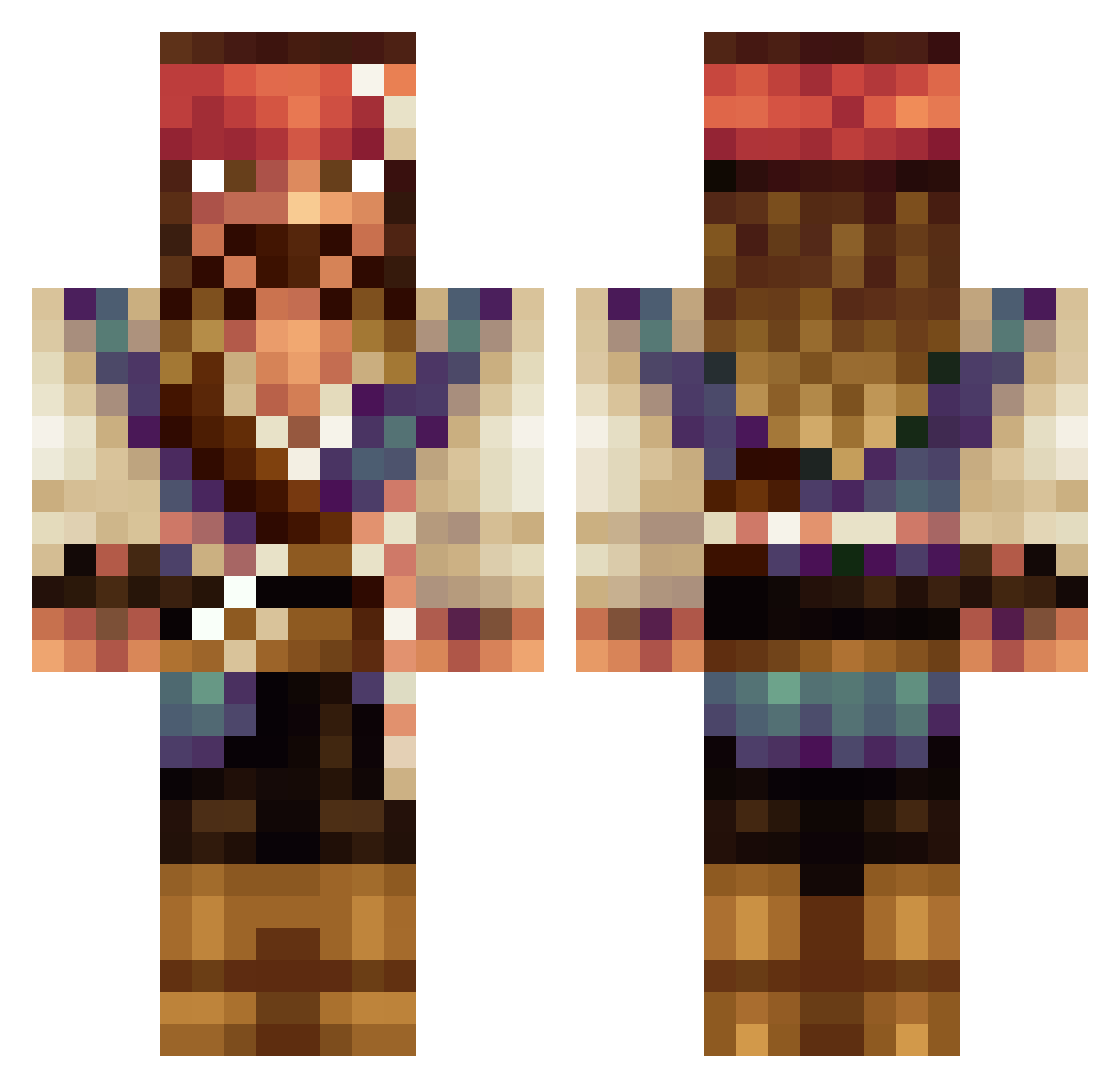
Current Minecraft skin of the player CyberNeo13, loaded from the official Mojang API. Rotate the 3D model with your mouse or finger, then download the skin as a PNG file and use it in Minecraft: Bedrock Edition or Java Edition for free. When CyberNeo13 changes their skin, this page updates automatically and the old skin stays in the history below.
Other players with this skin (180)
CyberNeo13 was the 100th player we have seen with this skin, first spotted on 25.09.2026. The same skin was seen on these players. Open a nickname to see their current skin and skin history.
 lciely MrDialaga 6tabel DrunkenTitan GhostArchitect07 Jlist9987 ebowe Cyberlockz Crossfire_Leon DoctorDave2116 BearGrylz Rokupinoy TheOrlo countryktr Deranged_Monkey 1times1isfish sushi7007 Jack1998blue eAthane ArielCastagna c3cco CausticMarmot6 baryn_ HockeyMadness boxbocn Dr_Heinz llMikell IvarAl clonekiller69 SorteioDoMUMIIO2 GiobbyPawa __Sten__ Sebbe1997 olinfair But1er mrderpypiggie PvPRevolution ollie1325 Susilupus Avenmax8 j32driver Spethim julaap789 Creepies Gabe_Utsecks TommyHolmes PysN Silentecs minerSimze Den_DanilYT wrong_thread DutchJuul blubberblop Hi_im_Sosa TehEbber dPrPvPx TTVfrenchtoaster Jack_Sparrow_08 k4ramba76 Mariofr99
More Jack Sparrow Minecraft skins
See all 108 Jack Sparrow skins
How to install the CyberNeo13 skin
- Press the Download button above to save the skin as a PNG file.
- Minecraft: Bedrock Edition (PE): open the Dressing Room from the main menu (or tap your character → Edit Character), go to Classic Skins → Owned, press the + (new skin) button, choose the downloaded PNG and pick the Classic (Steve) model. Works on PC and mobile; consoles cannot import custom skins.
- Minecraft: Java Edition: open the Minecraft Launcher, go to the Skins tab, click New Skin, load the PNG, pick the Classic (Steve) model and press Save & Use. You can also upload it at minecraft.net → Profile → Change Skin.
The skin does not show up after import - what should I do?
Restart Minecraft and open the Dressing Room again - imported skins sometimes appear only after a restart. Also make sure you selected the imported skin and picked the Classic (Steve) model.
Which model should I choose, Classic or Slim?
This skin is designed for the Classic (Steve) model. If you pick the wrong model, the arms of the skin will look stretched or squeezed.
Is the skin of CyberNeo13 free to download?
Yes. Press Download, save the PNG file and use it in Minecraft: Bedrock Edition or Java Edition - no payment or registration needed. The skin also works on multiplayer servers and Realms.
More skins
Looking for more? Go back to all Minecraft skins and check the top skins of the week, month and all time, or find any player's skin by nickname.