
Curq - Minecraft Skins & Skin History
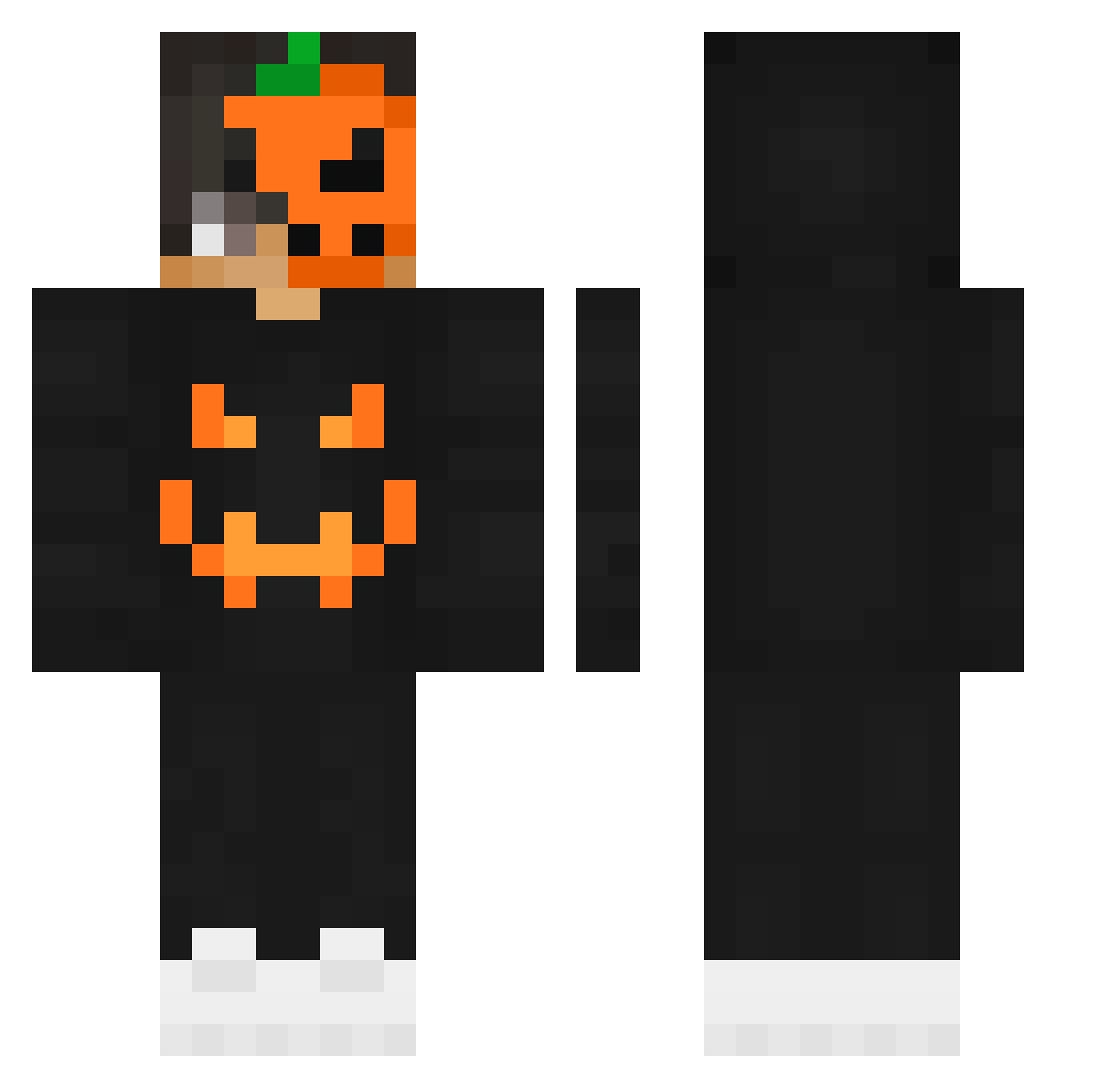
Current Minecraft skin of the player Curq, loaded from the official Mojang API. Rotate the 3D model with your mouse or finger, then download the skin as a PNG file and use it in Minecraft: Bedrock Edition or Java Edition for free. When Curq changes their skin, this page updates automatically and the old skin stays in the history below.
Other players with this skin (205)
Curq was the 82nd player we have seen with this skin, first spotted on 11.09.2026. The same skin was seen on these players. Open a nickname to see their current skin and skin history.
 xiiKingxD ABlackShadow GDF11 Eason527 EmreJuan042 Kronjew Gilm13 iLuvDuks Igothackedohno eivri dernour EmmaRose_Olive Nevor508 BustaRimes TournamentW simogne7 M4y4nJul64 Depr3ssiv3 bautyfedele Paleta123 yDadNinja_ allDoobies sebacha Danomen_YouTube NoodlesLover iRipexness kouroshD xxx_beczka_123 AlxBZH007 ddarks1de Krykx_ pumpkin0406 SleepyBurrito2 Faret01 TheDaGGeSten phm0922 Jang_Y_K Hayaletmek70r0 cr8zyroger Yaothien Xx_ghost_x _Honey__Bee_ HyperCollecTR Qerio_ TK_rohan plate1056 StreamSniped HarrisMine DieDinos HellBringer8279 InsanityM kampick Osama_Games_YT Zyroxxx49 InfernalMAC Nq_xewtZK afeverdream Tchabalabalaba DenDoSeinpaii The_Nagi
More Jackolantern Minecraft skins
See all 215 Jackolantern skins
How to install the Curq skin
- Press the Download button above to save the skin as a PNG file.
- Minecraft: Bedrock Edition (PE): open the Dressing Room from the main menu (or tap your character → Edit Character), go to Classic Skins → Owned, press the + (new skin) button, choose the downloaded PNG and pick the Classic (Steve) model. Works on PC and mobile; consoles cannot import custom skins.
- Minecraft: Java Edition: open the Minecraft Launcher, go to the Skins tab, click New Skin, load the PNG, pick the Classic (Steve) model and press Save & Use. You can also upload it at minecraft.net → Profile → Change Skin.
The skin does not show up after import - what should I do?
Restart Minecraft and open the Dressing Room again - imported skins sometimes appear only after a restart. Also make sure you selected the imported skin and picked the Classic (Steve) model.
Which model should I choose, Classic or Slim?
This skin is designed for the Classic (Steve) model. If you pick the wrong model, the arms of the skin will look stretched or squeezed.
Is the skin of Curq free to download?
Yes. Press Download, save the PNG file and use it in Minecraft: Bedrock Edition or Java Edition - no payment or registration needed. The skin also works on multiplayer servers and Realms.
More skins
Looking for more? Go back to all Minecraft skins and check the top skins of the week, month and all time, or find any player's skin by nickname.