
CrypticEternity - Minecraft Skins & Skin History
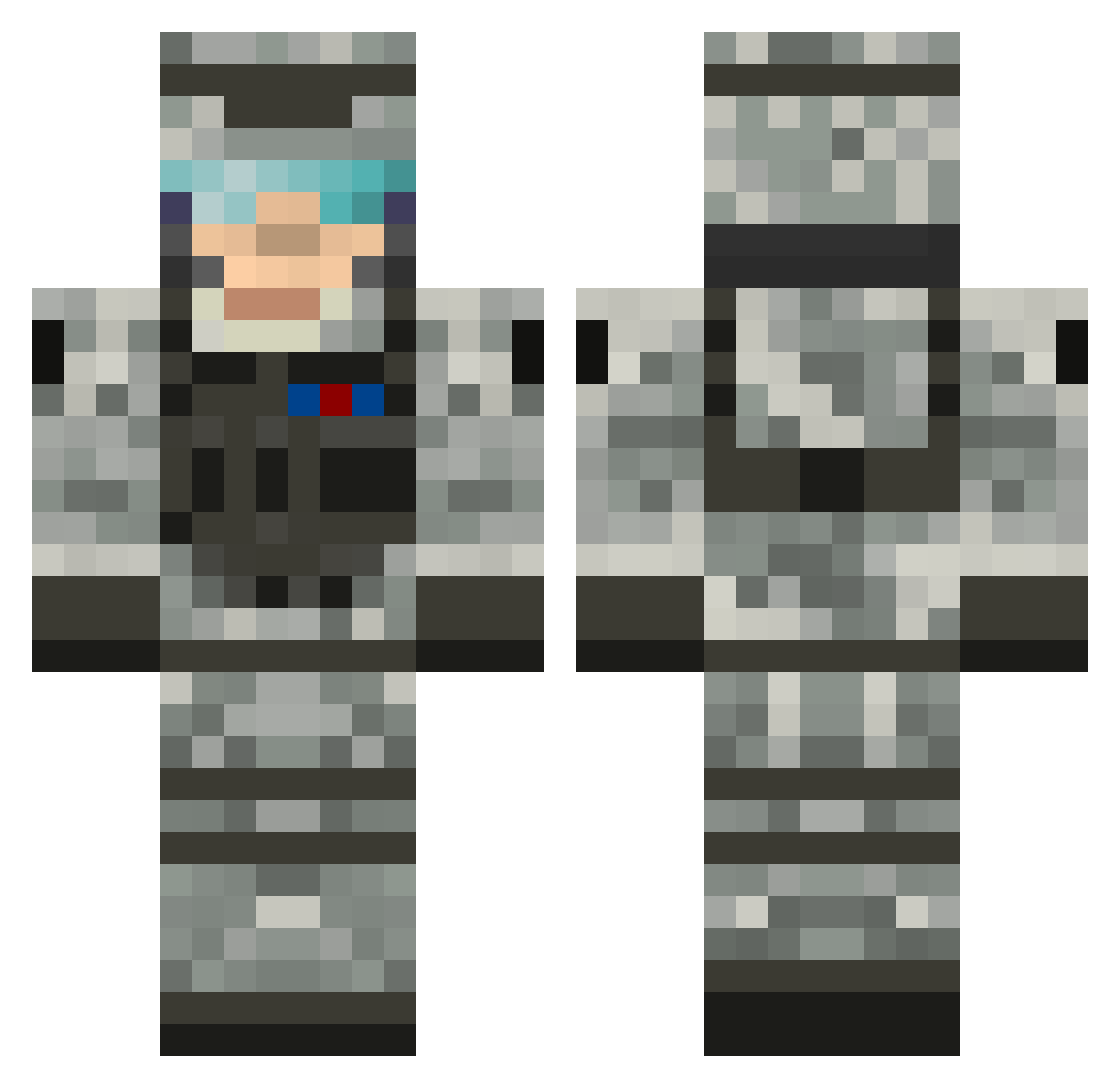
Current Minecraft skin of the player CrypticEternity, loaded from the official Mojang API. Rotate the 3D model with your mouse or finger, then download the skin as a PNG file and use it in Minecraft: Bedrock Edition or Java Edition for free. When CrypticEternity changes their skin, this page updates automatically and the old skin stays in the history below.
Other players with this skin (505)
CrypticEternity was the 302nd player we have seen with this skin, first spotted on 22.09.2026. The same skin was seen on these players. Open a nickname to see their current skin and skin history.
 NYKO0710 mra0114 JohnyX _Wolf_ Andrea2468 inoob45 amf5214 Hemer25 Flo1299 nightauthor chostar Shadowroxas13 Duffydudes talha1223 24spartan24 sparky1510 andi_best Bluepenguin7 mrtreehouse scrubbyj CaptainTundra xWoe NaniTor HAPPYGILMORE0809 Thepizzaman1 AtomicDragonOG VisualCat DarkShado123 niklas0910 MCMik ZacUH CrazyRifleman charlie3p0 aeln16 Simonsupermann RangerTy CodyBullets jdgunner fiddlestickles Wog_Boy12 thegerdwin soccer4life72 mfreda your_mom140 Rossw91 Xray_Legacy14 lasmitty91 Scarface0987 Haribo911 swamprat17 LukeTons gig4000 Destroyer_pro115 frazerh9 Toni258 cmlyn NIGHTKUL ASeexyMeerkat escolizer Wolfspade
More Camo Minecraft skins
How to install the CrypticEternity skin
- Press the Download button above to save the skin as a PNG file.
- Minecraft: Bedrock Edition (PE): open the Dressing Room from the main menu (or tap your character → Edit Character), go to Classic Skins → Owned, press the + (new skin) button, choose the downloaded PNG and pick the Classic (Steve) model. Works on PC and mobile; consoles cannot import custom skins.
- Minecraft: Java Edition: open the Minecraft Launcher, go to the Skins tab, click New Skin, load the PNG, pick the Classic (Steve) model and press Save & Use. You can also upload it at minecraft.net → Profile → Change Skin.
The skin does not show up after import - what should I do?
Restart Minecraft and open the Dressing Room again - imported skins sometimes appear only after a restart. Also make sure you selected the imported skin and picked the Classic (Steve) model.
Which model should I choose, Classic or Slim?
This skin is designed for the Classic (Steve) model. If you pick the wrong model, the arms of the skin will look stretched or squeezed.
Is the skin of CrypticEternity free to download?
Yes. Press Download, save the PNG file and use it in Minecraft: Bedrock Edition or Java Edition - no payment or registration needed. The skin also works on multiplayer servers and Realms.
More skins
Looking for more? Go back to all Minecraft skins and check the top skins of the week, month and all time, or find any player's skin by nickname.