
Cromer - Minecraft Skins & Skin History
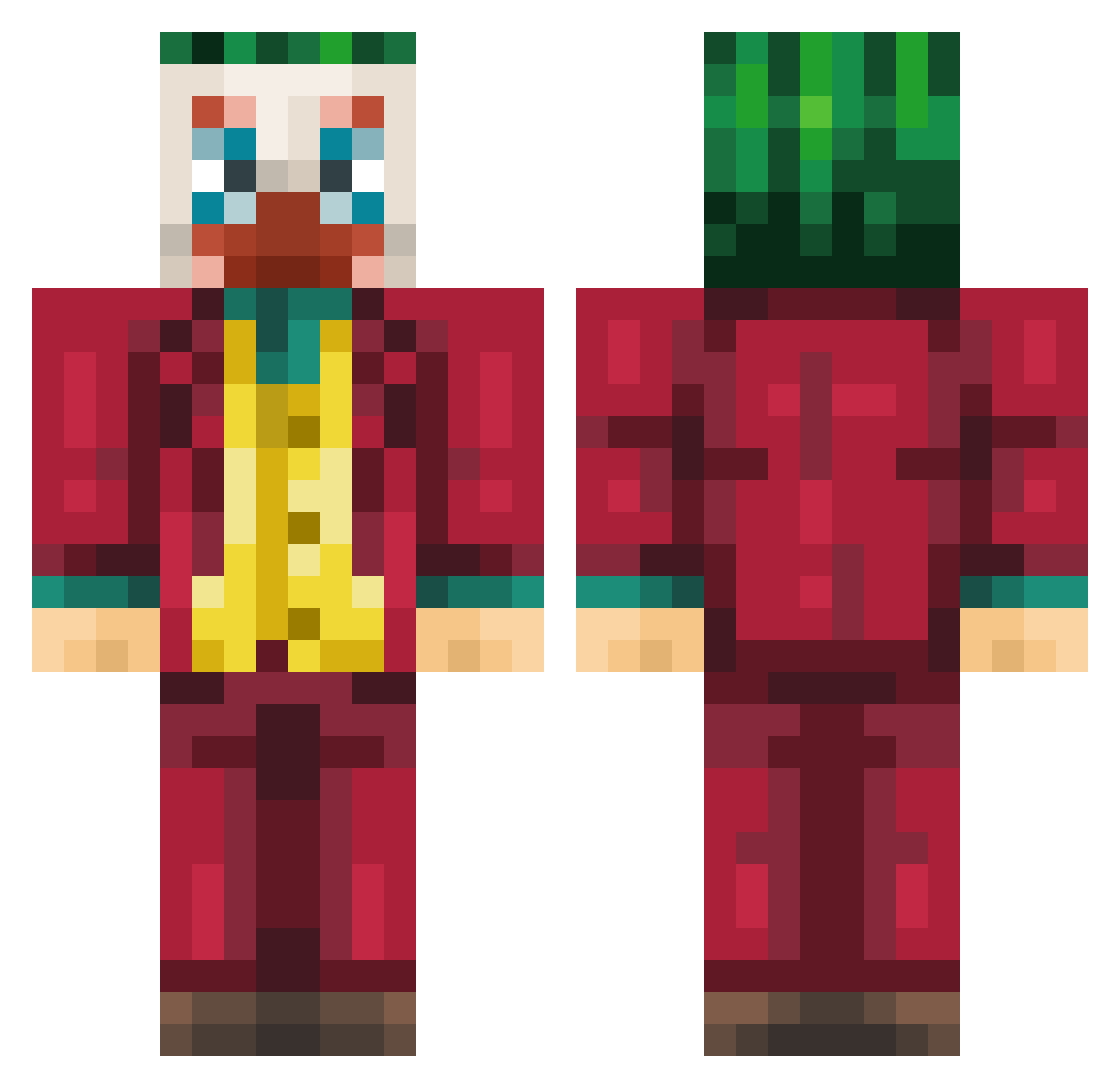
Current Minecraft skin of the player Cromer, loaded from the official Mojang API. Rotate the 3D model with your mouse or finger, then download the skin as a PNG file and use it in Minecraft: Bedrock Edition or Java Edition for free. When Cromer changes their skin, this page updates automatically and the old skin stays in the history below.
Other players with this skin (217)
Cromer was the 108th player we have seen with this skin, first spotted on 16.09.2026. The same skin was seen on these players. Open a nickname to see their current skin and skin history.
 pVitorF ManoFafa Gabreis04 SumoIsBad Crookedness TotodGaming S3B4S277 KryptedGaming101 mkk13 Reosaurus Balgan NZTbone wo00ok BambushBalim Lucamis7 Chris1900 DoggyDoggyDogg Khanzi ManoWasTaken gkehdgnl _165hz DoktorEinstein R0CCOCO P4jac007 4_2_FSI Ayyes dreamback7 soulpawin oniikovec programer DeadpoolRX ArowFlyy moretix_ Tonet Tmyn LCPA31 NewChild6 optiro KinqTiger 171cm MintChocoPotato AleCola17 juszhe isaaxSP2006 diiverr Taeonmarz Secodont KEEPSMILlNG x_Jirrak_x OutbackFarmer saldanaz kan73k RAVIOLI667 Deoxy04 BILIXiaoYu hzy044 Kubisonek thousand_moon RafaelRodrigues Cpt_Damo
More The Joker Minecraft skins
How to install the Cromer skin
- Press the Download button above to save the skin as a PNG file.
- Minecraft: Bedrock Edition (PE): open the Dressing Room from the main menu (or tap your character → Edit Character), go to Classic Skins → Owned, press the + (new skin) button, choose the downloaded PNG and pick the Classic (Steve) model. Works on PC and mobile; consoles cannot import custom skins.
- Minecraft: Java Edition: open the Minecraft Launcher, go to the Skins tab, click New Skin, load the PNG, pick the Classic (Steve) model and press Save & Use. You can also upload it at minecraft.net → Profile → Change Skin.
The skin does not show up after import - what should I do?
Restart Minecraft and open the Dressing Room again - imported skins sometimes appear only after a restart. Also make sure you selected the imported skin and picked the Classic (Steve) model.
Which model should I choose, Classic or Slim?
This skin is designed for the Classic (Steve) model. If you pick the wrong model, the arms of the skin will look stretched or squeezed.
Is the skin of Cromer free to download?
Yes. Press Download, save the PNG file and use it in Minecraft: Bedrock Edition or Java Edition - no payment or registration needed. The skin also works on multiplayer servers and Realms.
More skins
Looking for more? Go back to all Minecraft skins and check the top skins of the week, month and all time, or find any player's skin by nickname.