
CreemyYogurth - Minecraft Skins & Skin History
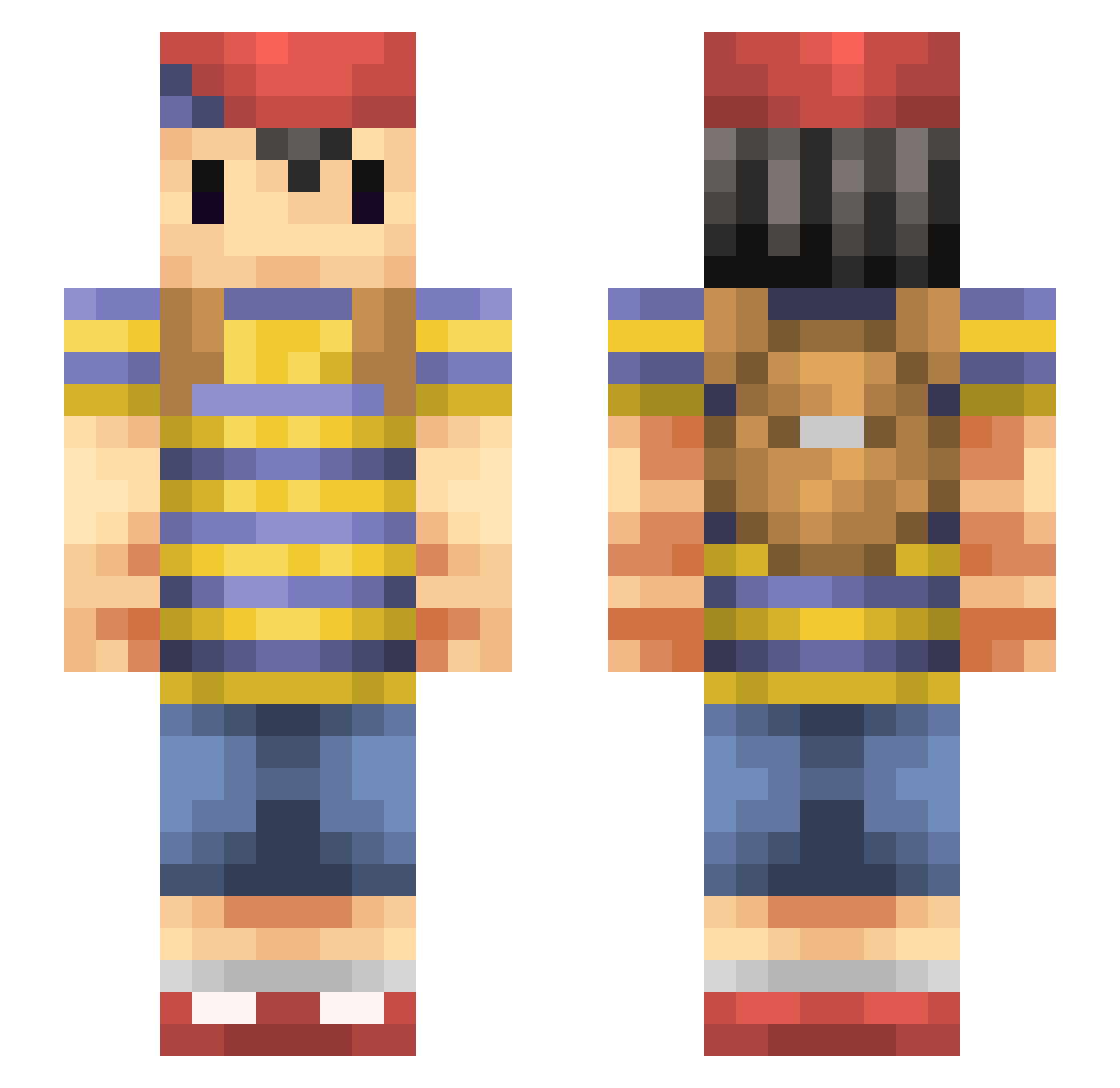
Current Minecraft skin of the player CreemyYogurth, loaded from the official Mojang API. Rotate the 3D model with your mouse or finger, then download the skin as a PNG file and use it in Minecraft: Bedrock Edition or Java Edition for free. When CreemyYogurth changes their skin, this page updates automatically and the old skin stays in the history below.
Other players with this skin (190)
CreemyYogurth was the 147th player we have seen with this skin, first spotted on 26.10.2026. The same skin was seen on these players. Open a nickname to see their current skin and skin history.
 Adagium42 ksly DarraghFromSNSD cciqq ZoNiCaL Cookingham_01 GrilledToast2848 Michelyanngelo bibi082 osatou56 Halfway_Down unnameable0point Herr_Abenteuer MMMBAMF MrSnake856 Neeeeeeeeeeess PrinceWakanda JealousBishop bagelsndonuts WiRiHpaFFaMyZ162 Anxolotl TinyIan00 TitaniumCooch JJaygue Rovertman1000 Mantafold ChoccyMilk1912 _nert_ shokunetsu jeuneroy MiniPufferfish CalciumOxyde JahsephCartridge omcen Pardner Martinatoum KanekiK3I Edeka_Dave M00m4d ToothlessWalrus CmK_ 0yokid Shinatsu04 carterishungry ItzPhilly qBO949 ness_528 Just_Febz CoGstara Jamesbond12694 WekkTF PK_Starstorm 9irlish Starwouaf RwK245 dottedbucket pkChaos U_denbunkyoku Onefellownewb sasasa328
More Mother Minecraft skins
How to install the CreemyYogurth skin
- Press the Download button above to save the skin as a PNG file.
- Minecraft: Bedrock Edition (PE): open the Dressing Room from the main menu (or tap your character → Edit Character), go to Classic Skins → Owned, press the + (new skin) button, choose the downloaded PNG and pick the Slim (Alex) model. Works on PC and mobile; consoles cannot import custom skins.
- Minecraft: Java Edition: open the Minecraft Launcher, go to the Skins tab, click New Skin, load the PNG, pick the Slim (Alex) model and press Save & Use. You can also upload it at minecraft.net → Profile → Change Skin.
The skin does not show up after import - what should I do?
Restart Minecraft and open the Dressing Room again - imported skins sometimes appear only after a restart. Also make sure you selected the imported skin and picked the Slim (Alex) model.
Which model should I choose, Classic or Slim?
This skin is designed for the Slim (Alex) model. If you pick the wrong model, the arms of the skin will look stretched or squeezed.
Is the skin of CreemyYogurth free to download?
Yes. Press Download, save the PNG file and use it in Minecraft: Bedrock Edition or Java Edition - no payment or registration needed. The skin also works on multiplayer servers and Realms.
More skins
Looking for more? Go back to all Minecraft skins and check the top skins of the week, month and all time, or find any player's skin by nickname.