
Crackles - Minecraft Skins & Skin History
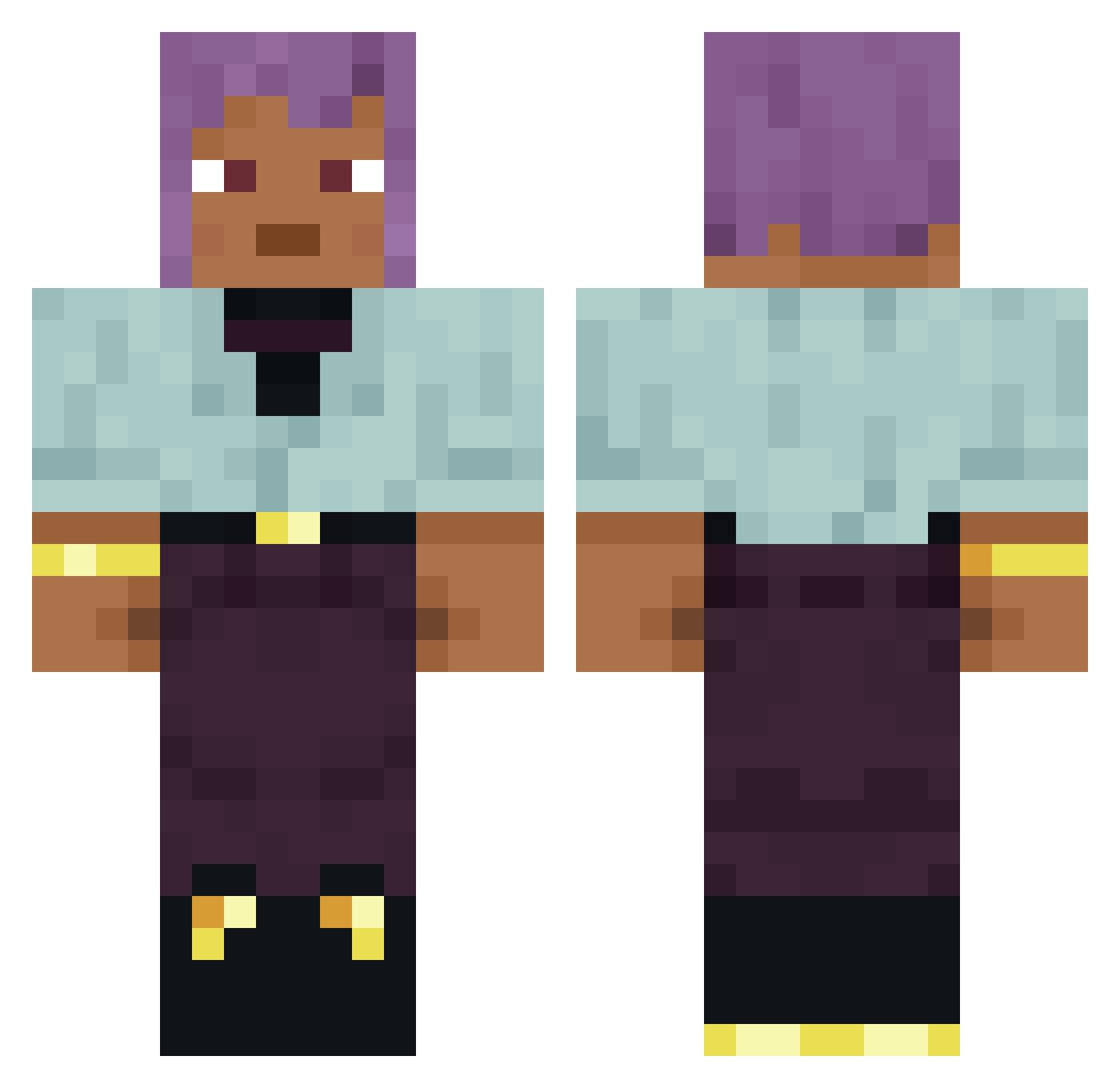
Current Minecraft skin of the player Crackles, loaded from the official Mojang API. Rotate the 3D model with your mouse or finger, then download the skin as a PNG file and use it in Minecraft: Bedrock Edition or Java Edition for free. When Crackles changes their skin, this page updates automatically and the old skin stays in the history below.
Other players with this skin (877)
Crackles was the 622nd player we have seen with this skin, first spotted on 10.10.2026. The same skin was seen on these players. Open a nickname to see their current skin and skin history.
 qrnr piccoloist bdrm Banthox Hematologist Ewmanuel Galbraithian Entreated elCapitanS1718 durax IsmaelDenStore Aldo_s upholder fihhhhhh Starcontroller2 Zeelander Arevloz Diamondgobblin Azulejos Vngelous jediritter121 Succi wigwag zzxgp_RpSdg Escalation Tman8 varexfnr JustSarqh AIDS Varyusha BenMost Treulos Dercer0VT CHINONE HouseD Unstoned Erii teeney69 ommatidium Protozoic dimmet inibima Unbothered Galligaskins Odille H1528 knoxen Isomeride Jawnzee AntiDiabetic Wfeizhou Nates bozine thoroughwort Subzero_Icecream cheselol islets baronne RADlATION Exla
How to install the Crackles skin
- Press the Download button above to save the skin as a PNG file.
- Minecraft: Bedrock Edition (PE): open the Dressing Room from the main menu (or tap your character → Edit Character), go to Classic Skins → Owned, press the + (new skin) button, choose the downloaded PNG and pick the Classic (Steve) model. Works on PC and mobile; consoles cannot import custom skins.
- Minecraft: Java Edition: open the Minecraft Launcher, go to the Skins tab, click New Skin, load the PNG, pick the Classic (Steve) model and press Save & Use. You can also upload it at minecraft.net → Profile → Change Skin.
The skin does not show up after import - what should I do?
Restart Minecraft and open the Dressing Room again - imported skins sometimes appear only after a restart. Also make sure you selected the imported skin and picked the Classic (Steve) model.
Which model should I choose, Classic or Slim?
This skin is designed for the Classic (Steve) model. If you pick the wrong model, the arms of the skin will look stretched or squeezed.
Is the skin of Crackles free to download?
Yes. Press Download, save the PNG file and use it in Minecraft: Bedrock Edition or Java Edition - no payment or registration needed. The skin also works on multiplayer servers and Realms.
More skins
Looking for more? Go back to all Minecraft skins and check the top skins of the week, month and all time, or find any player's skin by nickname.