
Cosy_Pzycho1 - Minecraft Skins & Skin History
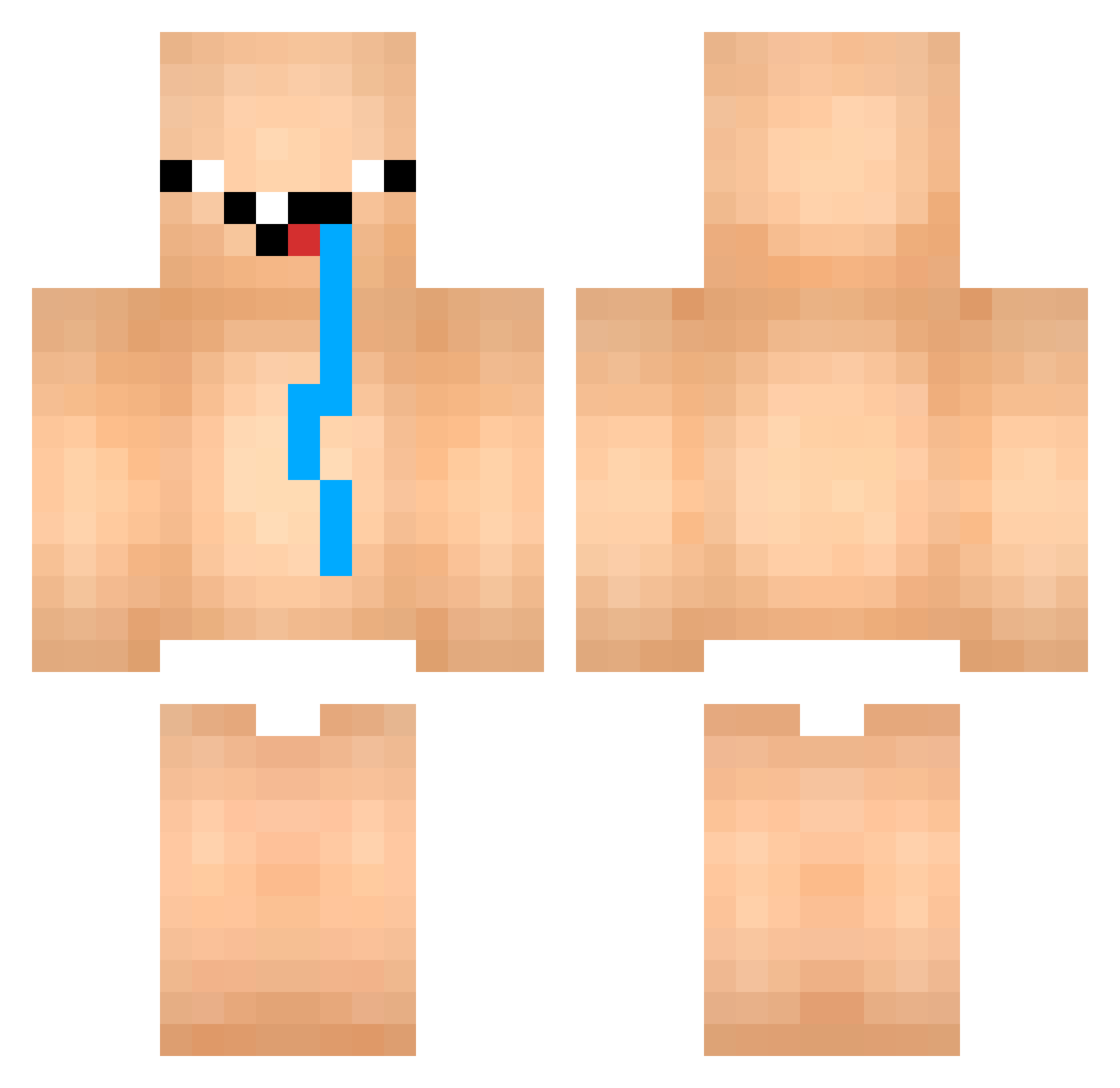
Current Minecraft skin of the player Cosy_Pzycho1, loaded from the official Mojang API. Rotate the 3D model with your mouse or finger, then download the skin as a PNG file and use it in Minecraft: Bedrock Edition or Java Edition for free. When Cosy_Pzycho1 changes their skin, this page updates automatically and the old skin stays in the history below.
Other players with this skin (765)
Cosy_Pzycho1 was the 105th player we have seen with this skin, first spotted on 05.08.2026. The same skin was seen on these players. Open a nickname to see their current skin and skin history.
 checkin05 PauRFT Rat2k_ Gust_West PC_GuiGamer HouaX FXXZ27 VipTaewang Panty_Stocking_ sarahtatak davijm ArdesRPGOnline Dekayat ChaoticJumper538 DonPancake pepisman JuxX1 arfong871214 ToastyTato69 idiotboiiii kyoungddoung_ LucasMgo oObong Aluzae hekzp boozzz1 gangsterj13 BxN_777 kaie12345
 AlehFX JeByY nate25421 NotNowAna
 ANG_ANG_ANG_ANG_ NhatDikKou LorenzoAC Yeratel Flxffy2115 STON3BL4K1 Davla07 BANANAnaru rtrtytop guspksdgg Loreyliz Kuachan subum1004 69Bananinha69 Fatsender69 kanggundam xXlavinXx _ElectroBear_ DabFapRap juya0840 AlphonseKar mordragor Lxvebw Eduzz95 Keziherevero XLR8XP14 Nem_VN
More Diaper Minecraft skins
How to install the Cosy_Pzycho1 skin
- Press the Download button above to save the skin as a PNG file.
- Minecraft: Bedrock Edition (PE): open the Dressing Room from the main menu (or tap your character → Edit Character), go to Classic Skins → Owned, press the + (new skin) button, choose the downloaded PNG and pick the Classic (Steve) model. Works on PC and mobile; consoles cannot import custom skins.
- Minecraft: Java Edition: open the Minecraft Launcher, go to the Skins tab, click New Skin, load the PNG, pick the Classic (Steve) model and press Save & Use. You can also upload it at minecraft.net → Profile → Change Skin.
The skin does not show up after import - what should I do?
Restart Minecraft and open the Dressing Room again - imported skins sometimes appear only after a restart. Also make sure you selected the imported skin and picked the Classic (Steve) model.
Which model should I choose, Classic or Slim?
This skin is designed for the Classic (Steve) model. If you pick the wrong model, the arms of the skin will look stretched or squeezed.
Is the skin of Cosy_Pzycho1 free to download?
Yes. Press Download, save the PNG file and use it in Minecraft: Bedrock Edition or Java Edition - no payment or registration needed. The skin also works on multiplayer servers and Realms.
More skins
Looking for more? Go back to all Minecraft skins and check the top skins of the week, month and all time, or find any player's skin by nickname.