
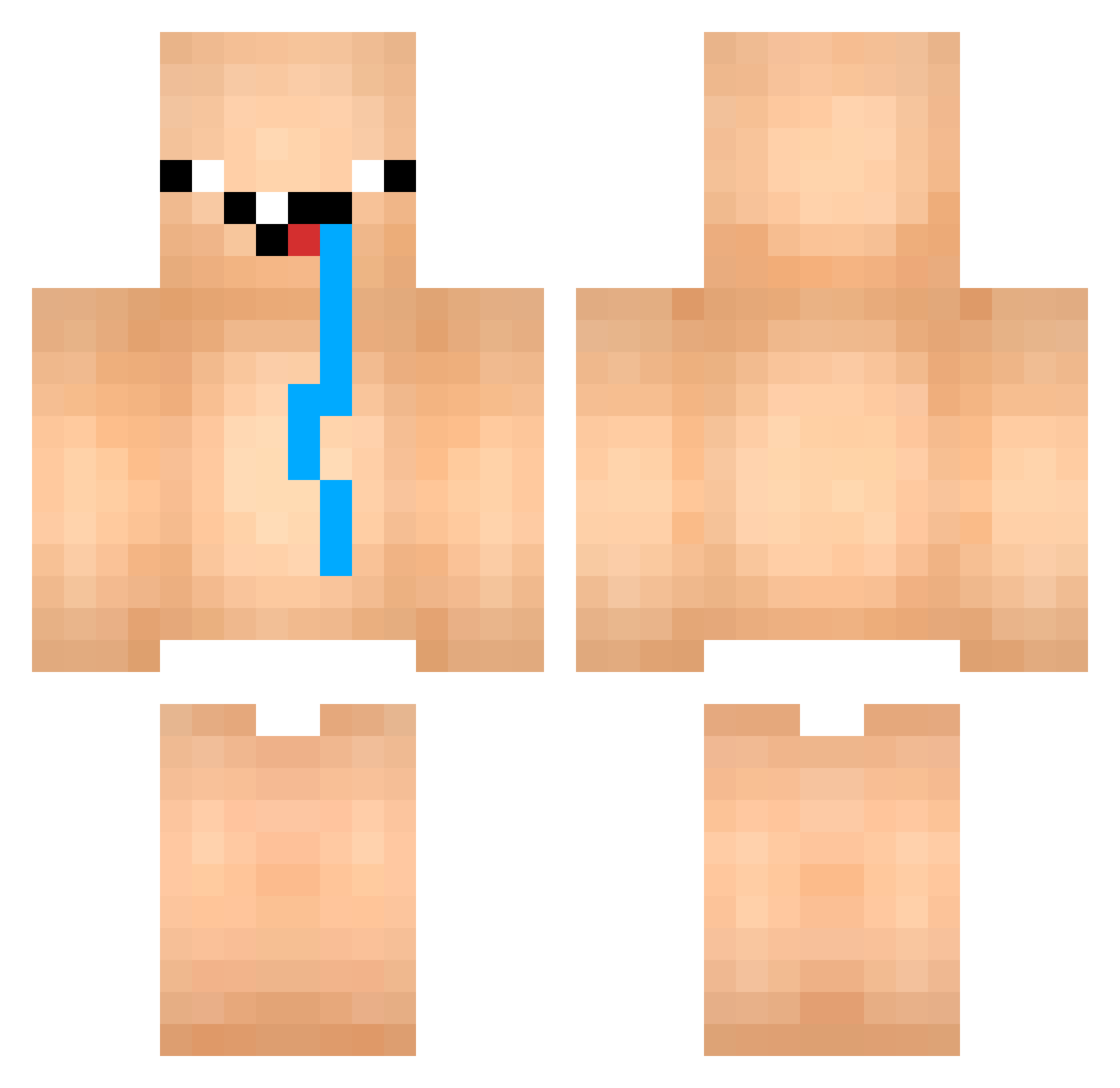
Current Minecraft skin of the player XLR8XP14, loaded from the official Mojang API. Rotate the 3D model with your mouse or finger, then download the skin as a PNG file and use it in Minecraft: Bedrock Edition or Java Edition for free. When XLR8XP14 changes their skin, this page updates automatically and the old skin stays in the history below.
Other players with this skin (714)
XLR8XP14 was the 71st player we have seen with this skin, first spotted on 31.07.2026. The same skin was seen on these players. Open a nickname to see their current skin and skin history.
 Keziherevero Eduzz95 cchuthaaawuth mordragor Makkeli86 AlphonseKar juya0840 Godless_lu DabFapRap _ElectroBear_ kanggundam Fatsender69 CrudeCoffee Kuachan SBYAU guspksdgg rtrtytop Provige 3TQM BANANAnaru Jangnamm Brenin77 Vaaldyl Flxffy2115 ribeirzx Marceyyy hyun_jun576 NhatDikKou wetpant73 unddierotzt nate25421 hetzi_mich_nicht JeByY
 AlehFX Xiuor U7IN_ McSharte
 bayo7 J3ssy_B BigF00tIsRea1 Kurdischer_Stern Papa_Ganoosh LucasMgo kyoungddoung_ idiotboiiii ToastyTato69 edvark bakarni Dekayat ArdesRPGOnline davijm maen9_g sarahtatak Panty_Stocking_ VipTaewang FXXZ27 red_jjun PC_GuiGamer Constiti224 Katzenfressa
More Diaper Minecraft skins
How to install the XLR8XP14 skin
- Press the Download button above to save the skin as a PNG file.
- Minecraft: Bedrock Edition (PE): open the Dressing Room from the main menu (or tap your character → Edit Character), go to Classic Skins → Owned, press the + (new skin) button, choose the downloaded PNG and pick the Classic (Steve) model. Works on PC and mobile; consoles cannot import custom skins.
- Minecraft: Java Edition: open the Minecraft Launcher, go to the Skins tab, click New Skin, load the PNG, pick the Classic (Steve) model and press Save & Use. You can also upload it at minecraft.net → Profile → Change Skin.
The skin does not show up after import - what should I do?
Restart Minecraft and open the Dressing Room again - imported skins sometimes appear only after a restart. Also make sure you selected the imported skin and picked the Classic (Steve) model.
Which model should I choose, Classic or Slim?
This skin is designed for the Classic (Steve) model. If you pick the wrong model, the arms of the skin will look stretched or squeezed.
Is the skin of XLR8XP14 free to download?
Yes. Press Download, save the PNG file and use it in Minecraft: Bedrock Edition or Java Edition - no payment or registration needed. The skin also works on multiplayer servers and Realms.
More skins
Looking for more? Go back to all Minecraft skins and check the top skins of the week, month and all time, or find any player's skin by nickname.