
Conan3D - Minecraft Skins & Skin History
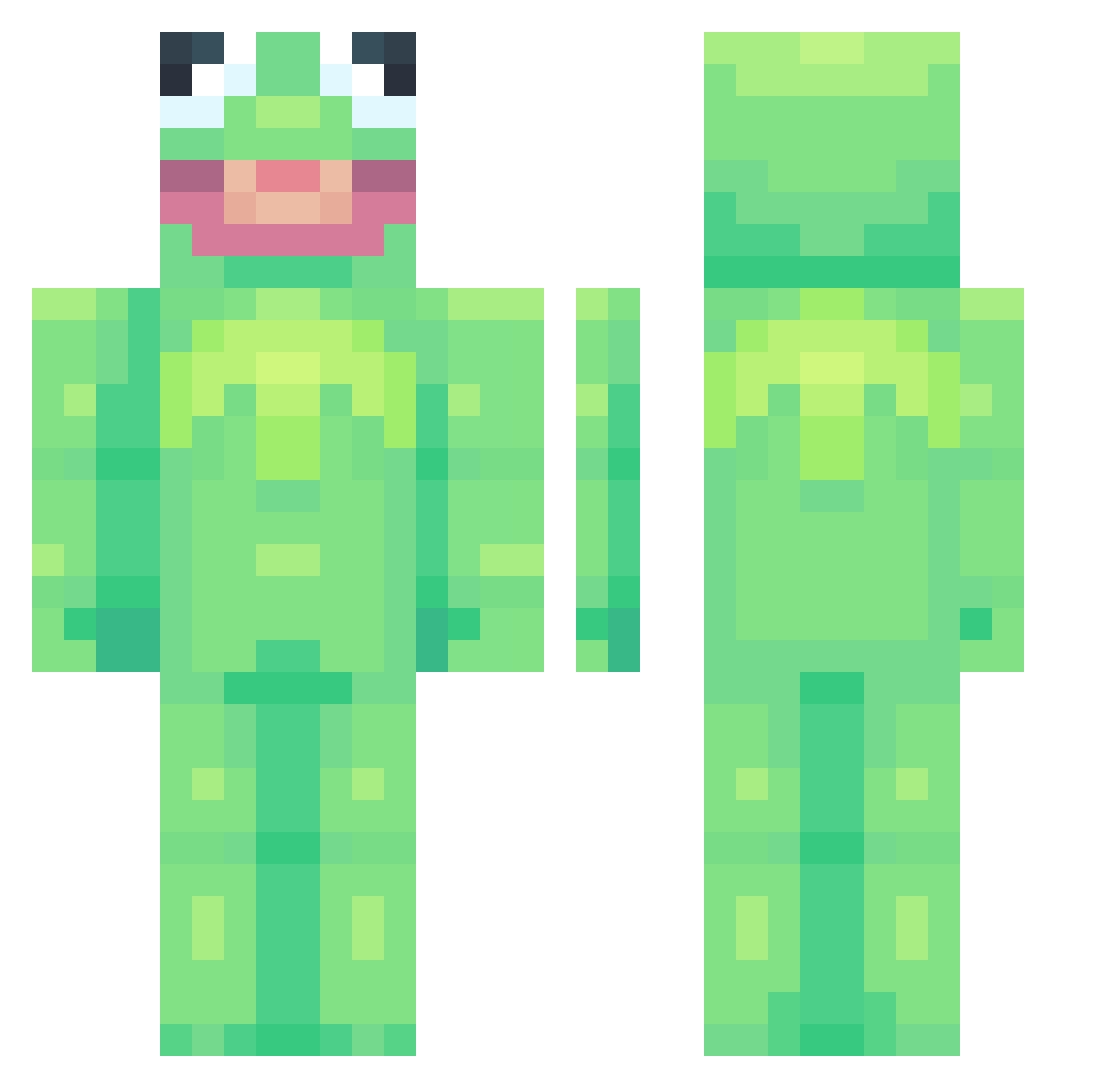
Current Minecraft skin of the player Conan3D, loaded from the official Mojang API. Rotate the 3D model with your mouse or finger, then download the skin as a PNG file and use it in Minecraft: Bedrock Edition or Java Edition for free. When Conan3D changes their skin, this page updates automatically and the old skin stays in the history below.
Other players with this skin (698)
Conan3D was the 572nd player we have seen with this skin, first spotted on 11.10.2026. The same skin was seen on these players. Open a nickname to see their current skin and skin history.
 GlizzyOnMyMind yeelee Harlenia logslife6 phockss Woodsy_5 McmmMarty ExpandedPretzel1 The_Choccy_Milk l0wther noboundz SnoopFrogUwU Lyle20 El1STIC migslol Kachunat Pyxlcal JVBeast29 malijimaa CDoggie45 EG_4 Wanheda1808 Pifcottino astupidtuba P4r4chux MogiBear_ KAYRACYM eabiaad tinyding Crystallites_ Someone101100 sophiederome Woka11 Marzia250188 Peachycat_ aaronistoohot KermanTheGerman dev_thedino sqpete spikklespakkle Egorkaaa Yergaflerga Biggest69er LiteraryCringe j_mini21 Greenbeans53 minekade JoeyAbbz34 ShadowyFox Cuhrice alexisew Hsm163 Riyanu titybatz zzziiaa Sudrem Boysionberry iTzHans_ss EnsaladaSinSal joshywoshy12345
More Kermit The Frog Minecraft skins
See all 395 Kermit The Frog skins
How to install the Conan3D skin
- Press the Download button above to save the skin as a PNG file.
- Minecraft: Bedrock Edition (PE): open the Dressing Room from the main menu (or tap your character → Edit Character), go to Classic Skins → Owned, press the + (new skin) button, choose the downloaded PNG and pick the Classic (Steve) model. Works on PC and mobile; consoles cannot import custom skins.
- Minecraft: Java Edition: open the Minecraft Launcher, go to the Skins tab, click New Skin, load the PNG, pick the Classic (Steve) model and press Save & Use. You can also upload it at minecraft.net → Profile → Change Skin.
The skin does not show up after import - what should I do?
Restart Minecraft and open the Dressing Room again - imported skins sometimes appear only after a restart. Also make sure you selected the imported skin and picked the Classic (Steve) model.
Which model should I choose, Classic or Slim?
This skin is designed for the Classic (Steve) model. If you pick the wrong model, the arms of the skin will look stretched or squeezed.
Is the skin of Conan3D free to download?
Yes. Press Download, save the PNG file and use it in Minecraft: Bedrock Edition or Java Edition - no payment or registration needed. The skin also works on multiplayer servers and Realms.
More skins
Looking for more? Go back to all Minecraft skins and check the top skins of the week, month and all time, or find any player's skin by nickname.