
ComeSenpai - Minecraft Skins & Skin History
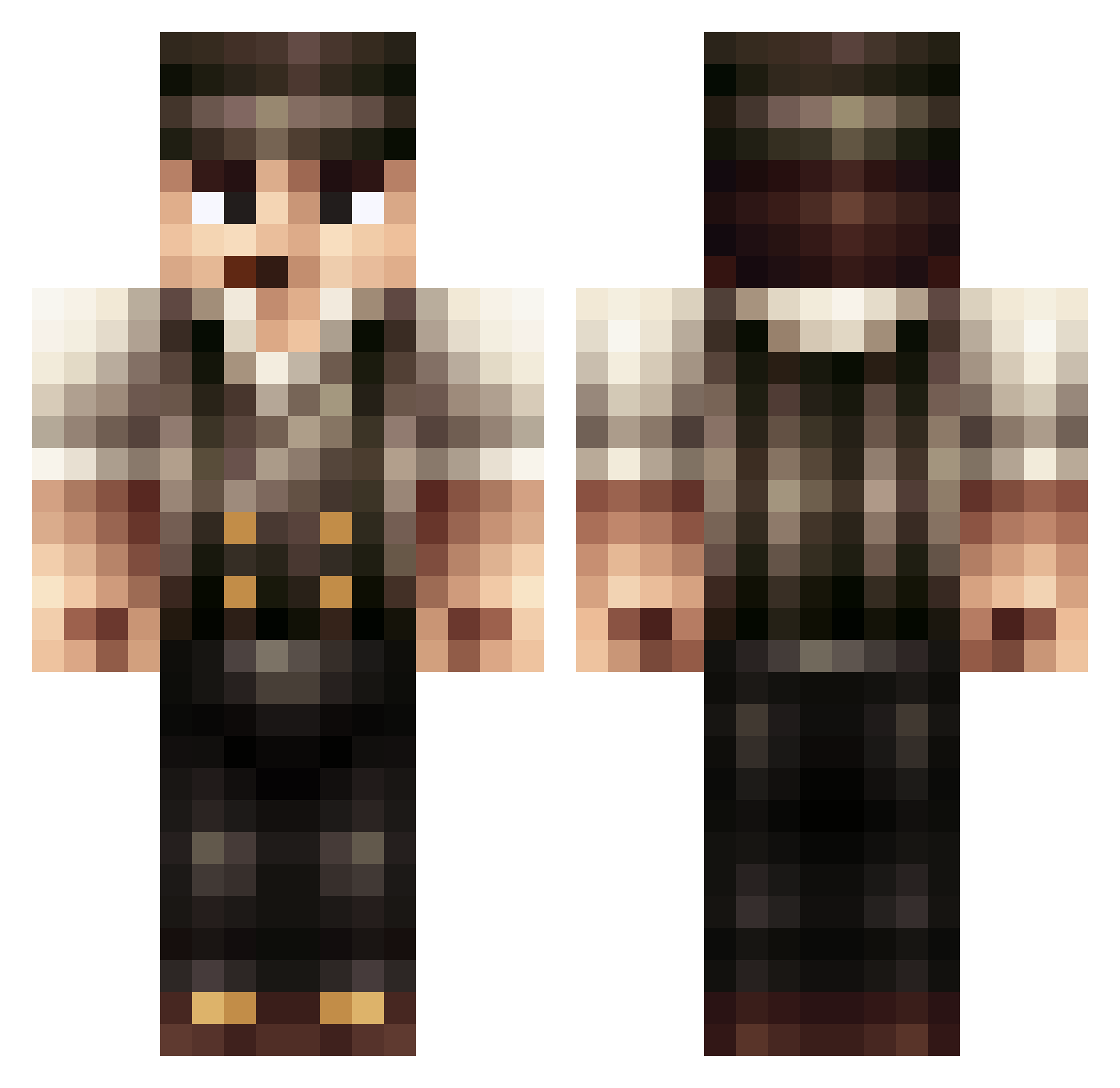
Current Minecraft skin of the player ComeSenpai, loaded from the official Mojang API. Rotate the 3D model with your mouse or finger, then download the skin as a PNG file and use it in Minecraft: Bedrock Edition or Java Edition for free. When ComeSenpai changes their skin, this page updates automatically and the old skin stays in the history below.
Other players with this skin (170)
ComeSenpai was the 148th player we have seen with this skin, first spotted on 17.10.2026. The same skin was seen on these players. Open a nickname to see their current skin and skin history.
 Goggemann1 Gladto somethingfunny13 dinsba Gerard5107 Quadium IceKarim Solognot45 Medi97c noAkiraa wHisxaa CrankyManky Master_Zerek CaptainKaba1337 femboy7331 tamama3 christoph_00 iAndrew__ goodoot Peaky_Lemon Hymon37 aLTITuDe2K20 Lonely_monarch Ozziah lil_xphillyx inv5500 SHRGovernor ZZZZAAAAPPPPS rafasolcr Rilec JoeTehan Hillgory Hanzsel _bobbert AbeNote FranzyJ PROJECTBOY712 Babyedson SnipingPanda1 PopTheScrub jakesuhpotato dualbnoreg Lecraneur45 BertHD Bobo_XVII Beermaster HarpyLUL Zolg Generalbengan LaughTrackz LieutenantLenny Urbi33 Fumigena El3GL AlphaHickson HMaCiFy Twyyyy freakiesttwo13 AkuuOne BITEmyBITS
More Peaky Blinders Minecraft skins
See all 114 Peaky Blinders skins
How to install the ComeSenpai skin
- Press the Download button above to save the skin as a PNG file.
- Minecraft: Bedrock Edition (PE): open the Dressing Room from the main menu (or tap your character → Edit Character), go to Classic Skins → Owned, press the + (new skin) button, choose the downloaded PNG and pick the Classic (Steve) model. Works on PC and mobile; consoles cannot import custom skins.
- Minecraft: Java Edition: open the Minecraft Launcher, go to the Skins tab, click New Skin, load the PNG, pick the Classic (Steve) model and press Save & Use. You can also upload it at minecraft.net → Profile → Change Skin.
The skin does not show up after import - what should I do?
Restart Minecraft and open the Dressing Room again - imported skins sometimes appear only after a restart. Also make sure you selected the imported skin and picked the Classic (Steve) model.
Which model should I choose, Classic or Slim?
This skin is designed for the Classic (Steve) model. If you pick the wrong model, the arms of the skin will look stretched or squeezed.
Is the skin of ComeSenpai free to download?
Yes. Press Download, save the PNG file and use it in Minecraft: Bedrock Edition or Java Edition - no payment or registration needed. The skin also works on multiplayer servers and Realms.
More skins
Looking for more? Go back to all Minecraft skins and check the top skins of the week, month and all time, or find any player's skin by nickname.