
ColonRetriever - Minecraft Skins & Skin History
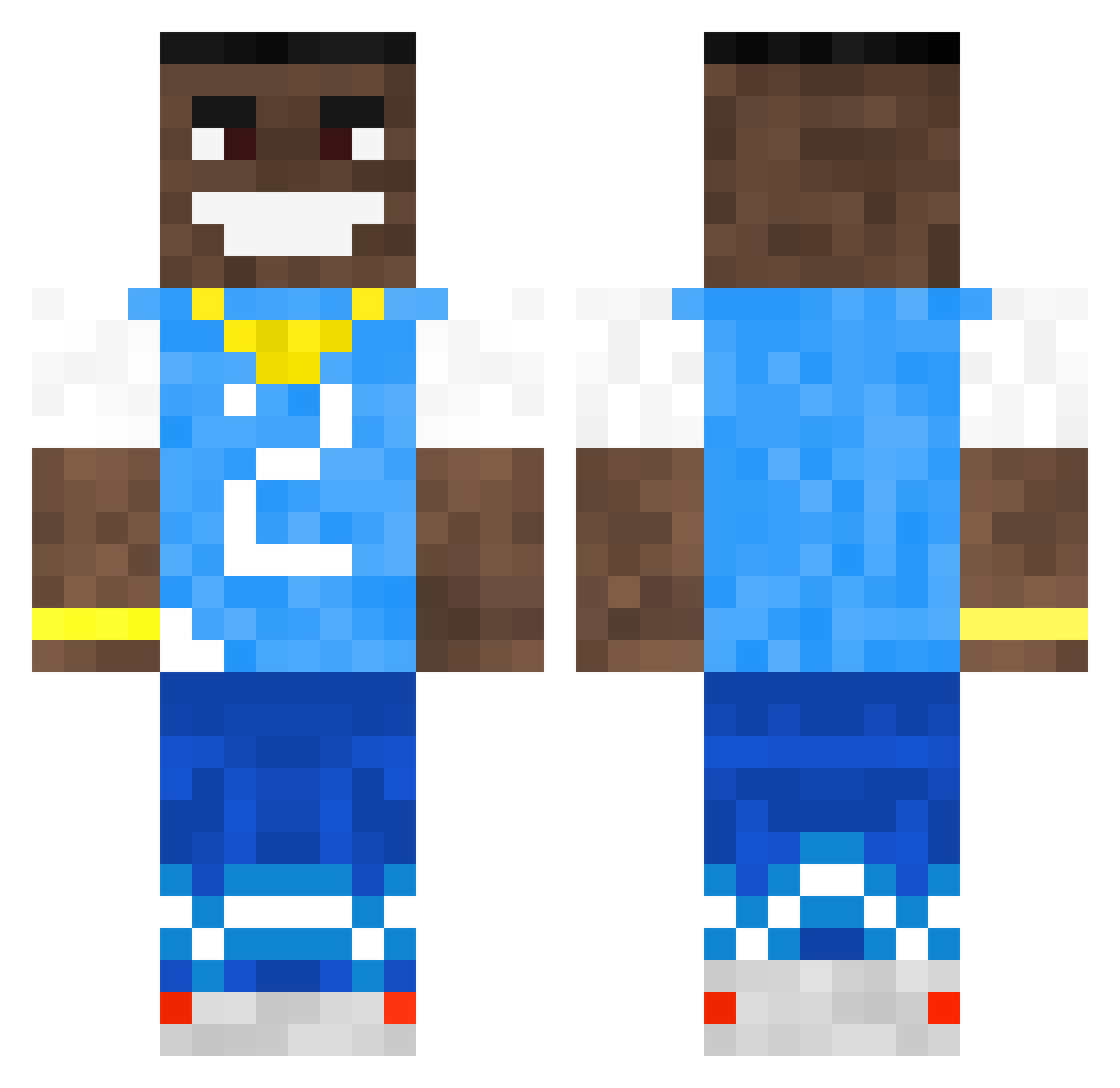
Current Minecraft skin of the player ColonRetriever, loaded from the official Mojang API. Rotate the 3D model with your mouse or finger, then download the skin as a PNG file and use it in Minecraft: Bedrock Edition or Java Edition for free. When ColonRetriever changes their skin, this page updates automatically and the old skin stays in the history below.
Other players with this skin (502)
ColonRetriever was the 371st player we have seen with this skin, first spotted on 10.10.2026. The same skin was seen on these players. Open a nickname to see their current skin and skin history.
 wafflus haze1035 Kodistrict benJaecobs homrunhitter11 Islam911 superben351 mrmxsri xronondatrack takiguzzler JuniorFanAccount wydoy YoungDa993R Riuki Mr_Warthog Saikousiss LJM2718 louism12345 UpstateBloom99 Masked_Hippo megakuk6969 NPCJ4X ANaughtyTree GiorgiaZigger JoeOD67 DanFromDaPub p0k3v1n UnspeakableJelly GianlucaIlFrocio koreaseanho burritoman678 Jellydonutz35 Shisu7 Albikksk liambor2920 Spyfor SeBigBoss0815 Blue_piglin BlueJay1811 360JD1x Drooze_ Arvie_ Spopcorrn Unsurrected EatRoach Jonathan_L_K1rk Zeyv_ pinottt Manario21 jcrry Boolbakar Tranzitron ChaBoyJack ztvx SmallestArc5165 Bruhila DopalamyPL youknowimcav CJGras Hendo_Bendo
More Dababy Minecraft skins
How to install the ColonRetriever skin
- Press the Download button above to save the skin as a PNG file.
- Minecraft: Bedrock Edition (PE): open the Dressing Room from the main menu (or tap your character → Edit Character), go to Classic Skins → Owned, press the + (new skin) button, choose the downloaded PNG and pick the Classic (Steve) model. Works on PC and mobile; consoles cannot import custom skins.
- Minecraft: Java Edition: open the Minecraft Launcher, go to the Skins tab, click New Skin, load the PNG, pick the Classic (Steve) model and press Save & Use. You can also upload it at minecraft.net → Profile → Change Skin.
The skin does not show up after import - what should I do?
Restart Minecraft and open the Dressing Room again - imported skins sometimes appear only after a restart. Also make sure you selected the imported skin and picked the Classic (Steve) model.
Which model should I choose, Classic or Slim?
This skin is designed for the Classic (Steve) model. If you pick the wrong model, the arms of the skin will look stretched or squeezed.
Is the skin of ColonRetriever free to download?
Yes. Press Download, save the PNG file and use it in Minecraft: Bedrock Edition or Java Edition - no payment or registration needed. The skin also works on multiplayer servers and Realms.
More skins
Looking for more? Go back to all Minecraft skins and check the top skins of the week, month and all time, or find any player's skin by nickname.