
CokeyWins - Minecraft Skins & Skin History
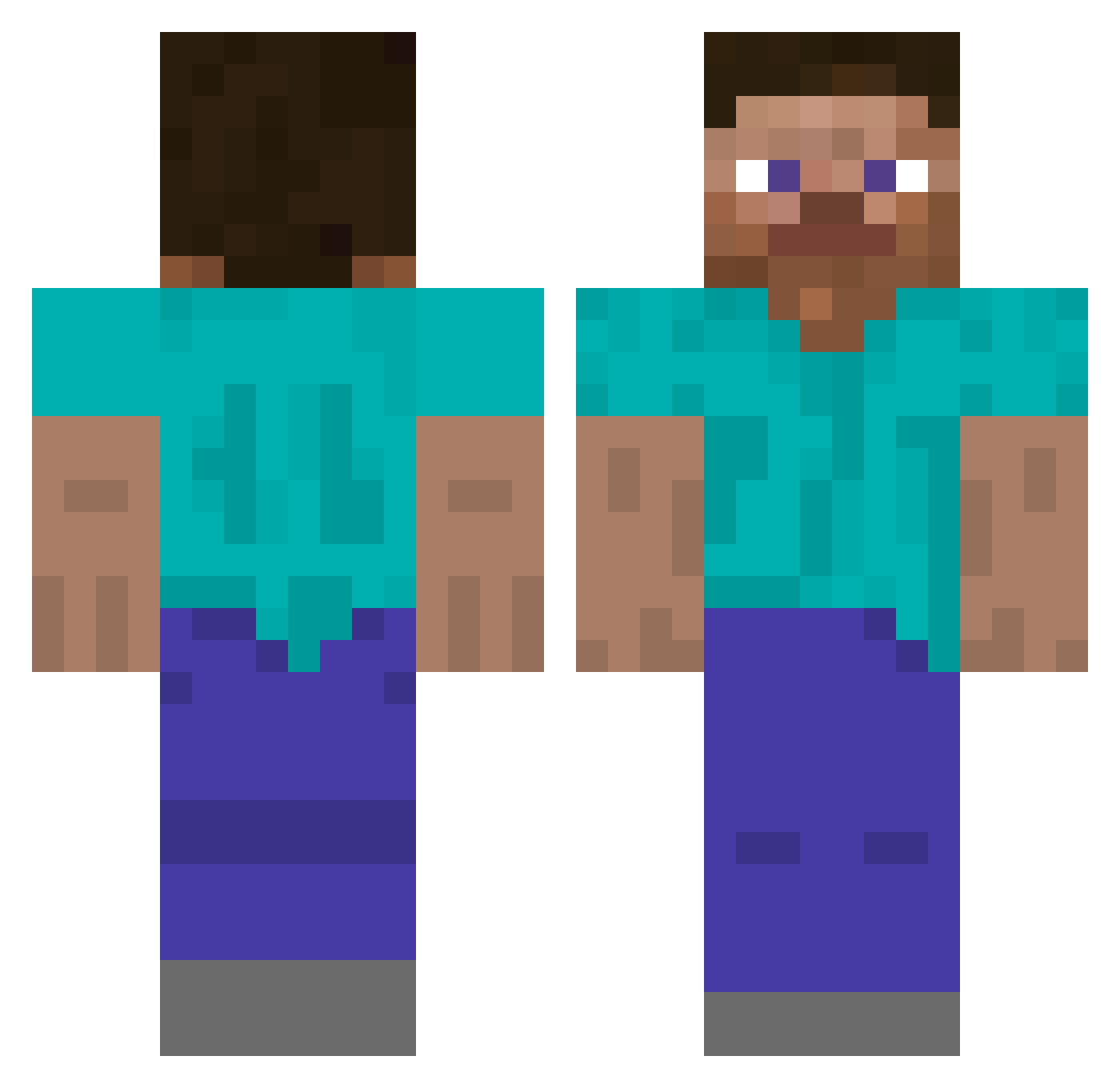
Current Minecraft skin of the player CokeyWins, loaded from the official Mojang API. Rotate the 3D model with your mouse or finger, then download the skin as a PNG file and use it in Minecraft: Bedrock Edition or Java Edition for free. When CokeyWins changes their skin, this page updates automatically and the old skin stays in the history below.
Other players with this skin (241)
CokeyWins was the 81st player we have seen with this skin, first spotted on 25.08.2026. The same skin was seen on these players. Open a nickname to see their current skin and skin history.
 CheezeNbac0n Luizinn007
 Jaw1k Dcmpose SethPrk Whyyy_not
 Biniek400 JKidmaster Rzabang Omega_Strike
 ant1348 sku11cru5her67 TrashCanner A_train_1007 zKerrigan patdefrui Castelilllo StabilerTisch albert3aqaelias GUDQKR SEIYEFA xxHabs_WXx JeffUr7
 NumenXXX MIIIIIILE Nyrox_ong MC_Chad05 ronaldfutrick22 YunWen_ RealKennal johndeer89 MagicFly ytvexsmurfs KingOvFails fetodedo Mrsofcok AgentFrenchFry1 Archrilla JamesMamaliga choi0I7ha DcJohnny PeamPlum Varations steve216 spacemug Hemooo10 Destroyer450 ElDags 3xtract twentysixmonkeys j1732 AVALON0420 FurrenPT Brobedead Makklen eoAlvin KringeDude24 Jyty_ Braynix TheDragon795
How to install the CokeyWins skin
- Press the Download button above to save the skin as a PNG file.
- Minecraft: Bedrock Edition (PE): open the Dressing Room from the main menu (or tap your character → Edit Character), go to Classic Skins → Owned, press the + (new skin) button, choose the downloaded PNG and pick the Classic (Steve) model. Works on PC and mobile; consoles cannot import custom skins.
- Minecraft: Java Edition: open the Minecraft Launcher, go to the Skins tab, click New Skin, load the PNG, pick the Classic (Steve) model and press Save & Use. You can also upload it at minecraft.net → Profile → Change Skin.
The skin does not show up after import - what should I do?
Restart Minecraft and open the Dressing Room again - imported skins sometimes appear only after a restart. Also make sure you selected the imported skin and picked the Classic (Steve) model.
Which model should I choose, Classic or Slim?
This skin is designed for the Classic (Steve) model. If you pick the wrong model, the arms of the skin will look stretched or squeezed.
Is the skin of CokeyWins free to download?
Yes. Press Download, save the PNG file and use it in Minecraft: Bedrock Edition or Java Edition - no payment or registration needed. The skin also works on multiplayer servers and Realms.
More skins
Looking for more? Go back to all Minecraft skins and check the top skins of the week, month and all time, or find any player's skin by nickname.