
CohhX - Minecraft Skins & Skin History
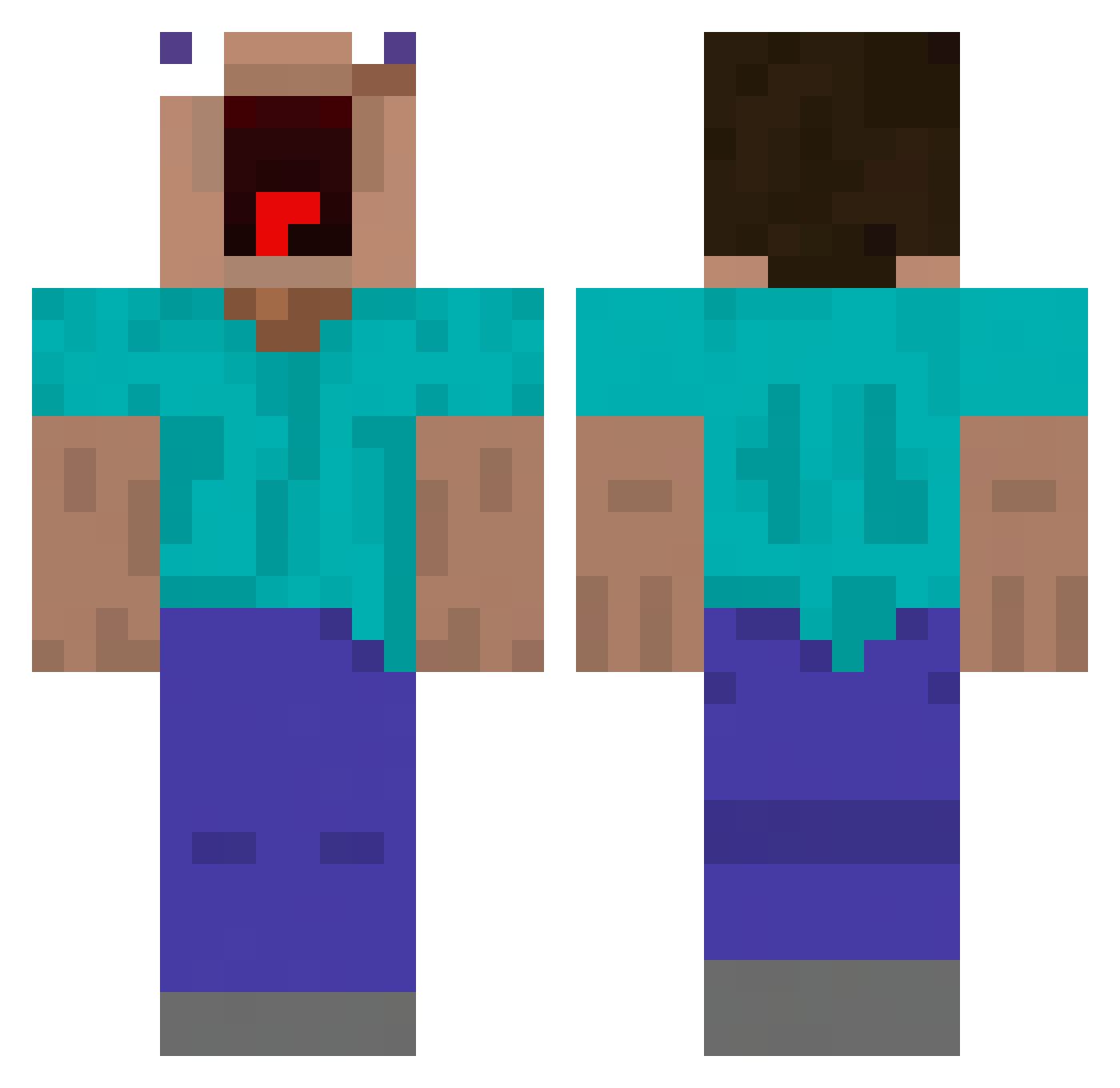
Current Minecraft skin of the player CohhX, loaded from the official Mojang API. Rotate the 3D model with your mouse or finger, then download the skin as a PNG file and use it in Minecraft: Bedrock Edition or Java Edition for free. When CohhX changes their skin, this page updates automatically and the old skin stays in the history below.
Other players with this skin (456)
CohhX was the 87th player we have seen with this skin, first spotted on 15.08.2026. The same skin was seen on these players. Open a nickname to see their current skin and skin history.
 JDharv AliGator66 ofliflox Miggy_wiggie t1dong JolaMar_ alpharecon34
 WompWomp789 Tubines eguidesu Complexzz aykut444 iek23 LeMinecraftLe JuanK1199 vzolt kee_1 D_Madom GokuNaruto123 Alex952_ laurence103010 DdingGil Sicstee IllegaISource
 hank062408 Dnt4 monmokjk Nickk40 whgusdn18 JervTheGooder VIO0894 UrAnuusIsAPl4net hbeale kgswyo Splinxr teelerreno
 KaosIlFr Bartholomew_VI larskrab jeremmee ryu0403 byeong1sin Zephox76 abdoulaye69 Jatoch00 Teddy_25 banan4_milk Lele2538 Irive Paulnie66 trizko8443 zepekenio92 Ligas_ sanwei333 Redmask__ zmzkl zertec123n HotPocketEater69 szymik20 Pasteque83
More Funny Minecraft skins
How to install the CohhX skin
- Press the Download button above to save the skin as a PNG file.
- Minecraft: Bedrock Edition (PE): open the Dressing Room from the main menu (or tap your character → Edit Character), go to Classic Skins → Owned, press the + (new skin) button, choose the downloaded PNG and pick the Classic (Steve) model. Works on PC and mobile; consoles cannot import custom skins.
- Minecraft: Java Edition: open the Minecraft Launcher, go to the Skins tab, click New Skin, load the PNG, pick the Classic (Steve) model and press Save & Use. You can also upload it at minecraft.net → Profile → Change Skin.
The skin does not show up after import - what should I do?
Restart Minecraft and open the Dressing Room again - imported skins sometimes appear only after a restart. Also make sure you selected the imported skin and picked the Classic (Steve) model.
Which model should I choose, Classic or Slim?
This skin is designed for the Classic (Steve) model. If you pick the wrong model, the arms of the skin will look stretched or squeezed.
Is the skin of CohhX free to download?
Yes. Press Download, save the PNG file and use it in Minecraft: Bedrock Edition or Java Edition - no payment or registration needed. The skin also works on multiplayer servers and Realms.
More skins
Looking for more? Go back to all Minecraft skins and check the top skins of the week, month and all time, or find any player's skin by nickname.