
Cog_spmg - Minecraft Skins & Skin History
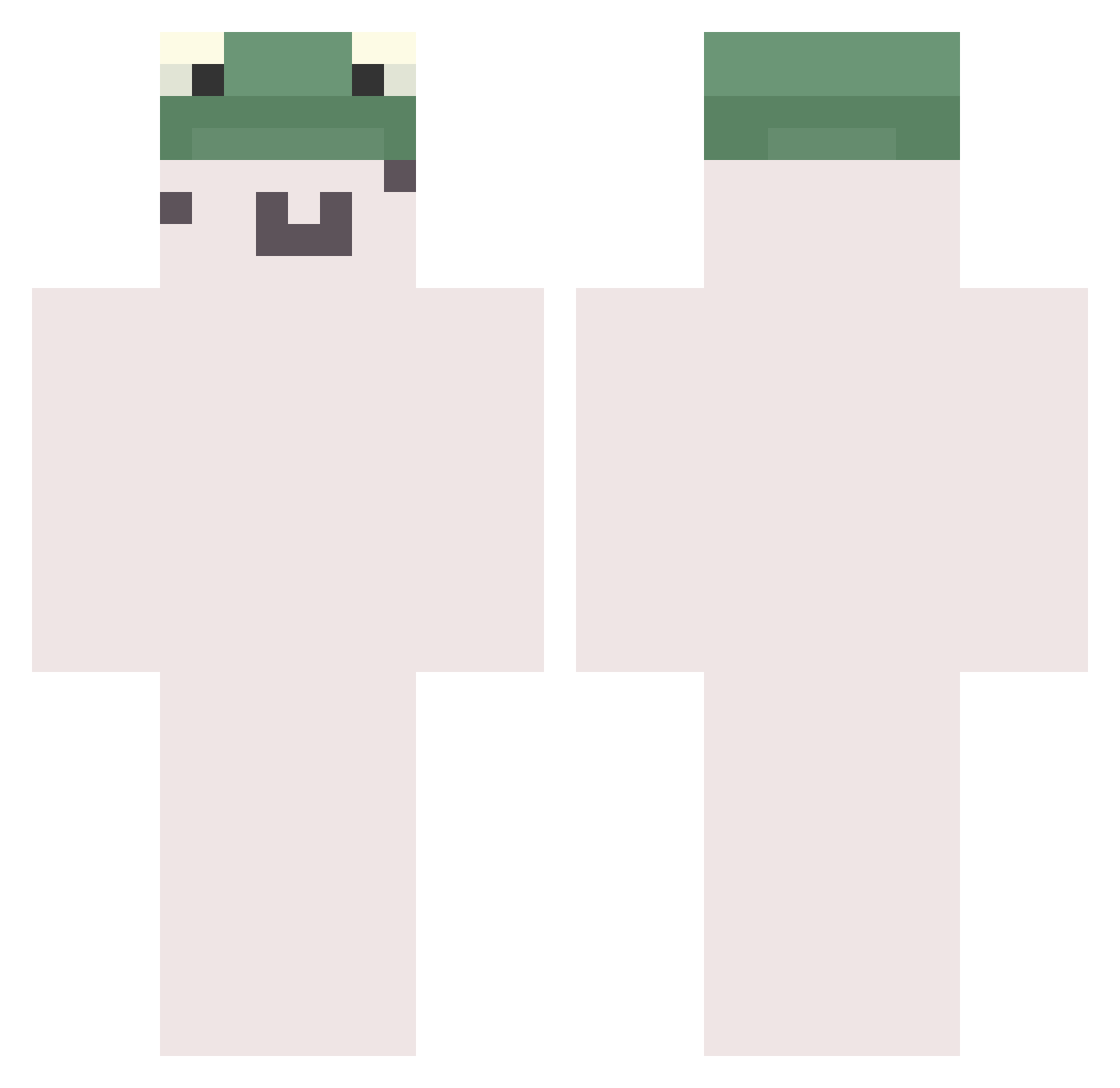
Current Minecraft skin of the player Cog_spmg, loaded from the official Mojang API. Rotate the 3D model with your mouse or finger, then download the skin as a PNG file and use it in Minecraft: Bedrock Edition or Java Edition for free. When Cog_spmg changes their skin, this page updates automatically and the old skin stays in the history below.
Other players with this skin (642)
Cog_spmg was the 635th player we have seen with this skin, first spotted on 19.10.2026. The same skin was seen on these players. Open a nickname to see their current skin and skin history.
 NNEEXXTT IsacNE cheon_y Synold Kariyuu baian1123 TruZoot 8thurinus eata DavidHHS saytosong lagosta0 Xandi_1 zzam_ml 2hxT KBT74 idaOhne_Gli3d3r goldenalphaca NIGHT2323 hahagroovy adarsbn234 szabika1122 TheRiceWizard deepressoo manu9299 Saru90M uhyeon0n fluxxwaveee zgredek123098 sSam22 kumiku3 mysba Eomking Gang_S2 Samukai_ SMO0OG jun_un Kun_r0 ZOXRiver Bialynatan Mumak10 sangsun_ Springed Mini_Lofe Fly2_L0w Frikandelbread IsMeDeborah x_requ Ace_White_AWA_ Pa_LLL bigtltsmaneater Kevinii paigeec222 NotLeaf_ Tmang07 SweetNsour1 iCo_iCo salcuming Robbins_1219 Kiczai
More Kermit The Frog Minecraft skins
See all 378 Kermit The Frog skins
How to install the Cog_spmg skin
- Press the Download button above to save the skin as a PNG file.
- Minecraft: Bedrock Edition (PE): open the Dressing Room from the main menu (or tap your character → Edit Character), go to Classic Skins → Owned, press the + (new skin) button, choose the downloaded PNG and pick the Classic (Steve) model. Works on PC and mobile; consoles cannot import custom skins.
- Minecraft: Java Edition: open the Minecraft Launcher, go to the Skins tab, click New Skin, load the PNG, pick the Classic (Steve) model and press Save & Use. You can also upload it at minecraft.net → Profile → Change Skin.
The skin does not show up after import - what should I do?
Restart Minecraft and open the Dressing Room again - imported skins sometimes appear only after a restart. Also make sure you selected the imported skin and picked the Classic (Steve) model.
Which model should I choose, Classic or Slim?
This skin is designed for the Classic (Steve) model. If you pick the wrong model, the arms of the skin will look stretched or squeezed.
Is the skin of Cog_spmg free to download?
Yes. Press Download, save the PNG file and use it in Minecraft: Bedrock Edition or Java Edition - no payment or registration needed. The skin also works on multiplayer servers and Realms.
More skins
Looking for more? Go back to all Minecraft skins and check the top skins of the week, month and all time, or find any player's skin by nickname.