
CoffeeCandle253 - Minecraft Skins & Skin History
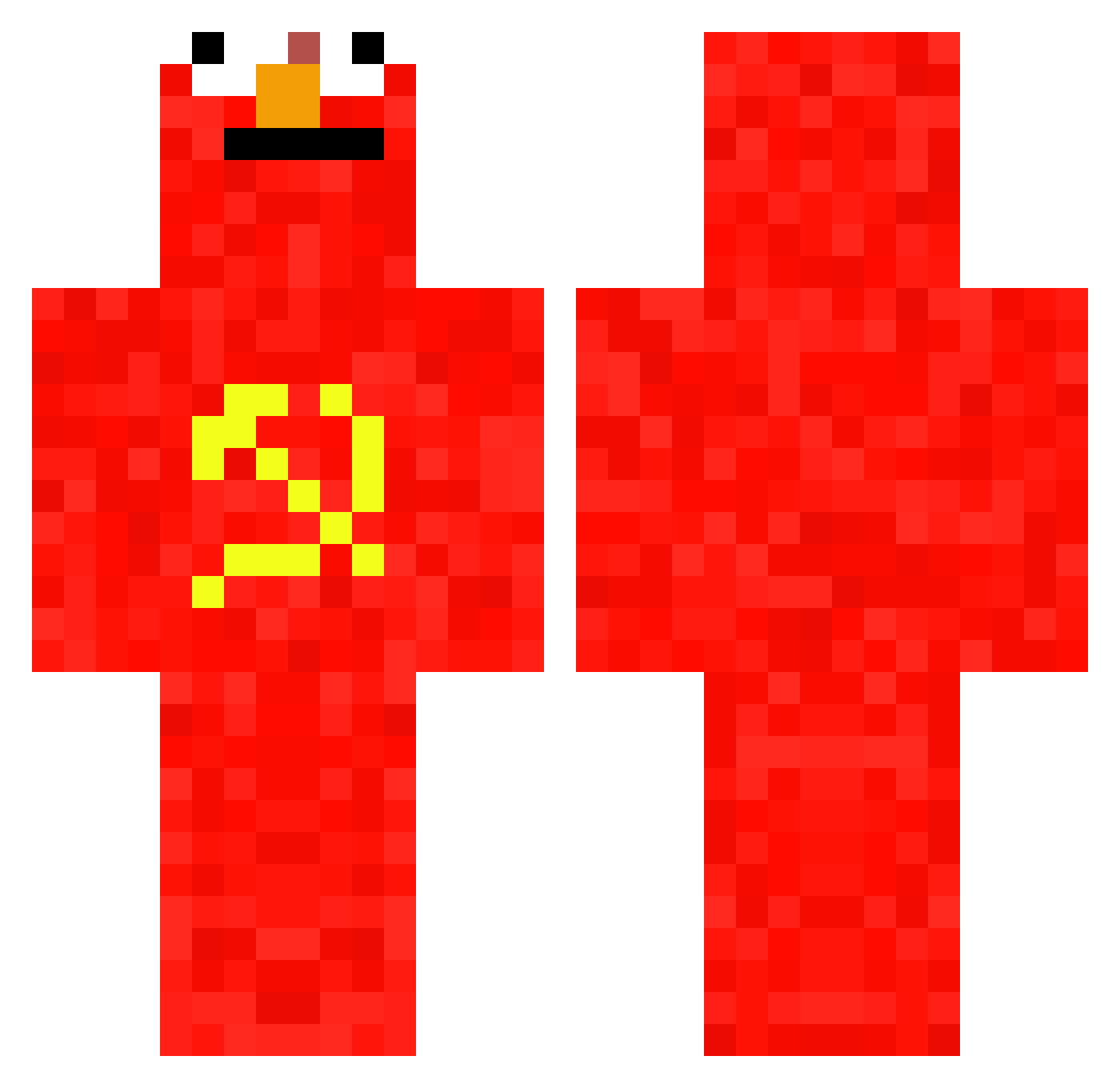
Current Minecraft skin of the player CoffeeCandle253, loaded from the official Mojang API. Rotate the 3D model with your mouse or finger, then download the skin as a PNG file and use it in Minecraft: Bedrock Edition or Java Edition for free. When CoffeeCandle253 changes their skin, this page updates automatically and the old skin stays in the history below.
Other players with this skin (657)
CoffeeCandle253 was the 603rd player we have seen with this skin, first spotted on 19.10.2026. The same skin was seen on these players. Open a nickname to see their current skin and skin history.
 WaterproofGiant Fermicula FredericBast1at Nomusic Sheindru Darkra1CR zokli OwenJg1802 ImBobDuncan zac_Hip Timpi1999 Polar_06 Ninoxzl Arski_ Slangindong K_A_R_I_M Santivelandia oriol366 comadude27 Humiii1005 Jimbo_Plimbo PikPok28 Its_Comedia cviiiii ArtemCot AnyeNx NeonDragonLox f_a_020 Uzuth ISimpOnFranz PeacefulBoy Earrieta xuxxu1122 CommunismElmo lolist13 MoonElaina DasDoener testadefero__IV NINJA722850 ROKMC520 deivirack LIUYAJIE coolicraft JohnFGH Ekan_stek h6bu MinecraftElmo edooble HRzinn junseo7588 Bierkoekjes bulider123 GamesMhm shiromu_325 ElederMan05 MastermindCyrus CrashTrax mintszzz BoredHuman xcoldstuff
More Communist Minecraft skins
How to install the CoffeeCandle253 skin
- Press the Download button above to save the skin as a PNG file.
- Minecraft: Bedrock Edition (PE): open the Dressing Room from the main menu (or tap your character → Edit Character), go to Classic Skins → Owned, press the + (new skin) button, choose the downloaded PNG and pick the Classic (Steve) model. Works on PC and mobile; consoles cannot import custom skins.
- Minecraft: Java Edition: open the Minecraft Launcher, go to the Skins tab, click New Skin, load the PNG, pick the Classic (Steve) model and press Save & Use. You can also upload it at minecraft.net → Profile → Change Skin.
The skin does not show up after import - what should I do?
Restart Minecraft and open the Dressing Room again - imported skins sometimes appear only after a restart. Also make sure you selected the imported skin and picked the Classic (Steve) model.
Which model should I choose, Classic or Slim?
This skin is designed for the Classic (Steve) model. If you pick the wrong model, the arms of the skin will look stretched or squeezed.
Is the skin of CoffeeCandle253 free to download?
Yes. Press Download, save the PNG file and use it in Minecraft: Bedrock Edition or Java Edition - no payment or registration needed. The skin also works on multiplayer servers and Realms.
More skins
Looking for more? Go back to all Minecraft skins and check the top skins of the week, month and all time, or find any player's skin by nickname.