
Clowdesu - Minecraft Skins & Skin History
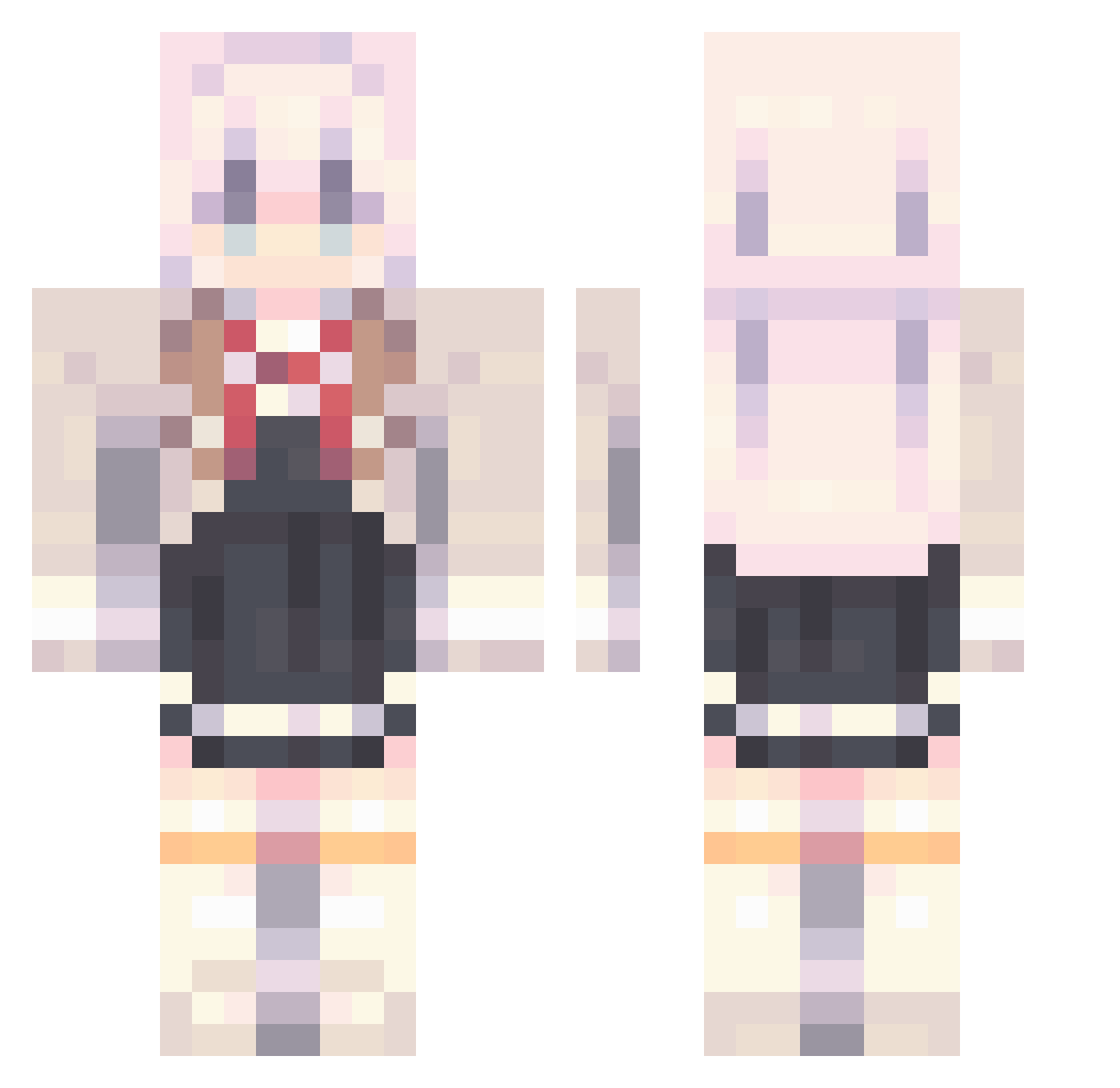
Current Minecraft skin of the player Clowdesu, loaded from the official Mojang API. Rotate the 3D model with your mouse or finger, then download the skin as a PNG file and use it in Minecraft: Bedrock Edition or Java Edition for free. When Clowdesu changes their skin, this page updates automatically and the old skin stays in the history below.
Other players with this skin (812)
Clowdesu was the 91st player we have seen with this skin, first spotted on 04.08.2026. The same skin was seen on these players. Open a nickname to see their current skin and skin history.
 dzikenss123 whiteleo44 KuriyamaNatsuki taleento24971204
 Hedgehog2511 stridentIGmensu Yuyu80808 Gwane22 aboba_2007 13BlackFlashes EevOtoko kurachannn _Mokra_
 LowLava Meltryllis049 AlejandroCedi Eliseeeeeeeee jeeessiiica GGthpd Ayakasimp ition_ PLafrem Takafaym skypatsu luowu2004 ac55888
 jun080412 Star4e Cyph3rr masiro23
 platy1228 Pilinhas222 zizon_soogi hzncx1 Bonbon_Amca_0 Eoofv
 Nikolas728YT KhoaTran125
 chenipanDS mitamannn Kozix82 feifei060404 FYSGUIO sirsebslittleSSL Ender_gamer11 Killergrown Lie_Truth d0c0_0
 Bottt_TW nvum GoGo_Sky luchenshan
 Vuremi CeasteFolesc 77ssu IANANK Unk_02 UnKNowN_2518 linwandou KULSCHI
More School Uniform Minecraft skins
See all 6064 School Uniform skins
How to install the Clowdesu skin
- Press the Download button above to save the skin as a PNG file.
- Minecraft: Bedrock Edition (PE): open the Dressing Room from the main menu (or tap your character → Edit Character), go to Classic Skins → Owned, press the + (new skin) button, choose the downloaded PNG and pick the Classic (Steve) model. Works on PC and mobile; consoles cannot import custom skins.
- Minecraft: Java Edition: open the Minecraft Launcher, go to the Skins tab, click New Skin, load the PNG, pick the Classic (Steve) model and press Save & Use. You can also upload it at minecraft.net → Profile → Change Skin.
The skin does not show up after import - what should I do?
Restart Minecraft and open the Dressing Room again - imported skins sometimes appear only after a restart. Also make sure you selected the imported skin and picked the Classic (Steve) model.
Which model should I choose, Classic or Slim?
This skin is designed for the Classic (Steve) model. If you pick the wrong model, the arms of the skin will look stretched or squeezed.
Is the skin of Clowdesu free to download?
Yes. Press Download, save the PNG file and use it in Minecraft: Bedrock Edition or Java Edition - no payment or registration needed. The skin also works on multiplayer servers and Realms.
More skins
Looking for more? Go back to all Minecraft skins and check the top skins of the week, month and all time, or find any player's skin by nickname.