
CloudJr9 - Minecraft Skins & Skin History
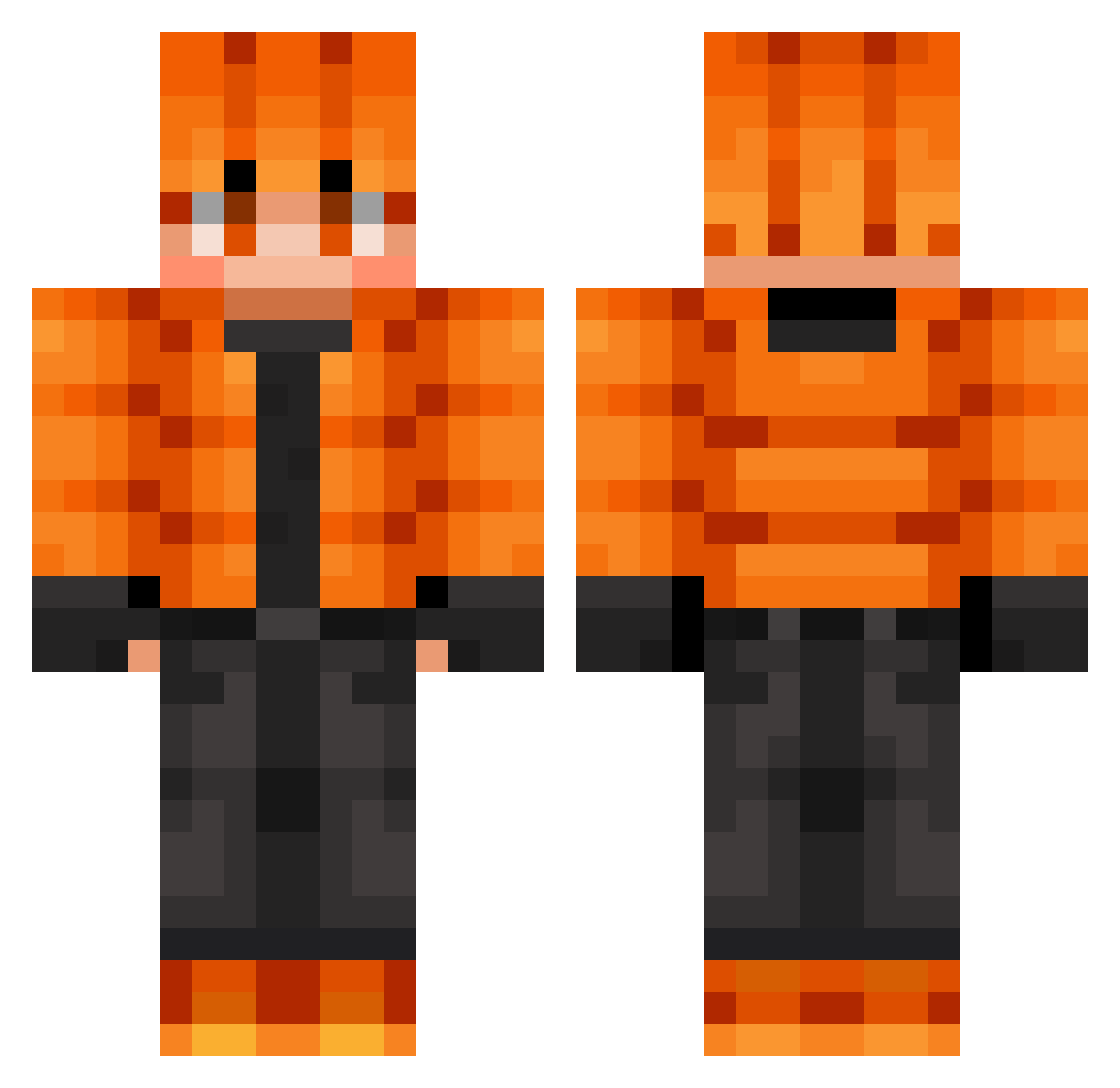
Current Minecraft skin of the player CloudJr9, loaded from the official Mojang API. Rotate the 3D model with your mouse or finger, then download the skin as a PNG file and use it in Minecraft: Bedrock Edition or Java Edition for free. When CloudJr9 changes their skin, this page updates automatically and the old skin stays in the history below.
Other players with this skin (867)
CloudJr9 was the 844th player we have seen with this skin, first spotted on 17.11.2026. The same skin was seen on these players. Open a nickname to see their current skin and skin history.
 Gravas StarEclipseDaCat Louuta Shadeslayer2040 daityan0313 TheMeszaros tijo67 sacha76660 Bringbring13 mozr09 MechanicBeast62 kekshoOo Beca666 9I0I Prakit davs1221 Doudou2311 Milan57970 PiropIa aRedMisFit Tailz07 DarkVolition jasonCoop LucieFlowers Millardm_ ABEL2012 jinxhv L_Margo Kidvibe2010 MuriloMCAlves teriza333 eggomylego RaelxD George9339 Narleik kurosiroku PhatNinja3000 parzivalghost blueonly Prepy20 Salvasp15 SimilacAdv Roplk CEVERBAL K_ADDY Martilu3108 SAF_Shade KraBik987 Alex11238 messici31 Volkeyn17 bright099 MythcCc NateBatman DrgnBrnBacon UmbraSociety watergod9634 michal17 WhiteItem Gerfnut
How to install the CloudJr9 skin
- Press the Download button above to save the skin as a PNG file.
- Minecraft: Bedrock Edition (PE): open the Dressing Room from the main menu (or tap your character → Edit Character), go to Classic Skins → Owned, press the + (new skin) button, choose the downloaded PNG and pick the Classic (Steve) model. Works on PC and mobile; consoles cannot import custom skins.
- Minecraft: Java Edition: open the Minecraft Launcher, go to the Skins tab, click New Skin, load the PNG, pick the Classic (Steve) model and press Save & Use. You can also upload it at minecraft.net → Profile → Change Skin.
The skin does not show up after import - what should I do?
Restart Minecraft and open the Dressing Room again - imported skins sometimes appear only after a restart. Also make sure you selected the imported skin and picked the Classic (Steve) model.
Which model should I choose, Classic or Slim?
This skin is designed for the Classic (Steve) model. If you pick the wrong model, the arms of the skin will look stretched or squeezed.
Is the skin of CloudJr9 free to download?
Yes. Press Download, save the PNG file and use it in Minecraft: Bedrock Edition or Java Edition - no payment or registration needed. The skin also works on multiplayer servers and Realms.
More skins
Looking for more? Go back to all Minecraft skins and check the top skins of the week, month and all time, or find any player's skin by nickname.