
Cloneeeee - Minecraft Skins & Skin History
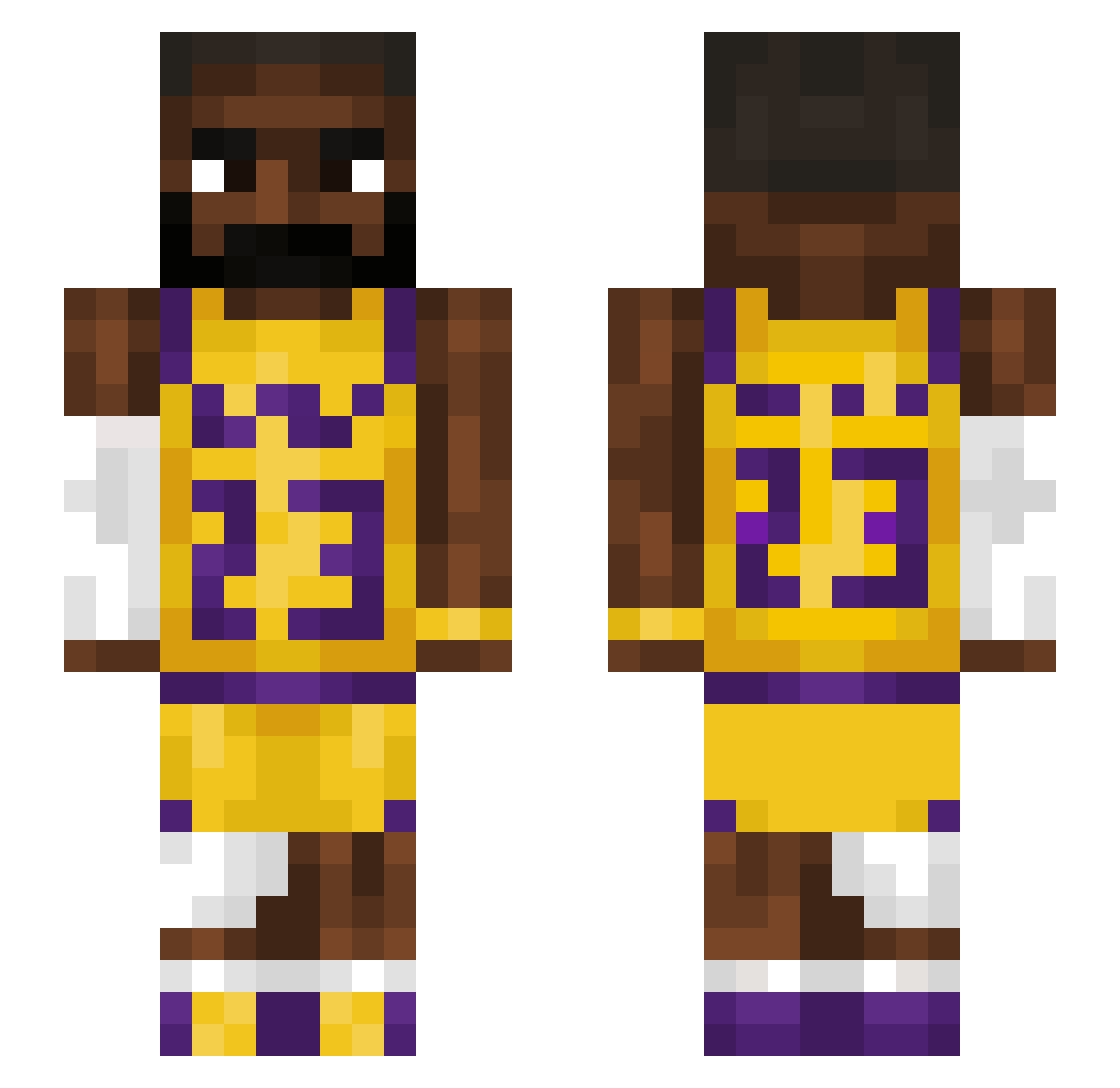
Current Minecraft skin of the player Cloneeeee, loaded from the official Mojang API. Rotate the 3D model with your mouse or finger, then download the skin as a PNG file and use it in Minecraft: Bedrock Edition or Java Edition for free. When Cloneeeee changes their skin, this page updates automatically and the old skin stays in the history below.
Other players with this skin (1207)
Cloneeeee was the 840th player we have seen with this skin, first spotted on 28.09.2026. The same skin was seen on these players. Open a nickname to see their current skin and skin history.
 _Venge_ Momoch0 BreadofTruth jtpor2010 YvesSaintLeBron SnawkMan MichasiekQ10 Dayeonxz volumeshooter theben08 mbbcomics2 Cymby21 moseswashere mr_switch09 HelpSham WailingTorch UncleDrw BennyMac0330 czeko1adek Muko_HD BigED68 Azirr the0ix lebronjames724 zyxL32 handsomepersonxx SITBISH Noahh_GT07 Kingcobra446 pardonn DIXSONIX ReeceYamsBatty Istanbul1444 MistPullsWomen ZyTex7 bibibig123 NoopDoop Cocochannell baddude45 BigBanana98 Vitil1 TheGlove3_14 Vysotzkyy N0RTN Toby625 LebronsGreatNess efka256 GugaBlockBlaster ShrimpFried1 Dragonzzz69 MalonePick matrix65 BlkRasputin GoodMan002 xxSpeedyNoobX Isaacsz_21 Jooen HappyHerper5 bakkuda nattekipnugget
More Lakers Minecraft skins
How to install the Cloneeeee skin
- Press the Download button above to save the skin as a PNG file.
- Minecraft: Bedrock Edition (PE): open the Dressing Room from the main menu (or tap your character → Edit Character), go to Classic Skins → Owned, press the + (new skin) button, choose the downloaded PNG and pick the Slim (Alex) model. Works on PC and mobile; consoles cannot import custom skins.
- Minecraft: Java Edition: open the Minecraft Launcher, go to the Skins tab, click New Skin, load the PNG, pick the Slim (Alex) model and press Save & Use. You can also upload it at minecraft.net → Profile → Change Skin.
The skin does not show up after import - what should I do?
Restart Minecraft and open the Dressing Room again - imported skins sometimes appear only after a restart. Also make sure you selected the imported skin and picked the Slim (Alex) model.
Which model should I choose, Classic or Slim?
This skin is designed for the Slim (Alex) model. If you pick the wrong model, the arms of the skin will look stretched or squeezed.
Is the skin of Cloneeeee free to download?
Yes. Press Download, save the PNG file and use it in Minecraft: Bedrock Edition or Java Edition - no payment or registration needed. The skin also works on multiplayer servers and Realms.
More skins
Looking for more? Go back to all Minecraft skins and check the top skins of the week, month and all time, or find any player's skin by nickname.