
Chlebek303 - Minecraft Skins & Skin History
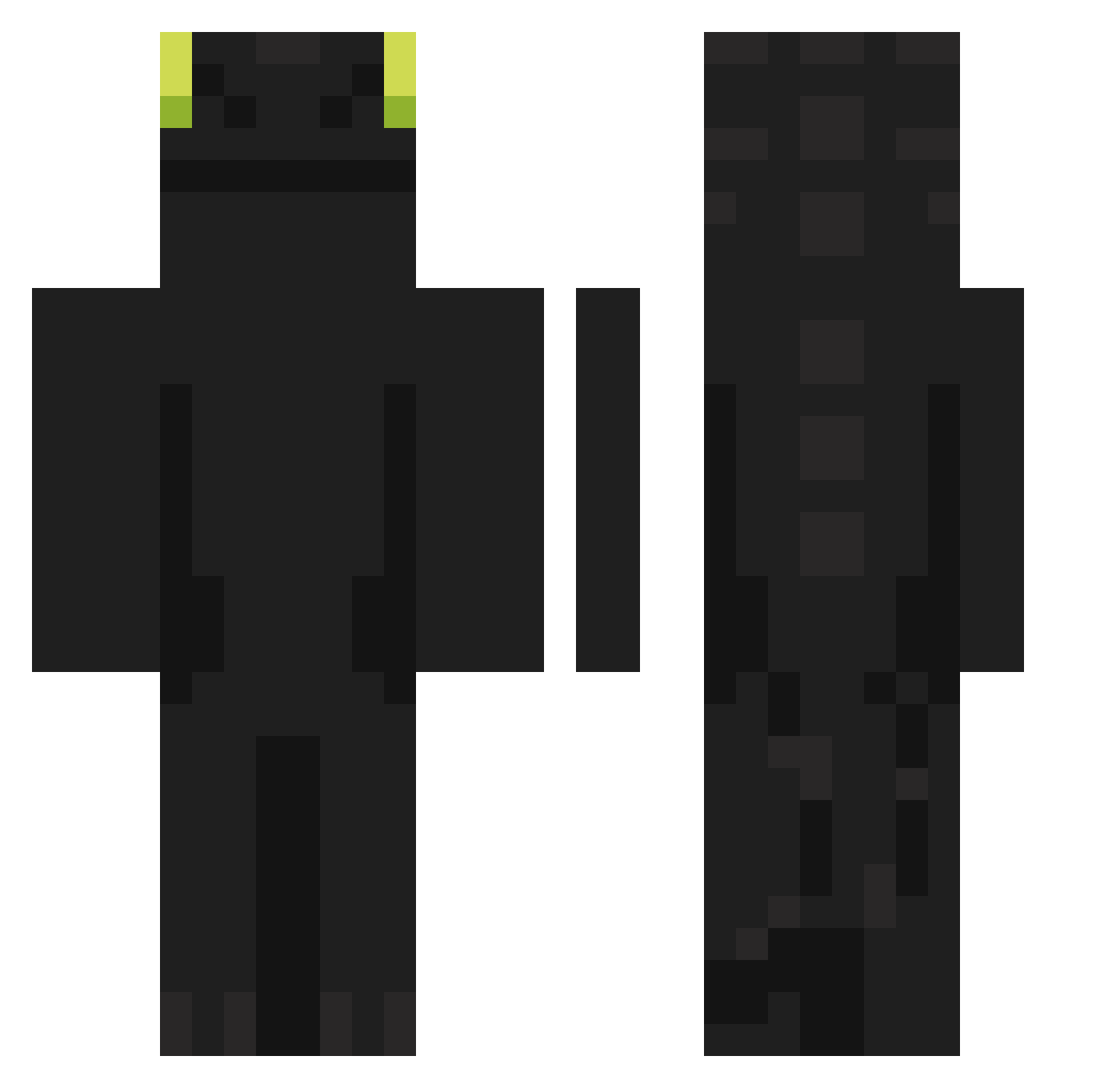
Current Minecraft skin of the player Chlebek303, loaded from the official Mojang API. Rotate the 3D model with your mouse or finger, then download the skin as a PNG file and use it in Minecraft: Bedrock Edition or Java Edition for free. When Chlebek303 changes their skin, this page updates automatically and the old skin stays in the history below.
Other players with this skin (1104)
Chlebek303 was the 989th player we have seen with this skin, first spotted on 08.11.2026. The same skin was seen on these players. Open a nickname to see their current skin and skin history.
 relkmod02 hyosogi fufufn restfultanker6 Zdoy Etholiy AndyRewski555 MokoLita Liberty1111 flamiiing KHoi404_vn DR2CON CheHaroldHaefner Moldrok1 notNoteless Atlastron Karmatic_Bee peppershakerk PRISAN69 OceanWaveX RompeTangas22 Krycery IceCreamWhenIP Maechou trakinasreidelas zhitelkanavy ROROLEMONSTRE Vovaska wbhld OGpres6312 J1anggg MAEMUE_ Bik3r Juansit0 edoharurniii tuiix burtumz_ Jaccolatte Motorjupiter QS5BN sLap42 Brenin211_ jungwon0482 Gsgur Zerche Slowpoke45 Tetsumesu Gotuna NessHD noamsifin123 Ginzunazuz Wildedraak DragonFlame1087 Asafusa tissetrolden123 Kuribouzu3 cxnvic feixingnaiyou Ryzen4070 Fieshh
More Night Fury Minecraft skins
How to install the Chlebek303 skin
- Press the Download button above to save the skin as a PNG file.
- Minecraft: Bedrock Edition (PE): open the Dressing Room from the main menu (or tap your character → Edit Character), go to Classic Skins → Owned, press the + (new skin) button, choose the downloaded PNG and pick the Classic (Steve) model. Works on PC and mobile; consoles cannot import custom skins.
- Minecraft: Java Edition: open the Minecraft Launcher, go to the Skins tab, click New Skin, load the PNG, pick the Classic (Steve) model and press Save & Use. You can also upload it at minecraft.net → Profile → Change Skin.
The skin does not show up after import - what should I do?
Restart Minecraft and open the Dressing Room again - imported skins sometimes appear only after a restart. Also make sure you selected the imported skin and picked the Classic (Steve) model.
Which model should I choose, Classic or Slim?
This skin is designed for the Classic (Steve) model. If you pick the wrong model, the arms of the skin will look stretched or squeezed.
Is the skin of Chlebek303 free to download?
Yes. Press Download, save the PNG file and use it in Minecraft: Bedrock Edition or Java Edition - no payment or registration needed. The skin also works on multiplayer servers and Realms.
More skins
Looking for more? Go back to all Minecraft skins and check the top skins of the week, month and all time, or find any player's skin by nickname.