
ChiyoKyoko - Minecraft Skins & Skin History
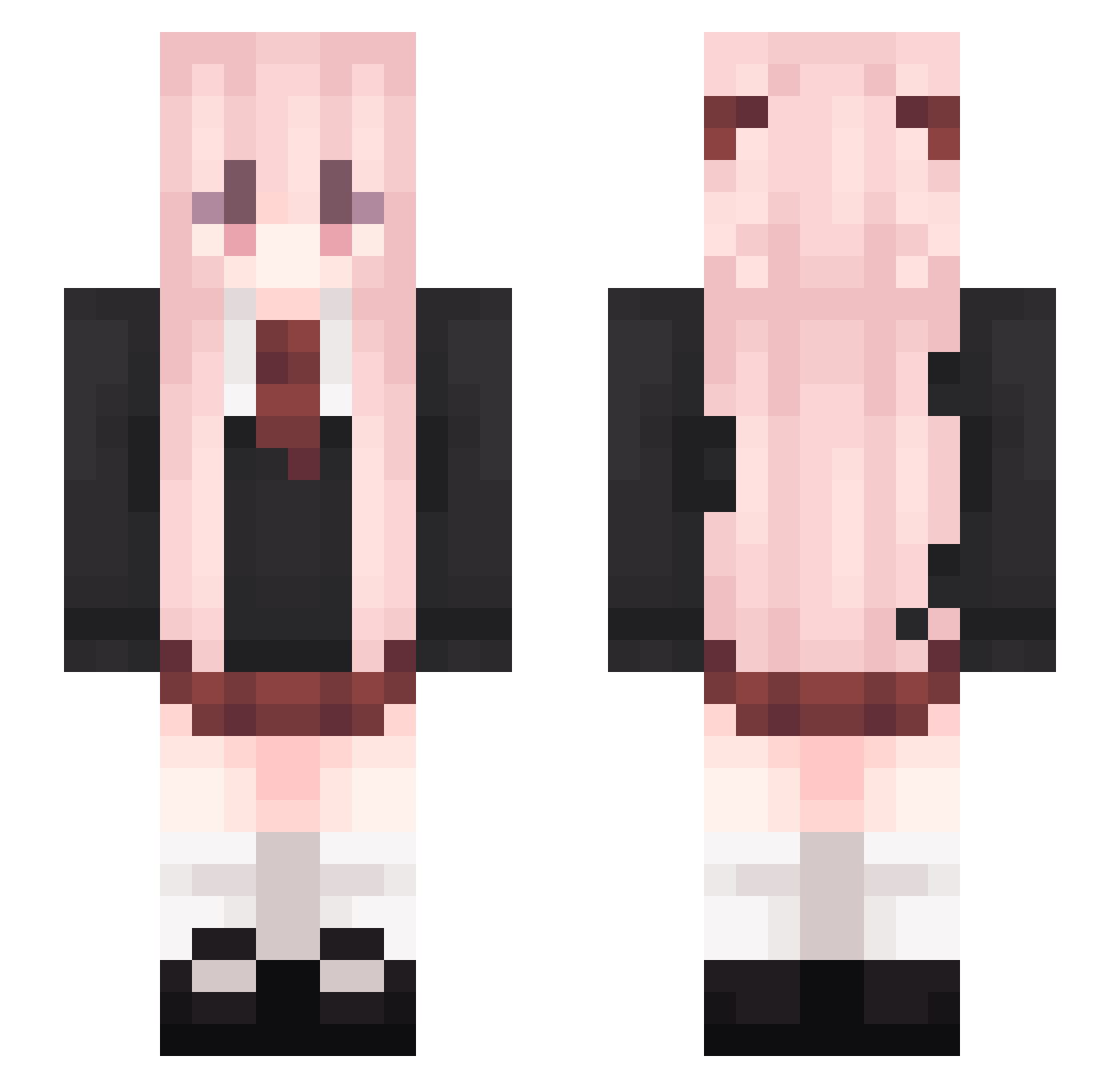
Current Minecraft skin of the player ChiyoKyoko, loaded from the official Mojang API. Rotate the 3D model with your mouse or finger, then download the skin as a PNG file and use it in Minecraft: Bedrock Edition or Java Edition for free. When ChiyoKyoko changes their skin, this page updates automatically and the old skin stays in the history below.
Other players with this skin (541)
ChiyoKyoko was the 404th player we have seen with this skin, first spotted on 17.10.2026. The same skin was seen on these players. Open a nickname to see their current skin and skin history.
 D1mp1es MoMoKoYo yakoomP Xqq1ng minemiku Sensen2 EicLOkk Hanyhn simba8848 snxwrosee fredleeweee leileilileilei Bibi7durian Spainnnn2 Myizg _HuaLuo xaixia Tinanannn minfeng007 Dai_XAO M1ng_O Pepperoniis BAISHAOBB jiji_Cute QY_qingyue _Kawakaze weiai_world oxygen_fall fantong2z IGYSKM yaoyang6615 WanFengg wxwm666 muyu0709 Luresona XiaoDizzz joukerr Lokies0119 ch1no233 Rosmontis_ lu_li deduda ZheLin1412 Hua_Qianluo Aurora_LYM Mahayv ZhenZhouAwA Moli_233 9momo9 Shxuan Misakakoto zxbcxb chujian2005 XiaoXiao796 Quickcooper yokinosita Demonix640 linjt kaixuan1 Everett_FielNya_
More School Uniform Minecraft skins
See all 6994 School Uniform skins
How to install the ChiyoKyoko skin
- Press the Download button above to save the skin as a PNG file.
- Minecraft: Bedrock Edition (PE): open the Dressing Room from the main menu (or tap your character → Edit Character), go to Classic Skins → Owned, press the + (new skin) button, choose the downloaded PNG and pick the Slim (Alex) model. Works on PC and mobile; consoles cannot import custom skins.
- Minecraft: Java Edition: open the Minecraft Launcher, go to the Skins tab, click New Skin, load the PNG, pick the Slim (Alex) model and press Save & Use. You can also upload it at minecraft.net → Profile → Change Skin.
The skin does not show up after import - what should I do?
Restart Minecraft and open the Dressing Room again - imported skins sometimes appear only after a restart. Also make sure you selected the imported skin and picked the Slim (Alex) model.
Which model should I choose, Classic or Slim?
This skin is designed for the Slim (Alex) model. If you pick the wrong model, the arms of the skin will look stretched or squeezed.
Is the skin of ChiyoKyoko free to download?
Yes. Press Download, save the PNG file and use it in Minecraft: Bedrock Edition or Java Edition - no payment or registration needed. The skin also works on multiplayer servers and Realms.
More skins
Looking for more? Go back to all Minecraft skins and check the top skins of the week, month and all time, or find any player's skin by nickname.