
ChinolBtw - Minecraft Skins & Skin History
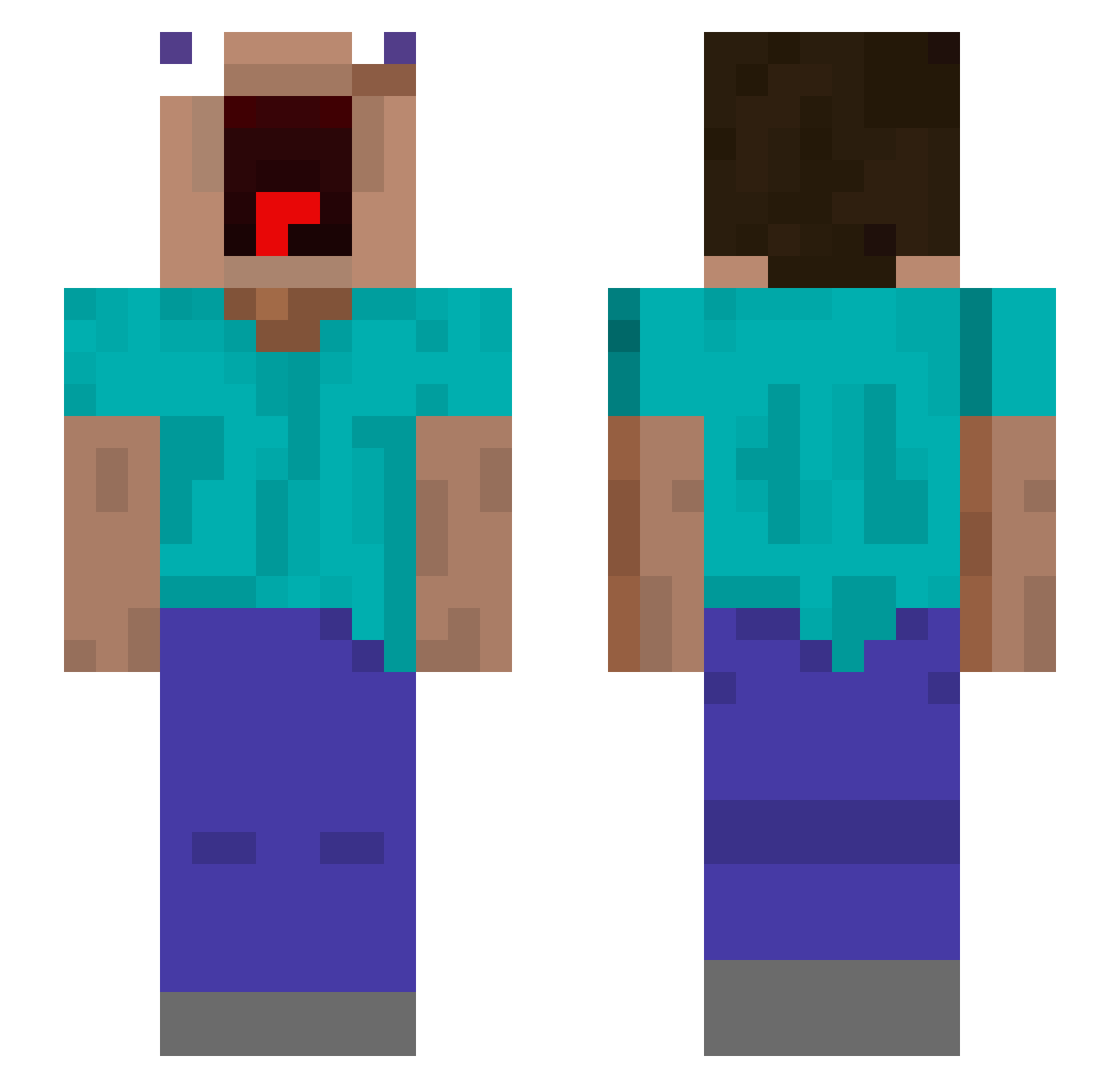
Current Minecraft skin of the player ChinolBtw, loaded from the official Mojang API. Rotate the 3D model with your mouse or finger, then download the skin as a PNG file and use it in Minecraft: Bedrock Edition or Java Edition for free. When ChinolBtw changes their skin, this page updates automatically and the old skin stays in the history below.
Other players with this skin (517)
ChinolBtw was the 174th player we have seen with this skin, first spotted on 25.08.2026. The same skin was seen on these players. Open a nickname to see their current skin and skin history.
 MehrJungfrauSepp BeastNate19 Roxmick PlaneInsaneTM Glabotron Rapidash5371 confyzz Lilhorn_ imCosmi Howard12 sigmanut4 loocalem NewWolfDJL UserWarrior OppaGangnam K_jammins heu0437 zalmpie blackone999 Eaua47
 Triplethereal1 Lumpun Fonxo habambasali leuzao_do_violao Kanaca Dreewik andyeeus SopapoRafa hapara ALEXISMP vSerbe F3EKA Inmyopinion nakamura_Lee EndisNear777 Hoggis_ mygndb kingamer001 Jizetarou Tchecko Disco_JoSe HedoisAizen kruixx GrubciuNaRejonie sopawks ZyncFZ Reborn233 Tben_ KeKKo0505 akiraandre Leums_ Kr4cx SmookyOff ShImpA13 Ethan7903 TosyabutuMaru PoohPewPew Fozz66 HinaYuYuYu
More Screaming Minecraft skins
How to install the ChinolBtw skin
- Press the Download button above to save the skin as a PNG file.
- Minecraft: Bedrock Edition (PE): open the Dressing Room from the main menu (or tap your character → Edit Character), go to Classic Skins → Owned, press the + (new skin) button, choose the downloaded PNG and pick the Slim (Alex) model. Works on PC and mobile; consoles cannot import custom skins.
- Minecraft: Java Edition: open the Minecraft Launcher, go to the Skins tab, click New Skin, load the PNG, pick the Slim (Alex) model and press Save & Use. You can also upload it at minecraft.net → Profile → Change Skin.
The skin does not show up after import - what should I do?
Restart Minecraft and open the Dressing Room again - imported skins sometimes appear only after a restart. Also make sure you selected the imported skin and picked the Slim (Alex) model.
Which model should I choose, Classic or Slim?
This skin is designed for the Slim (Alex) model. If you pick the wrong model, the arms of the skin will look stretched or squeezed.
Is the skin of ChinolBtw free to download?
Yes. Press Download, save the PNG file and use it in Minecraft: Bedrock Edition or Java Edition - no payment or registration needed. The skin also works on multiplayer servers and Realms.
More skins
Looking for more? Go back to all Minecraft skins and check the top skins of the week, month and all time, or find any player's skin by nickname.