
Chin001 - Minecraft Skins & Skin History
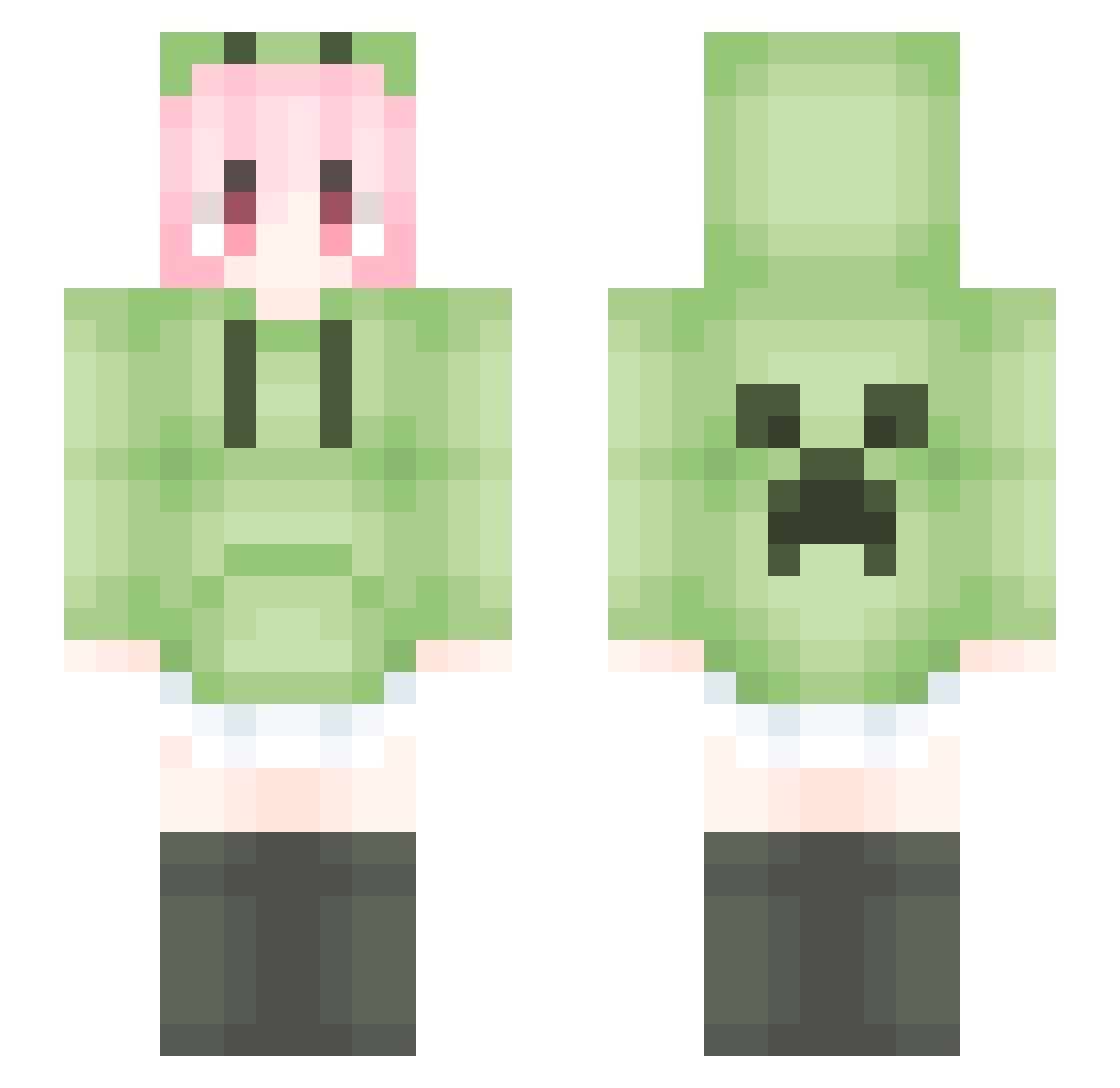
Current Minecraft skin of the player Chin001, loaded from the official Mojang API. Rotate the 3D model with your mouse or finger, then download the skin as a PNG file and use it in Minecraft: Bedrock Edition or Java Edition for free. When Chin001 changes their skin, this page updates automatically and the old skin stays in the history below.
Other players with this skin (1561)
Chin001 was the 1116th player we have seen with this skin, first spotted on 05.10.2026. The same skin was seen on these players. Open a nickname to see their current skin and skin history.
 MichstaBe__ xiaotuzhi kun1313 tiamoaa claud2006 OmnipotentWhite lazyboi886 ZhongErz BarbedEel5315Nya Xiao_piao Lightor7 RakuyouQVQ doubipapa LJQJZHC j67rf NOAOM Wei_xuan666 SHIHAI303 justifiy QIALE Samuel752 Akina421 Xwarler S13_Nya_haker_JK LuoBlack YOUSBOY PETARD996 LiquidBounceB15 LiquidBounceB81 Su231 Nameless_22DS yulaoda Therafa07 panjiu RustyJewel7 Truffle1345 Vestige2020 QI_zhou Aidam111 Ex_Warfarin ChenWeiYa fasdt HEYISHENG08 lnnlm aASA123 xieyan2134 EDITHEVOL JuHuaGuai LaPluma__ Mudfk Astridt_ Elainalu zzc123 ikunn101 ccbbsr Rain_Boop JiangWhite KeKe_Zi SaSaShuiLa openking
More Anime Girl Minecraft skins
See all 12284 Anime Girl skins
How to install the Chin001 skin
- Press the Download button above to save the skin as a PNG file.
- Minecraft: Bedrock Edition (PE): open the Dressing Room from the main menu (or tap your character → Edit Character), go to Classic Skins → Owned, press the + (new skin) button, choose the downloaded PNG and pick the Slim (Alex) model. Works on PC and mobile; consoles cannot import custom skins.
- Minecraft: Java Edition: open the Minecraft Launcher, go to the Skins tab, click New Skin, load the PNG, pick the Slim (Alex) model and press Save & Use. You can also upload it at minecraft.net → Profile → Change Skin.
The skin does not show up after import - what should I do?
Restart Minecraft and open the Dressing Room again - imported skins sometimes appear only after a restart. Also make sure you selected the imported skin and picked the Slim (Alex) model.
Which model should I choose, Classic or Slim?
This skin is designed for the Slim (Alex) model. If you pick the wrong model, the arms of the skin will look stretched or squeezed.
Is the skin of Chin001 free to download?
Yes. Press Download, save the PNG file and use it in Minecraft: Bedrock Edition or Java Edition - no payment or registration needed. The skin also works on multiplayer servers and Realms.
More skins
Looking for more? Go back to all Minecraft skins and check the top skins of the week, month and all time, or find any player's skin by nickname.