
CheesePICKLES99 - Minecraft Skins & Skin History
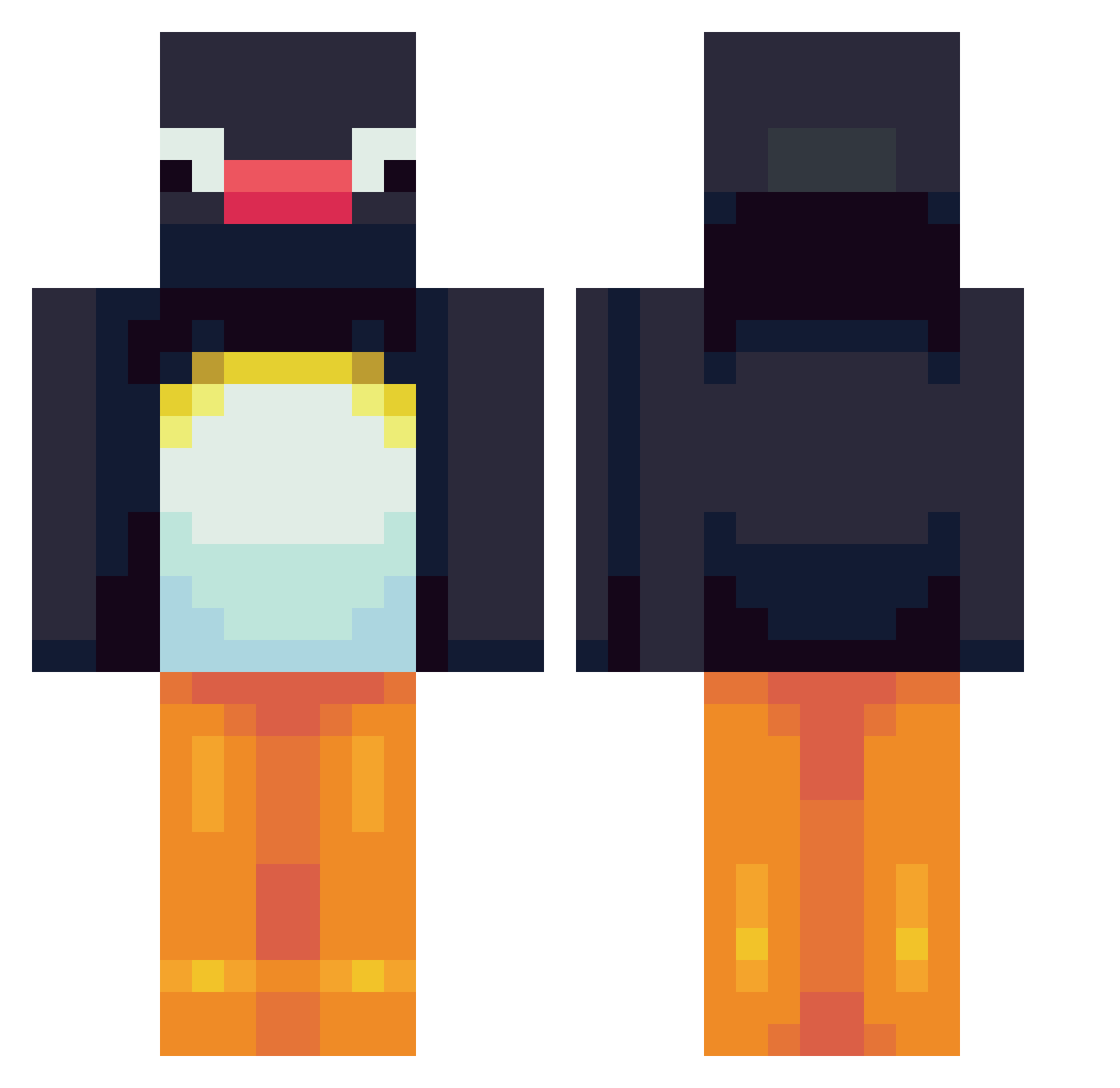
Current Minecraft skin of the player CheesePICKLES99, loaded from the official Mojang API. Rotate the 3D model with your mouse or finger, then download the skin as a PNG file and use it in Minecraft: Bedrock Edition or Java Edition for free. When CheesePICKLES99 changes their skin, this page updates automatically and the old skin stays in the history below.
Other players with this skin (564)
CheesePICKLES99 was the 101st player we have seen with this skin, first spotted on 12.08.2026. The same skin was seen on these players. Open a nickname to see their current skin and skin history.
 Turuti SajCW comet15321 x3_clipzz Scurow P4prica MustyFlops KimSeyun_ fireflygirl123 beyzuhh Islam_Gaming VelvetzZz pkfdp Domme_2 leezaegun Kameh1004 BigMan_029 sondriooy DosSantos99 imgoodstar Pingu5552471 jjunll Its_Tomas Gillbombs Olori mr_oogway shroobling Baniek1212 JRETSOF Ninoxs kitcat1130 Rainb0wHippo xgigi1996 Lahra1120 stormofyouth GingerSpice0203 Barbillus Wrexil Livie123 yungbubbles dygrik_1 DaBasement dipmaster557 emakiii XPogCatX grinkmj Franchiskito Trnrmagne CrazyTacoboi tomato4759 ms_213 railash kwiikwii Ranttis cornlicker Dakmoking gavinus_magnus chipmunkboy Jephriii jonpartokaja
More Pingu Minecraft skins
How to install the CheesePICKLES99 skin
- Press the Download button above to save the skin as a PNG file.
- Minecraft: Bedrock Edition (PE): open the Dressing Room from the main menu (or tap your character → Edit Character), go to Classic Skins → Owned, press the + (new skin) button, choose the downloaded PNG and pick the Classic (Steve) model. Works on PC and mobile; consoles cannot import custom skins.
- Minecraft: Java Edition: open the Minecraft Launcher, go to the Skins tab, click New Skin, load the PNG, pick the Classic (Steve) model and press Save & Use. You can also upload it at minecraft.net → Profile → Change Skin.
The skin does not show up after import - what should I do?
Restart Minecraft and open the Dressing Room again - imported skins sometimes appear only after a restart. Also make sure you selected the imported skin and picked the Classic (Steve) model.
Which model should I choose, Classic or Slim?
This skin is designed for the Classic (Steve) model. If you pick the wrong model, the arms of the skin will look stretched or squeezed.
Is the skin of CheesePICKLES99 free to download?
Yes. Press Download, save the PNG file and use it in Minecraft: Bedrock Edition or Java Edition - no payment or registration needed. The skin also works on multiplayer servers and Realms.
More skins
Looking for more? Go back to all Minecraft skins and check the top skins of the week, month and all time, or find any player's skin by nickname.