
CheckerSuitedMan - Minecraft Skins & Skin History
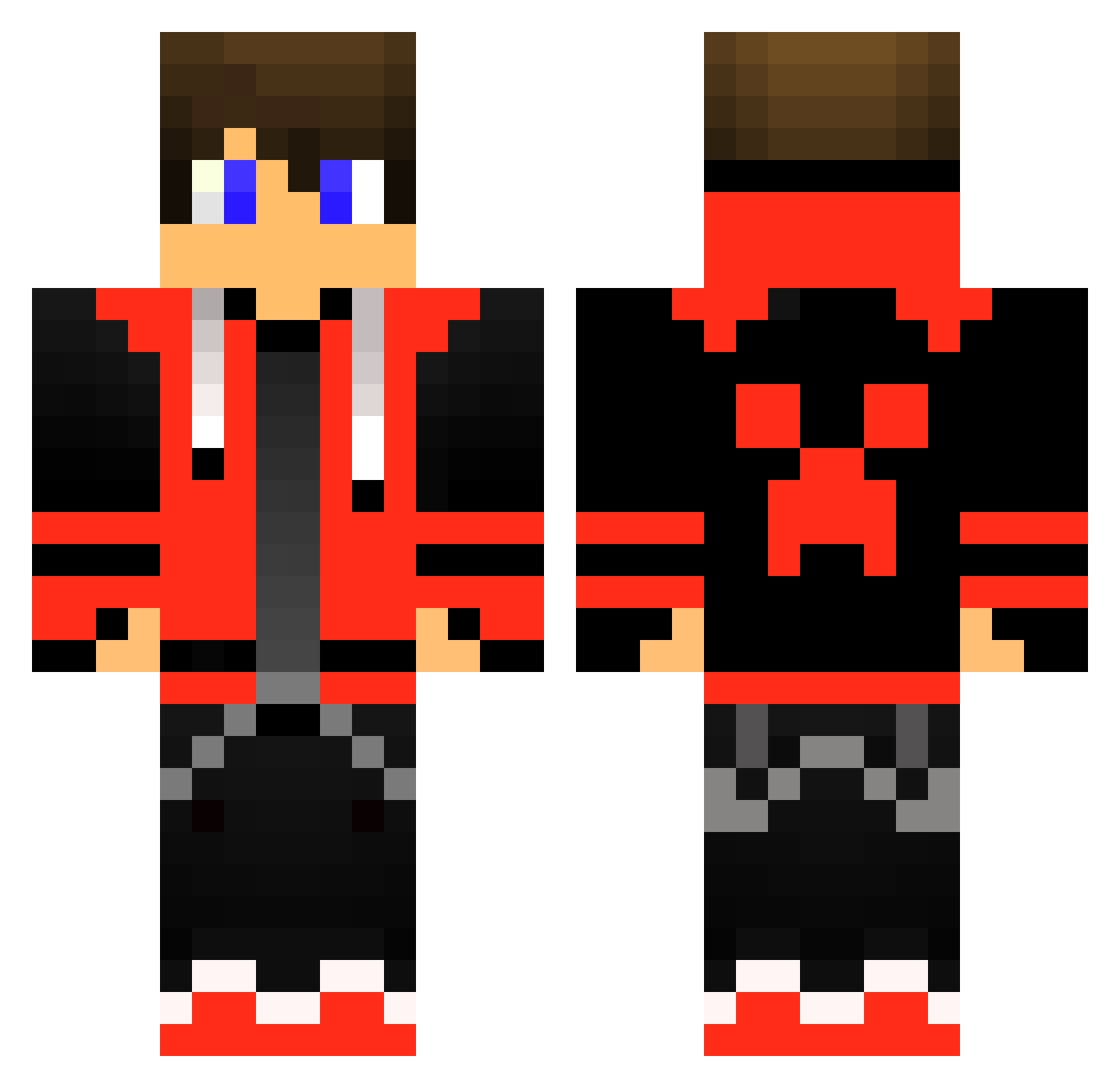
Current Minecraft skin of the player CheckerSuitedMan, loaded from the official Mojang API. Rotate the 3D model with your mouse or finger, then download the skin as a PNG file and use it in Minecraft: Bedrock Edition or Java Edition for free. When CheckerSuitedMan changes their skin, this page updates automatically and the old skin stays in the history below.
Other players with this skin (414)
CheckerSuitedMan was the 386th player we have seen with this skin, first spotted on 16.10.2026. The same skin was seen on these players. Open a nickname to see their current skin and skin history.
 RichardZ Deadbeat06 JayStream92 TheRealElias369 VRGENTIN SKeRiko TomMatla aluman1999 James2169 Zingoa raaadaa RainBowPoop08 jazepins Gell DmjxHunteR Hippodroid MagnusHJ511 Frostdog08 Minesax14 Manelgamer10_ MadBunnyDK Lukas_WP Larry_Hotter lovekiller501 GoldRyou BennTheHen Teslareborn AcePre AngelRivera0410 RedManBlox1234 Piter2249 herman_vn brofisreal FlyMoney1174504 ShizuTyranno Fortress_Creator IBUCK3RSI raphsteige12 Zipo8600 masterlilnut LongLong_JJ spookyboooy Schatten_Wolf123 Elfetzo RockingChairs Geronemo XxSavagexX1851 YayC MikhailPlayz Monek_41 CaptainKickapoo DonChezZa VirallinenAllu Valth001 firedemongames AnkerPedersen KeyZz11 Boost3rMC Arrexdk WhatsMatter
More Gamer Minecraft skins
How to install the CheckerSuitedMan skin
- Press the Download button above to save the skin as a PNG file.
- Minecraft: Bedrock Edition (PE): open the Dressing Room from the main menu (or tap your character → Edit Character), go to Classic Skins → Owned, press the + (new skin) button, choose the downloaded PNG and pick the Classic (Steve) model. Works on PC and mobile; consoles cannot import custom skins.
- Minecraft: Java Edition: open the Minecraft Launcher, go to the Skins tab, click New Skin, load the PNG, pick the Classic (Steve) model and press Save & Use. You can also upload it at minecraft.net → Profile → Change Skin.
The skin does not show up after import - what should I do?
Restart Minecraft and open the Dressing Room again - imported skins sometimes appear only after a restart. Also make sure you selected the imported skin and picked the Classic (Steve) model.
Which model should I choose, Classic or Slim?
This skin is designed for the Classic (Steve) model. If you pick the wrong model, the arms of the skin will look stretched or squeezed.
Is the skin of CheckerSuitedMan free to download?
Yes. Press Download, save the PNG file and use it in Minecraft: Bedrock Edition or Java Edition - no payment or registration needed. The skin also works on multiplayer servers and Realms.
More skins
Looking for more? Go back to all Minecraft skins and check the top skins of the week, month and all time, or find any player's skin by nickname.