
Charmander123451 - Minecraft Skins & Skin History
Current Minecraft skin of the player Charmander123451, loaded from the official Mojang API. Rotate the 3D model with your mouse or finger, then download the skin as a PNG file and use it in Minecraft: Bedrock Edition or Java Edition for free. When Charmander123451 changes their skin, this page updates automatically and the old skin stays in the history below.
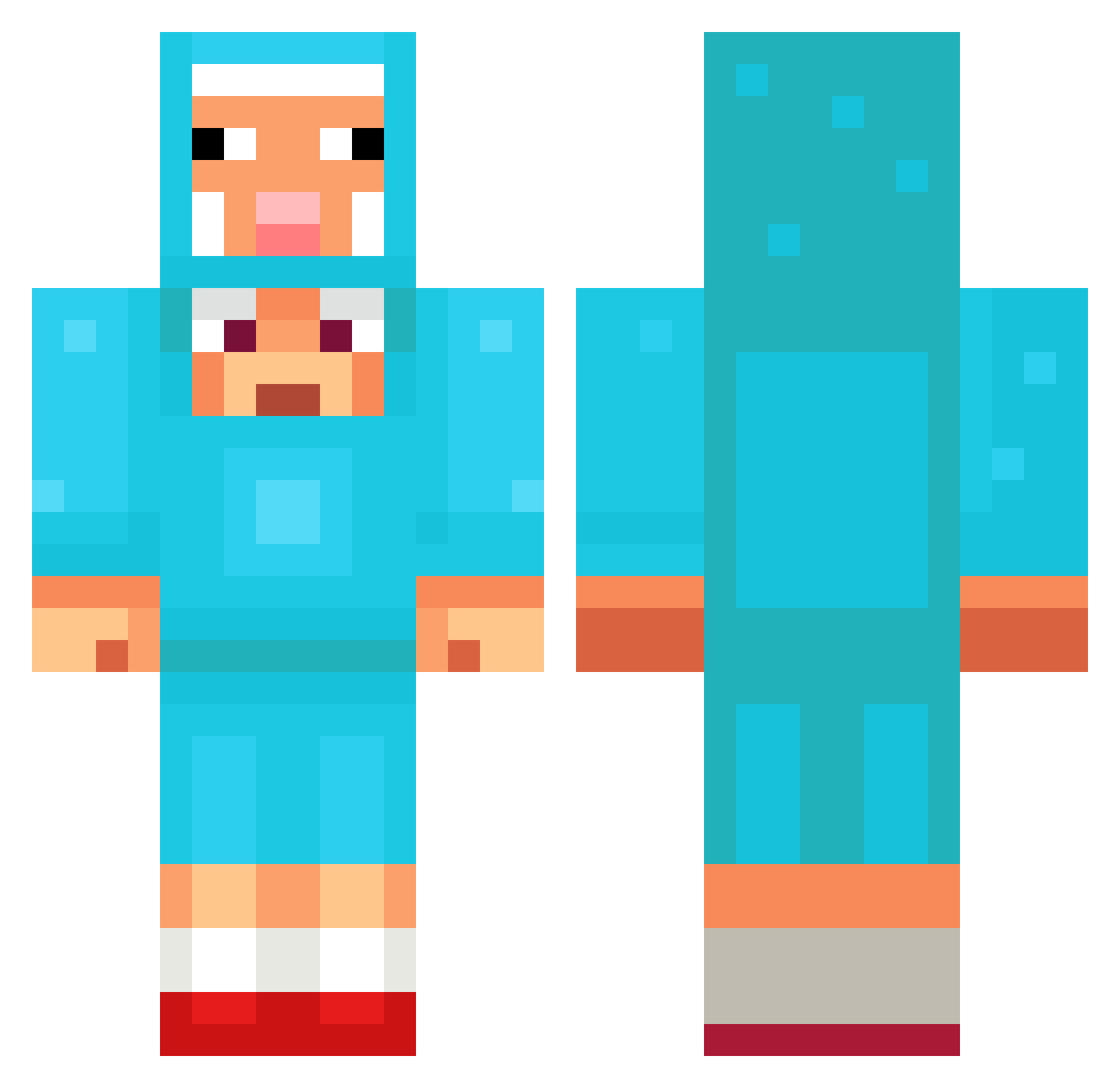
Other players with this skin (1307)
Charmander123451 was the 967th player we have seen with this skin, first spotted on 12.10.2026. The same skin was seen on these players. Open a nickname to see their current skin and skin history.
 MGXM ARODURO MrGlizzy45 TSMBARNI GansUebel_ Maty3408 bananacakes2005 Patkai Voodoo410 takju1128 Rikkatron Maximum4736ddddf maicyy zzzhusky MaelStronghart Orionturtle135 justinellis04 DjJeffreyJr Eyeless707 notbread55 Dntjdgh3524 LeonineWriter38 what27reto Tivoli2711 MemeueI Xepor_CH jse0224 flying121 MaKsDy minecraft_LILI11 Bekzen kirixxxx Callister_Daphyr pro0229 Big_blue_bird BigFella37 Nerdy_Nash RomanianStefan itz_adrw loot_lol Jeatcookie pthvedt Dominic_K11 tmoney2125 cloud260 lipless69 krovlerdr1ft tobi821 4nwp Pantera5814 Nasti_Fantasti Aesoy Driftingjdmaf chipandchip givemeurheart savesforge DemonicRay huanian1 Merak0910 Kwsta
More Sheep Minecraft skins
How to install the Charmander123451 skin
- Press the Download button above to save the skin as a PNG file.
- Minecraft: Bedrock Edition (PE): open the Dressing Room from the main menu (or tap your character → Edit Character), go to Classic Skins → Owned, press the + (new skin) button, choose the downloaded PNG and pick the Classic (Steve) model. Works on PC and mobile; consoles cannot import custom skins.
- Minecraft: Java Edition: open the Minecraft Launcher, go to the Skins tab, click New Skin, load the PNG, pick the Classic (Steve) model and press Save & Use. You can also upload it at minecraft.net → Profile → Change Skin.
The skin does not show up after import - what should I do?
Restart Minecraft and open the Dressing Room again - imported skins sometimes appear only after a restart. Also make sure you selected the imported skin and picked the Classic (Steve) model.
Which model should I choose, Classic or Slim?
This skin is designed for the Classic (Steve) model. If you pick the wrong model, the arms of the skin will look stretched or squeezed.
Is the skin of Charmander123451 free to download?
Yes. Press Download, save the PNG file and use it in Minecraft: Bedrock Edition or Java Edition - no payment or registration needed. The skin also works on multiplayer servers and Realms.
More skins
Looking for more? Go back to all Minecraft skins and check the top skins of the week, month and all time, or find any player's skin by nickname.