
Channder3 - Minecraft Skins & Skin History
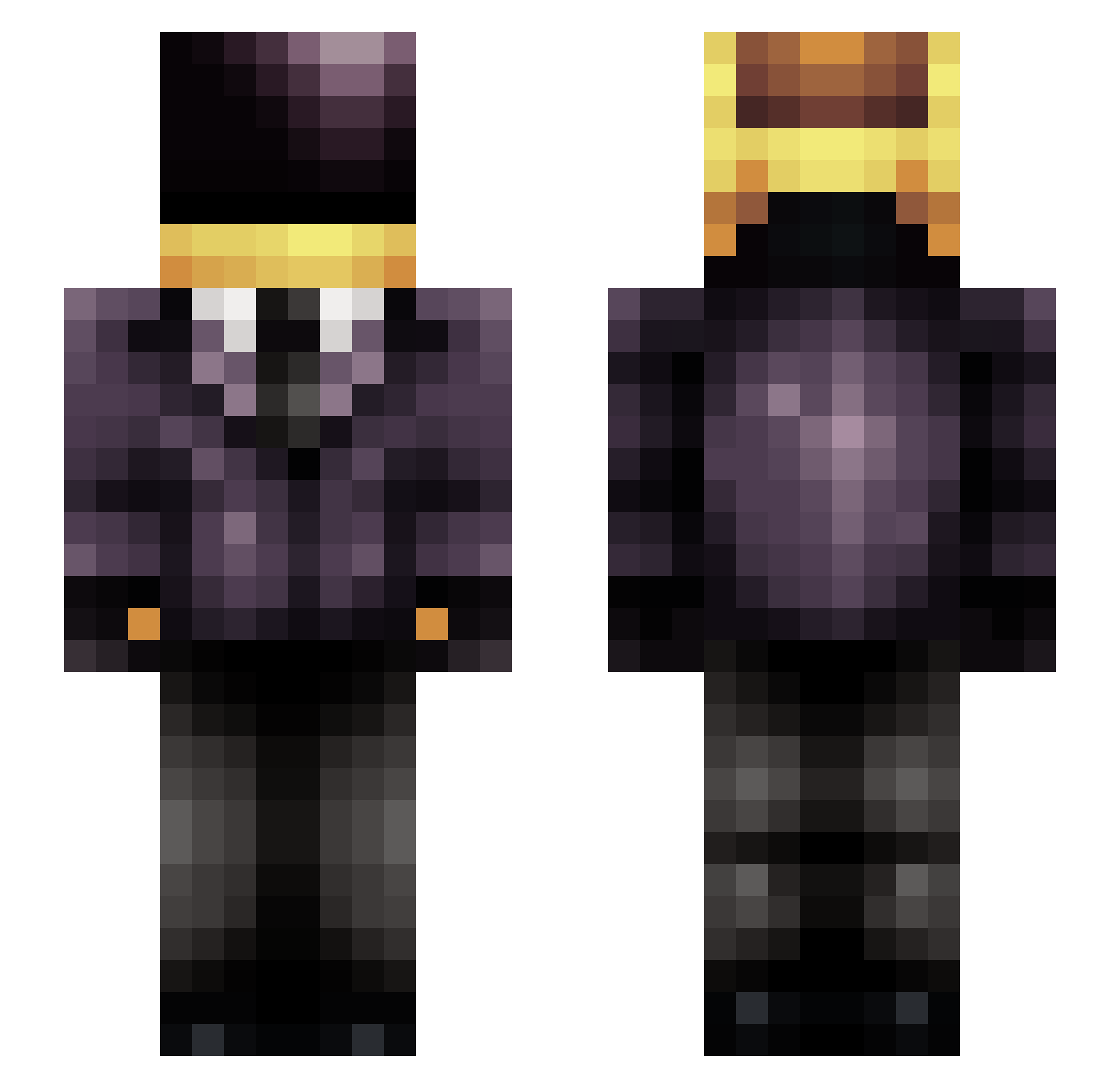
Current Minecraft skin of the player Channder3, loaded from the official Mojang API. Rotate the 3D model with your mouse or finger, then download the skin as a PNG file and use it in Minecraft: Bedrock Edition or Java Edition for free. When Channder3 changes their skin, this page updates automatically and the old skin stays in the history below.
Other players with this skin (219)
Channder3 was the 152nd player we have seen with this skin, first spotted on 30.09.2026. The same skin was seen on these players. Open a nickname to see their current skin and skin history.
 cakedev Q_Oio westsidenunn brandthing IronAlik16 KillTheAfk telepathictoast ZyeTBM DuskZer0 SUPERGAMEDROIIDI _MrLaurent_ Space_Opera dudukaka Riinzlerr SpookyMP5 WilfredoWasHere Harpagonn Mr_Mentor martprod Zun0Rix Hakunamatatat Pieroket CptBass SiderealDrift MorpheuTK Pale_Red_Dot electroghost95 spumonkey Bindestrich udaction MoonshineJoe Sev3RiNo dadhat Aidranos Huekid Thoraccino TrikMines AdnascentiaV Azyd W0odzz NELIAN Rityru Renga1186 CrazyCrafter26 electroplankton RyanRyann Simbaku TheMelloBrabo Vieceli MrThuganomics jeonseung729 UI_GameZ1 NyppelZ_Gravity Aleonhard Zilboz Mzix unioff EligorAthelis JC_13 Antonini_
More Daft Punk Minecraft skins
How to install the Channder3 skin
- Press the Download button above to save the skin as a PNG file.
- Minecraft: Bedrock Edition (PE): open the Dressing Room from the main menu (or tap your character → Edit Character), go to Classic Skins → Owned, press the + (new skin) button, choose the downloaded PNG and pick the Slim (Alex) model. Works on PC and mobile; consoles cannot import custom skins.
- Minecraft: Java Edition: open the Minecraft Launcher, go to the Skins tab, click New Skin, load the PNG, pick the Slim (Alex) model and press Save & Use. You can also upload it at minecraft.net → Profile → Change Skin.
The skin does not show up after import - what should I do?
Restart Minecraft and open the Dressing Room again - imported skins sometimes appear only after a restart. Also make sure you selected the imported skin and picked the Slim (Alex) model.
Which model should I choose, Classic or Slim?
This skin is designed for the Slim (Alex) model. If you pick the wrong model, the arms of the skin will look stretched or squeezed.
Is the skin of Channder3 free to download?
Yes. Press Download, save the PNG file and use it in Minecraft: Bedrock Edition or Java Edition - no payment or registration needed. The skin also works on multiplayer servers and Realms.
More skins
Looking for more? Go back to all Minecraft skins and check the top skins of the week, month and all time, or find any player's skin by nickname.