
CavalierNest - Minecraft Skins & Skin History
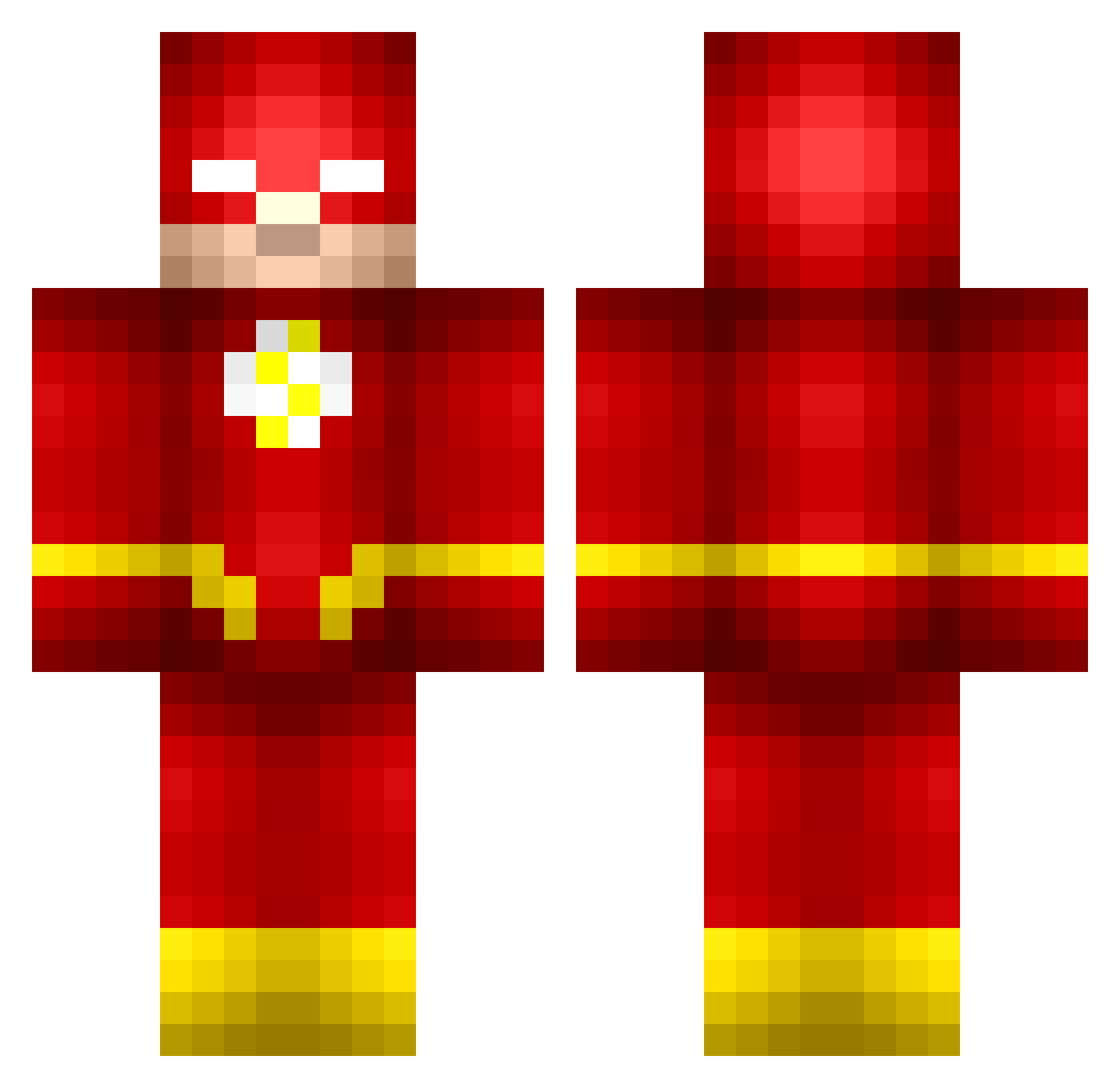
Current Minecraft skin of the player CavalierNest, loaded from the official Mojang API. Rotate the 3D model with your mouse or finger, then download the skin as a PNG file and use it in Minecraft: Bedrock Edition or Java Edition for free. When CavalierNest changes their skin, this page updates automatically and the old skin stays in the history below.
Other players with this skin (205)
CavalierNest was the 177th player we have seen with this skin, first spotted on 02.11.2026. The same skin was seen on these players. Open a nickname to see their current skin and skin history.
 chaz0651 robinla06 Finy_12 DoodsHere RylenB05 mooncake1130 CiaranJC jtgibson2801 ForeignNabz FarmBoI Dualz12345 SPplayz2004 bstreet22 Riley_Rabbit KingKimon Snabbi_ Koala_fan Shiminski L1g1st inezeklund tyrXnny1 MMRYU GodSpeedyV1 Snaredrummer31 kaz008 siluro65 TraGicWolf3311 mcflyman SENPAISTF zenkake Captain_Noodles_ Rex322 truk828 Spacerocket__ Proxima_MC G9Spider flashgordon12345 elBrokky AngelloCHI OV7 riwrk Blackstarrashad Namvo47 The_Flash31 S1lent_End Mad7845 FlashMC_ ammarkmkm Kiriann Stroth1 TyBoe13 TheMedy tiagoss23 G4brielDSP IlGobbo93 YYLove Heldarae zChewyy Assassinbandit0 MetalGamingTvMC
More The Flash Minecraft skins
How to install the CavalierNest skin
- Press the Download button above to save the skin as a PNG file.
- Minecraft: Bedrock Edition (PE): open the Dressing Room from the main menu (or tap your character → Edit Character), go to Classic Skins → Owned, press the + (new skin) button, choose the downloaded PNG and pick the Classic (Steve) model. Works on PC and mobile; consoles cannot import custom skins.
- Minecraft: Java Edition: open the Minecraft Launcher, go to the Skins tab, click New Skin, load the PNG, pick the Classic (Steve) model and press Save & Use. You can also upload it at minecraft.net → Profile → Change Skin.
The skin does not show up after import - what should I do?
Restart Minecraft and open the Dressing Room again - imported skins sometimes appear only after a restart. Also make sure you selected the imported skin and picked the Classic (Steve) model.
Which model should I choose, Classic or Slim?
This skin is designed for the Classic (Steve) model. If you pick the wrong model, the arms of the skin will look stretched or squeezed.
Is the skin of CavalierNest free to download?
Yes. Press Download, save the PNG file and use it in Minecraft: Bedrock Edition or Java Edition - no payment or registration needed. The skin also works on multiplayer servers and Realms.
More skins
Looking for more? Go back to all Minecraft skins and check the top skins of the week, month and all time, or find any player's skin by nickname.