
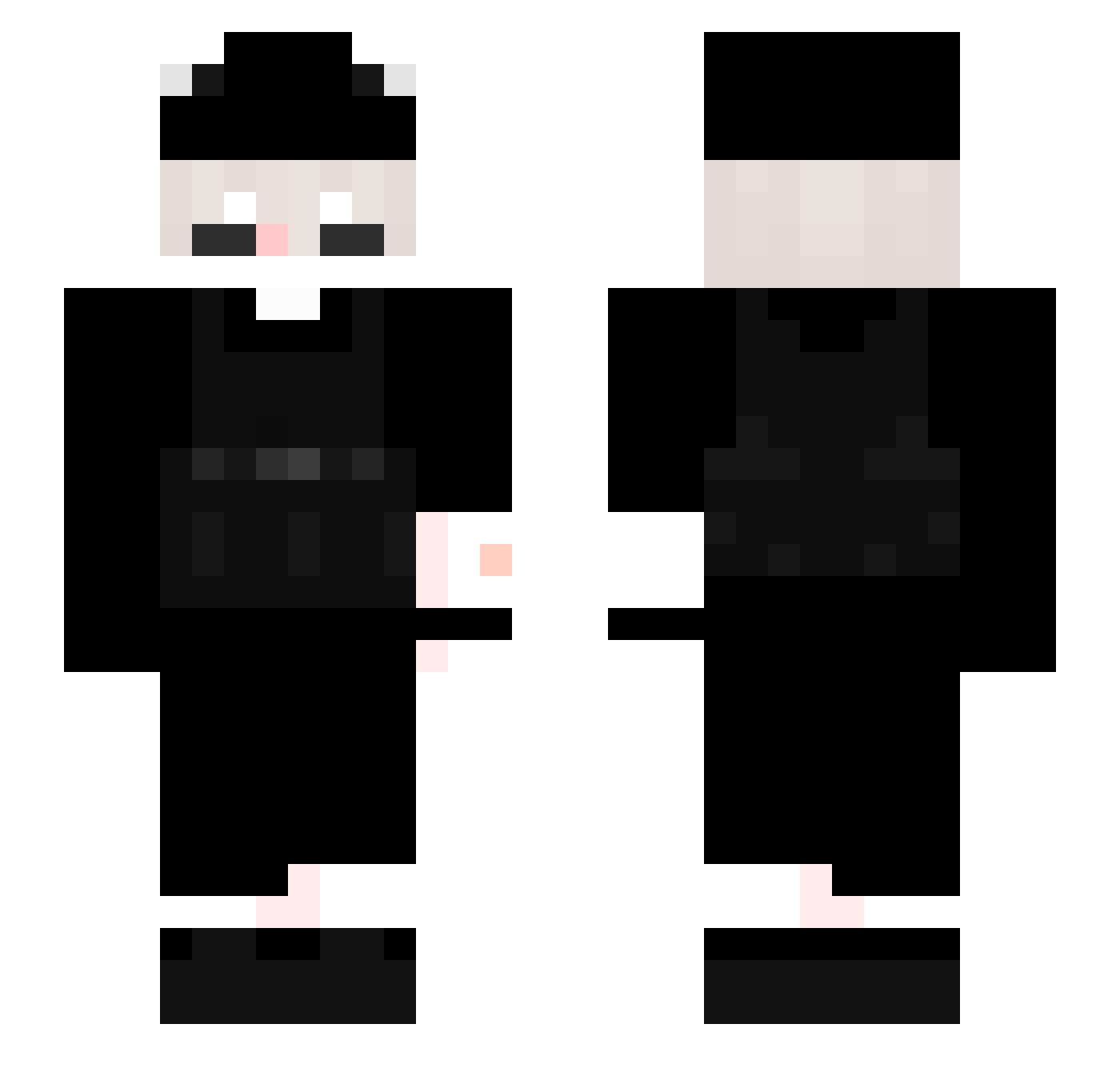
Current Minecraft skin of the player Causiwhyyou, loaded from the official Mojang API. Rotate the 3D model with your mouse or finger, then download the skin as a PNG file and use it in Minecraft: Bedrock Edition or Java Edition for free. When Causiwhyyou changes their skin, this page updates automatically and the old skin stays in the history below.
Other players with this skin (253)
Causiwhyyou was the 182nd player we have seen with this skin, first spotted on 28.09.2026. The same skin was seen on these players. Open a nickname to see their current skin and skin history.
 Wizzer10 sneakyhasered CevichitoDeFizz pqlmangel _Honza Denishh___ PixelHero420 Szerl0k Qu1mY cace8601 Wichurek_ LucasStrongheim Anoob_butnr LeninjaJr _R1z0_ DrWiggleWorth swxat XIAOXIAL Lefty_Ghosty Airisvil N_Y_2549 X5_SKILL SalltyDog NotHugs arkan47 OSKristall Ptaar jose_oi_tudo_bem Thoma0127 AstrenLamb Mr_pap1to FLESS___ NotExiled vinyie Lezhh ohh_daddyy TR_III Plasmah aerokyi Heykoga jasiu_men DtYouTai VadeZone 1Uber_ yuungI Krpptxez BryanCLZ zL_Meliodas Smmiley Monkda Namiko0321 2Prime5 2ndi Einsichtiger666 RebelTRY MitchBarto ChinoL_Pyszne_PL IchLiebeBagels HarbringerOfDawn DrWoo_
How to install the Causiwhyyou skin
- Press the Download button above to save the skin as a PNG file.
- Minecraft: Bedrock Edition (PE): open the Dressing Room from the main menu (or tap your character → Edit Character), go to Classic Skins → Owned, press the + (new skin) button, choose the downloaded PNG and pick the Slim (Alex) model. Works on PC and mobile; consoles cannot import custom skins.
- Minecraft: Java Edition: open the Minecraft Launcher, go to the Skins tab, click New Skin, load the PNG, pick the Slim (Alex) model and press Save & Use. You can also upload it at minecraft.net → Profile → Change Skin.
The skin does not show up after import - what should I do?
Restart Minecraft and open the Dressing Room again - imported skins sometimes appear only after a restart. Also make sure you selected the imported skin and picked the Slim (Alex) model.
Which model should I choose, Classic or Slim?
This skin is designed for the Slim (Alex) model. If you pick the wrong model, the arms of the skin will look stretched or squeezed.
Is the skin of Causiwhyyou free to download?
Yes. Press Download, save the PNG file and use it in Minecraft: Bedrock Edition or Java Edition - no payment or registration needed. The skin also works on multiplayer servers and Realms.
More skins
Looking for more? Go back to all Minecraft skins and check the top skins of the week, month and all time, or find any player's skin by nickname.