
Carlos_Matos1232 - Minecraft Skins & Skin History
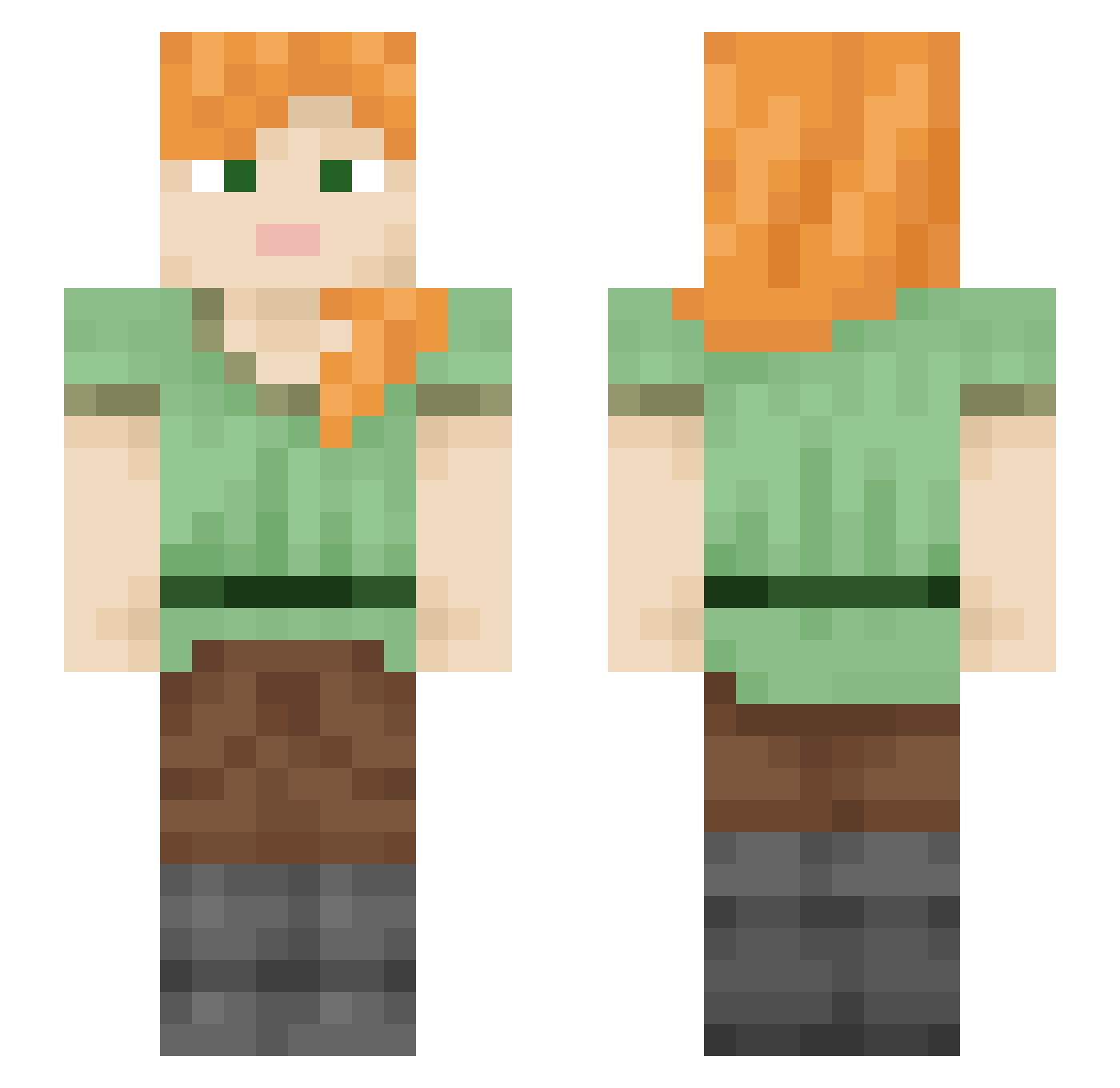
Current Minecraft skin of the player Carlos_Matos1232, loaded from the official Mojang API. Rotate the 3D model with your mouse or finger, then download the skin as a PNG file and use it in Minecraft: Bedrock Edition or Java Edition for free. When Carlos_Matos1232 changes their skin, this page updates automatically and the old skin stays in the history below.
Other players with this skin (2109)
Carlos_Matos1232 was the 1560th player we have seen with this skin, first spotted on 10.10.2026. The same skin was seen on these players. Open a nickname to see their current skin and skin history.
 Ricawdo HermannaufCrack blimpin92 Gibber Pau080_ lugui GoofyAmoeba54 vodolaz228 miliary bebeboo astro_eagle Psychologies Museologist fratch gkswlals0423 Aidan6868 21_Average_ YeoSM juju_cha ZENHEN69 sunshine_fofo Buyodicto SKENN12 fissional boltlike Covid_Verygood hekleberg Ericaceous P4RK_ xPasa_ Leelane pim_pim ssym3534 noallra PgdMartin Flykii ShadyVox FrogRabbit LsW2 bubblybin sungjun3 spinoff Star_000 MetroBoom Usrename Seccc eduardoLMAO Gashing ecliptic dominika12 Salmonoid Miak Takash xAkenoo Junioooo1 Snfwsylv texaggie12 Geosphere MeatBlock_ Goblin17438
How to install the Carlos_Matos1232 skin
- Press the Download button above to save the skin as a PNG file.
- Minecraft: Bedrock Edition (PE): open the Dressing Room from the main menu (or tap your character → Edit Character), go to Classic Skins → Owned, press the + (new skin) button, choose the downloaded PNG and pick the Slim (Alex) model. Works on PC and mobile; consoles cannot import custom skins.
- Minecraft: Java Edition: open the Minecraft Launcher, go to the Skins tab, click New Skin, load the PNG, pick the Slim (Alex) model and press Save & Use. You can also upload it at minecraft.net → Profile → Change Skin.
The skin does not show up after import - what should I do?
Restart Minecraft and open the Dressing Room again - imported skins sometimes appear only after a restart. Also make sure you selected the imported skin and picked the Slim (Alex) model.
Which model should I choose, Classic or Slim?
This skin is designed for the Slim (Alex) model. If you pick the wrong model, the arms of the skin will look stretched or squeezed.
Is the skin of Carlos_Matos1232 free to download?
Yes. Press Download, save the PNG file and use it in Minecraft: Bedrock Edition or Java Edition - no payment or registration needed. The skin also works on multiplayer servers and Realms.
More skins
Looking for more? Go back to all Minecraft skins and check the top skins of the week, month and all time, or find any player's skin by nickname.