
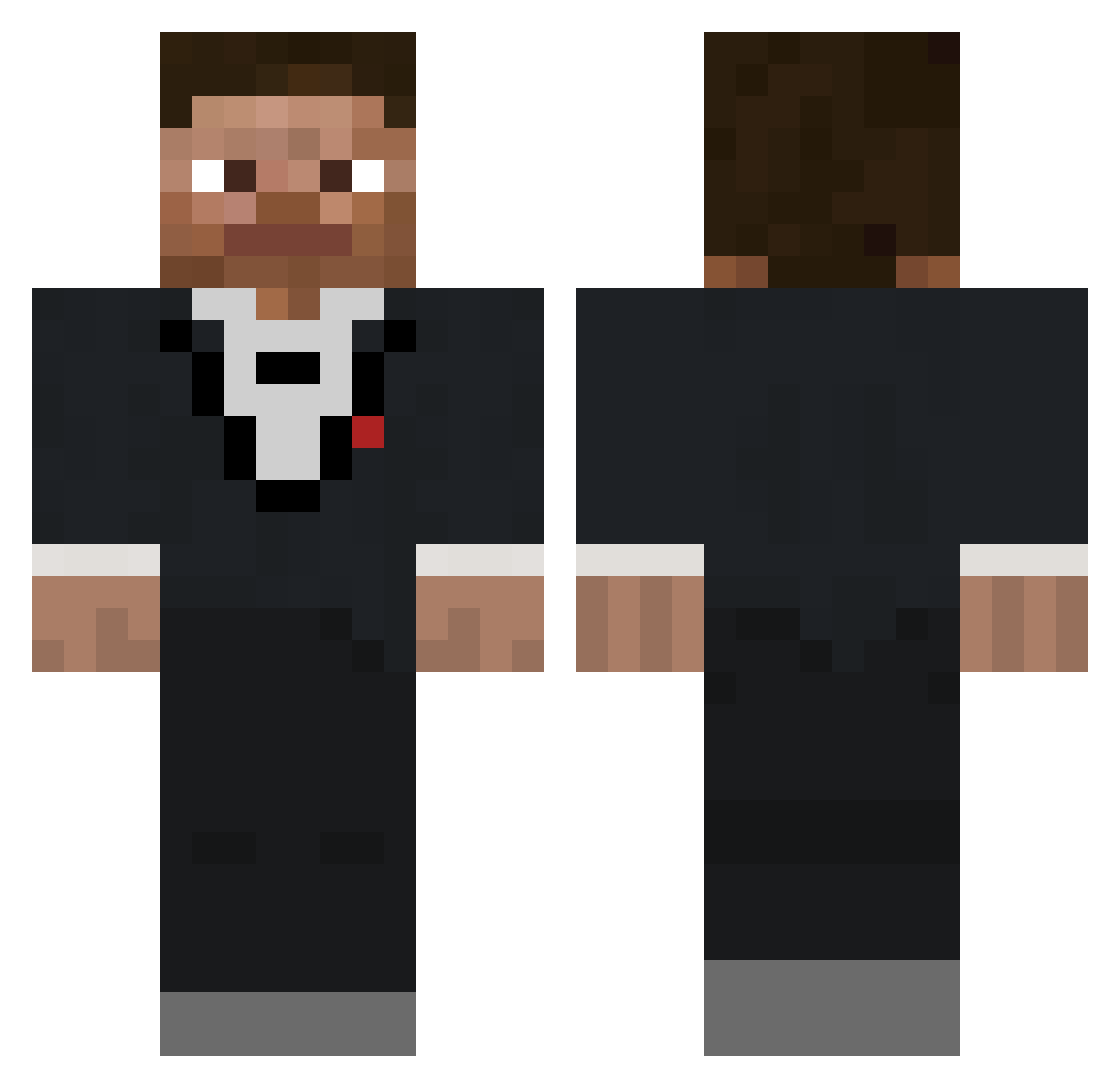
Current Minecraft skin of the player Cardcat360, loaded from the official Mojang API. Rotate the 3D model with your mouse or finger, then download the skin as a PNG file and use it in Minecraft: Bedrock Edition or Java Edition for free. When Cardcat360 changes their skin, this page updates automatically and the old skin stays in the history below.
Other players with this skin (307)
Cardcat360 was the 105th player we have seen with this skin, first spotted on 24.08.2026. The same skin was seen on these players. Open a nickname to see their current skin and skin history.
 TheDeuce_ _chafa MFS_Nejc CrazyCritic89 RealVid PDET jimmyneutron__ Arvonit gerplius kherii Sihjul EL_KBZON unclepier3k
 FVnn_115 DomproXD LHCrafters ReZ9329 MasMcV SpongebobSeason1 MrIdiot44 winyons brennen43600 MilkSugar69 AdaLFTwistler IgglePiggle2222 monte_carl TiedMountain13 Methijn Scorpyyy Mad_Maker seaninatorr airblud Lucky_Joe990 Hac031 RoastDiamond Daisy_Bean Sparky6942_0 JEBS62 NarrowTv DiamondDonSelim abram281 Bedrock_Refugee Json_Minion Lorex11 NoahOfCourseYT PelmenisLV AJimenez22 RezzaRooo Hieaki Cruckman4 DoomCooper2024 That_Potat0 RiceLemon DemekinTV magrao171 NonGMOSalt JayVN_ LulleBaous Kmolts __EB__
How to install the Cardcat360 skin
- Press the Download button above to save the skin as a PNG file.
- Minecraft: Bedrock Edition (PE): open the Dressing Room from the main menu (or tap your character → Edit Character), go to Classic Skins → Owned, press the + (new skin) button, choose the downloaded PNG and pick the Classic (Steve) model. Works on PC and mobile; consoles cannot import custom skins.
- Minecraft: Java Edition: open the Minecraft Launcher, go to the Skins tab, click New Skin, load the PNG, pick the Classic (Steve) model and press Save & Use. You can also upload it at minecraft.net → Profile → Change Skin.
The skin does not show up after import - what should I do?
Restart Minecraft and open the Dressing Room again - imported skins sometimes appear only after a restart. Also make sure you selected the imported skin and picked the Classic (Steve) model.
Which model should I choose, Classic or Slim?
This skin is designed for the Classic (Steve) model. If you pick the wrong model, the arms of the skin will look stretched or squeezed.
Is the skin of Cardcat360 free to download?
Yes. Press Download, save the PNG file and use it in Minecraft: Bedrock Edition or Java Edition - no payment or registration needed. The skin also works on multiplayer servers and Realms.
More skins
Looking for more? Go back to all Minecraft skins and check the top skins of the week, month and all time, or find any player's skin by nickname.