
CaptainZurSee - Minecraft Skins & Skin History
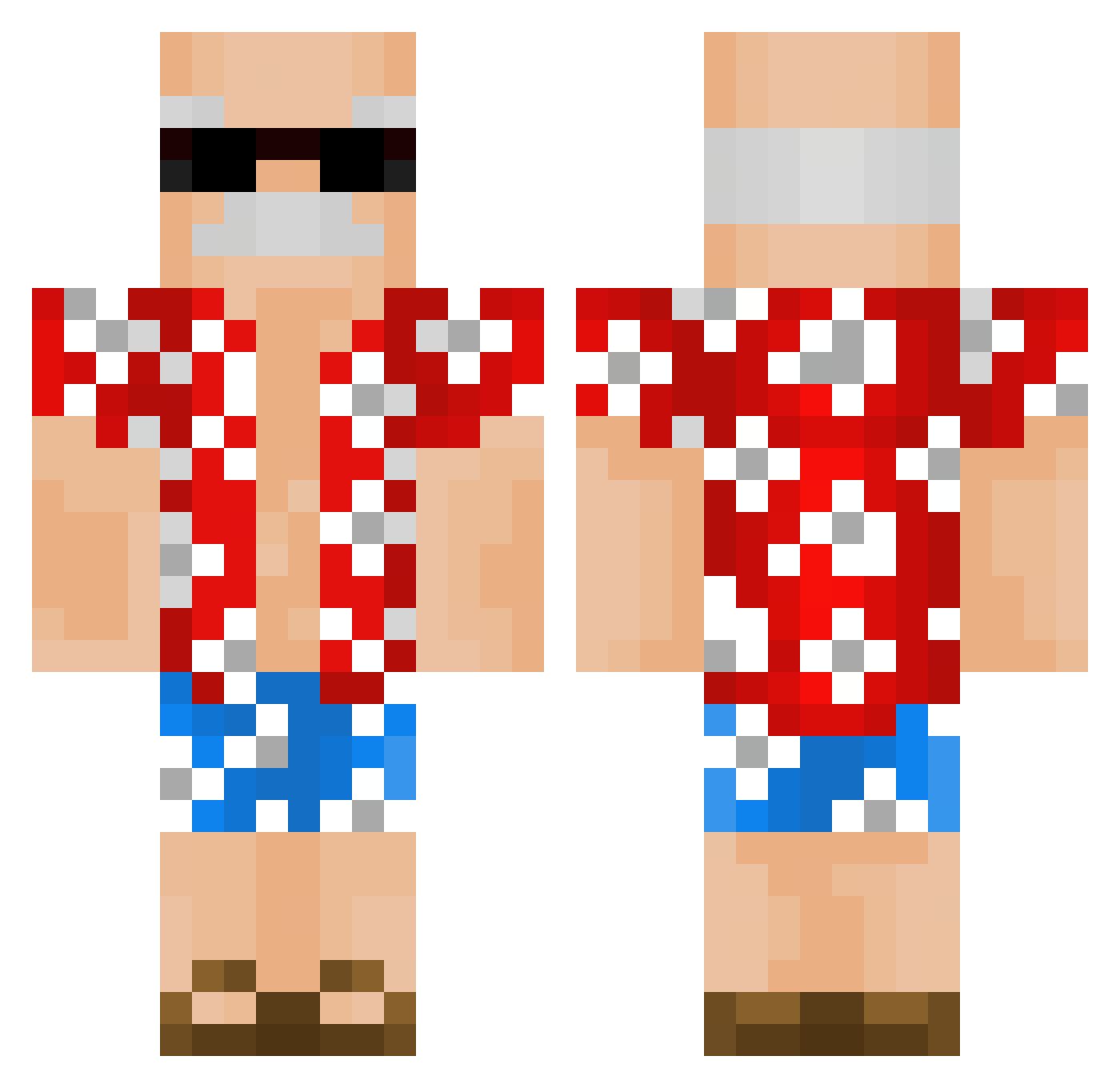
Current Minecraft skin of the player CaptainZurSee, loaded from the official Mojang API. Rotate the 3D model with your mouse or finger, then download the skin as a PNG file and use it in Minecraft: Bedrock Edition or Java Edition for free. When CaptainZurSee changes their skin, this page updates automatically and the old skin stays in the history below.
Other players with this skin (337)
CaptainZurSee was the 35th player we have seen with this skin, first spotted on 07.08.2026. The same skin was seen on these players. Open a nickname to see their current skin and skin history.
 Monkeynoob614 Soopersect Ditarex BauxiticIce5623 Wolf_663 darkdesire49 ReidLoewen Robiiin34 franek27 Novakka jonastical Shturec MxTreasure Tsulocean chickenisyum gheek CheeseRamyun tanakaBOT OPa_GhostRaider Ynker1 ShiddedFardded Noumannn rossidebossi Wannie920 Bonkersss_ TTh0mps0n OuweTijger Jellevis Max_Diaz ArtuurMelo maksioliwia burn33t po8t Mr_Quinten OPa_Ghost sammyburger8 Loading242 Martil12 Antiiiiz STB123 baconater2810 KingNuuub Gualian Whitename14 ZonenMensch marsolary_coca Matrixtre kadldd Moncio7 urooodme MegaAlakazam bigmeatkeat Lord_Magister PapyCube Espardals Creitlyy ErenBeyTR_V1 Chrissurvivor ChrisVans Clappencheeks21
More Old Man Minecraft skins
How to install the CaptainZurSee skin
- Press the Download button above to save the skin as a PNG file.
- Minecraft: Bedrock Edition (PE): open the Dressing Room from the main menu (or tap your character → Edit Character), go to Classic Skins → Owned, press the + (new skin) button, choose the downloaded PNG and pick the Classic (Steve) model. Works on PC and mobile; consoles cannot import custom skins.
- Minecraft: Java Edition: open the Minecraft Launcher, go to the Skins tab, click New Skin, load the PNG, pick the Classic (Steve) model and press Save & Use. You can also upload it at minecraft.net → Profile → Change Skin.
The skin does not show up after import - what should I do?
Restart Minecraft and open the Dressing Room again - imported skins sometimes appear only after a restart. Also make sure you selected the imported skin and picked the Classic (Steve) model.
Which model should I choose, Classic or Slim?
This skin is designed for the Classic (Steve) model. If you pick the wrong model, the arms of the skin will look stretched or squeezed.
Is the skin of CaptainZurSee free to download?
Yes. Press Download, save the PNG file and use it in Minecraft: Bedrock Edition or Java Edition - no payment or registration needed. The skin also works on multiplayer servers and Realms.
More skins
Looking for more? Go back to all Minecraft skins and check the top skins of the week, month and all time, or find any player's skin by nickname.