
Camella_Frog - Minecraft Skins & Skin History
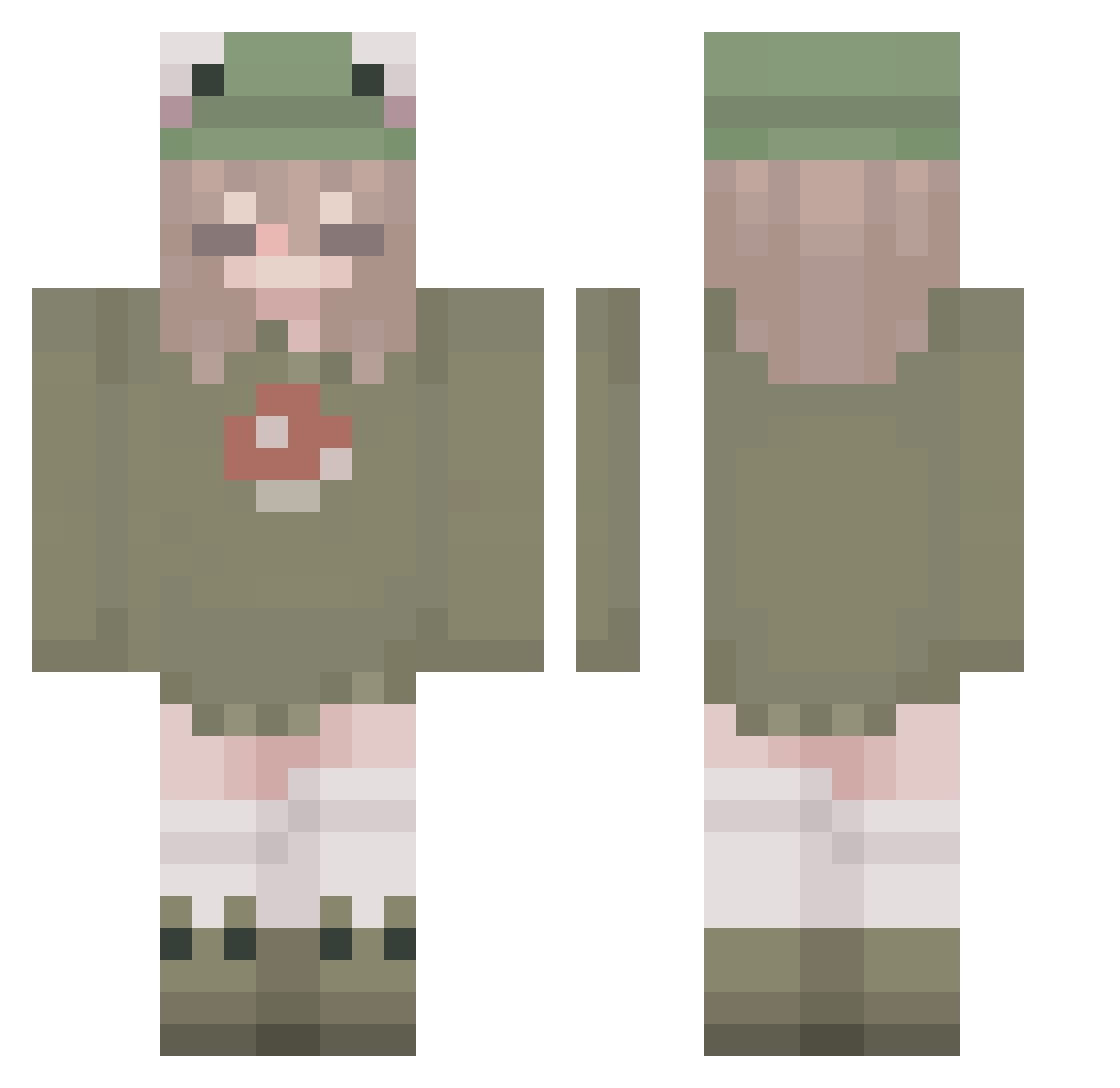
Current Minecraft skin of the player Camella_Frog, loaded from the official Mojang API. Rotate the 3D model with your mouse or finger, then download the skin as a PNG file and use it in Minecraft: Bedrock Edition or Java Edition for free. When Camella_Frog changes their skin, this page updates automatically and the old skin stays in the history below.
Other players with this skin (264)
Camella_Frog was the 229th player we have seen with this skin, first spotted on 18.10.2026. The same skin was seen on these players. Open a nickname to see their current skin and skin history.
 Julcia_x MarsJean_ IsabelaLPS KleinerKnoedel7 ElineAnna sofimimir EnderAlliKat lavenderowl33 daylight1106 Yur4rose SuperSciii Malucoco4484 Ssakusan laureline_157 Hyewon05 ardadedimyaa Nrattanarin kaat11 welfey teetov PLAST11R Rinomo marzzybarss rrvyz pppoopooxX Lilbabygoose ciravsmilkers jonathanlisborgg Pastafrola555 Nelly_Dunnsickle Roxia14 MisterOriLuna iixAngxlz InkSans678 hurtbear firestormgirl grass_0297 ollie_the_dino AriTheDrag0n playygirlinhell SinisterGrin911 DrValker IdkWhAtT0pUt1 kim_lll suuki_46 Ryafuh rxnweasley1409 coiee Angora_USG kshiraii ItsBoring Gauravsml Siiomis Ttswrld MizObeyMusic sarooh2008 RavennaBlaze MrShinichi 23432342342 LilikeaOG
More Mushroom Minecraft skins
How to install the Camella_Frog skin
- Press the Download button above to save the skin as a PNG file.
- Minecraft: Bedrock Edition (PE): open the Dressing Room from the main menu (or tap your character → Edit Character), go to Classic Skins → Owned, press the + (new skin) button, choose the downloaded PNG and pick the Classic (Steve) model. Works on PC and mobile; consoles cannot import custom skins.
- Minecraft: Java Edition: open the Minecraft Launcher, go to the Skins tab, click New Skin, load the PNG, pick the Classic (Steve) model and press Save & Use. You can also upload it at minecraft.net → Profile → Change Skin.
The skin does not show up after import - what should I do?
Restart Minecraft and open the Dressing Room again - imported skins sometimes appear only after a restart. Also make sure you selected the imported skin and picked the Classic (Steve) model.
Which model should I choose, Classic or Slim?
This skin is designed for the Classic (Steve) model. If you pick the wrong model, the arms of the skin will look stretched or squeezed.
Is the skin of Camella_Frog free to download?
Yes. Press Download, save the PNG file and use it in Minecraft: Bedrock Edition or Java Edition - no payment or registration needed. The skin also works on multiplayer servers and Realms.
More skins
Looking for more? Go back to all Minecraft skins and check the top skins of the week, month and all time, or find any player's skin by nickname.