
Calefaction - Minecraft Skins & Skin History
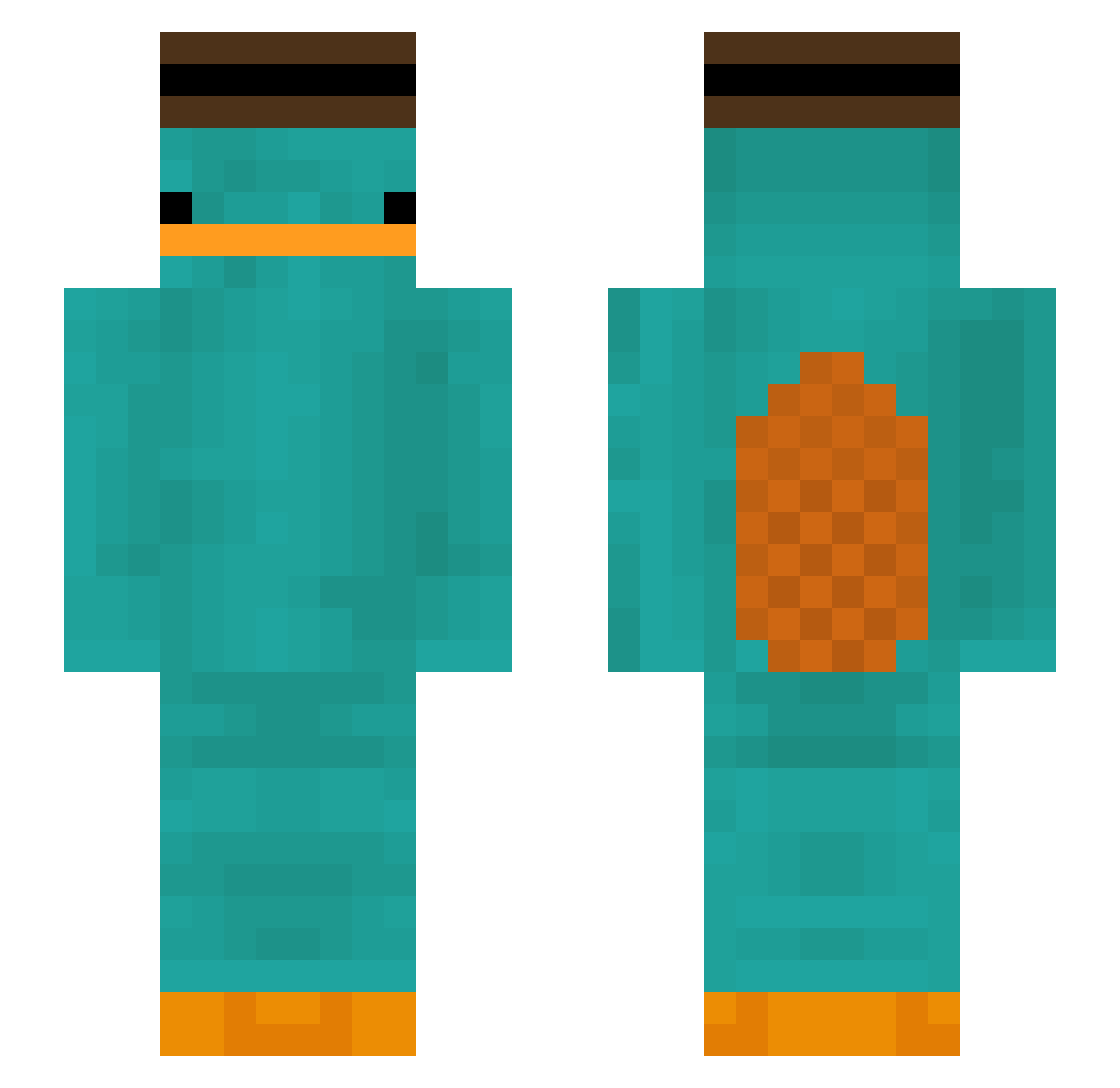
Current Minecraft skin of the player Calefaction, loaded from the official Mojang API. Rotate the 3D model with your mouse or finger, then download the skin as a PNG file and use it in Minecraft: Bedrock Edition or Java Edition for free. When Calefaction changes their skin, this page updates automatically and the old skin stays in the history below.
Other players with this skin (299)
Calefaction was the 101st player we have seen with this skin, first spotted on 24.08.2026. The same skin was seen on these players. Open a nickname to see their current skin and skin history.
 ChristianNot DeBonaCarla Banananannanana Forblow Smokey388 OMGitsWOZ Clan33 Frensh CHANAH lxk304 MouleMoul Davidss_20 urbanehawk43478 Hejda03 Krostata Reminiscences unreleased_ Nepumuk_ Berkinator Limonfafio benjamincorbic DeXteR3x1 EinfachWu Bigfoot4903 AmazonAlpaca Dofiak VanguardCrusader AppleKit Kenzor102 gyozamandu super45678 Simplygaming01 alt_f ABYo0ol ReMar0703 The_Man076 tanisheath glockshots_ Yitle BEMYMEEP nerdfighter48 Alvaro_MZ WooyoungToT Borsukowatyxd TheGreatCrasian gapdlra dOoMy223 Fresh_IGEL sw0313 Hitirriki Kaczorowka Faithc17 nanamasa3286 bulsajo13 Heojamm ansinnaricious verryan MrMici Magecal dakotaharp
More Platypus Minecraft skins
How to install the Calefaction skin
- Press the Download button above to save the skin as a PNG file.
- Minecraft: Bedrock Edition (PE): open the Dressing Room from the main menu (or tap your character → Edit Character), go to Classic Skins → Owned, press the + (new skin) button, choose the downloaded PNG and pick the Slim (Alex) model. Works on PC and mobile; consoles cannot import custom skins.
- Minecraft: Java Edition: open the Minecraft Launcher, go to the Skins tab, click New Skin, load the PNG, pick the Slim (Alex) model and press Save & Use. You can also upload it at minecraft.net → Profile → Change Skin.
The skin does not show up after import - what should I do?
Restart Minecraft and open the Dressing Room again - imported skins sometimes appear only after a restart. Also make sure you selected the imported skin and picked the Slim (Alex) model.
Which model should I choose, Classic or Slim?
This skin is designed for the Slim (Alex) model. If you pick the wrong model, the arms of the skin will look stretched or squeezed.
Is the skin of Calefaction free to download?
Yes. Press Download, save the PNG file and use it in Minecraft: Bedrock Edition or Java Edition - no payment or registration needed. The skin also works on multiplayer servers and Realms.
More skins
Looking for more? Go back to all Minecraft skins and check the top skins of the week, month and all time, or find any player's skin by nickname.