
CROWN_11 - Minecraft Skins & Skin History
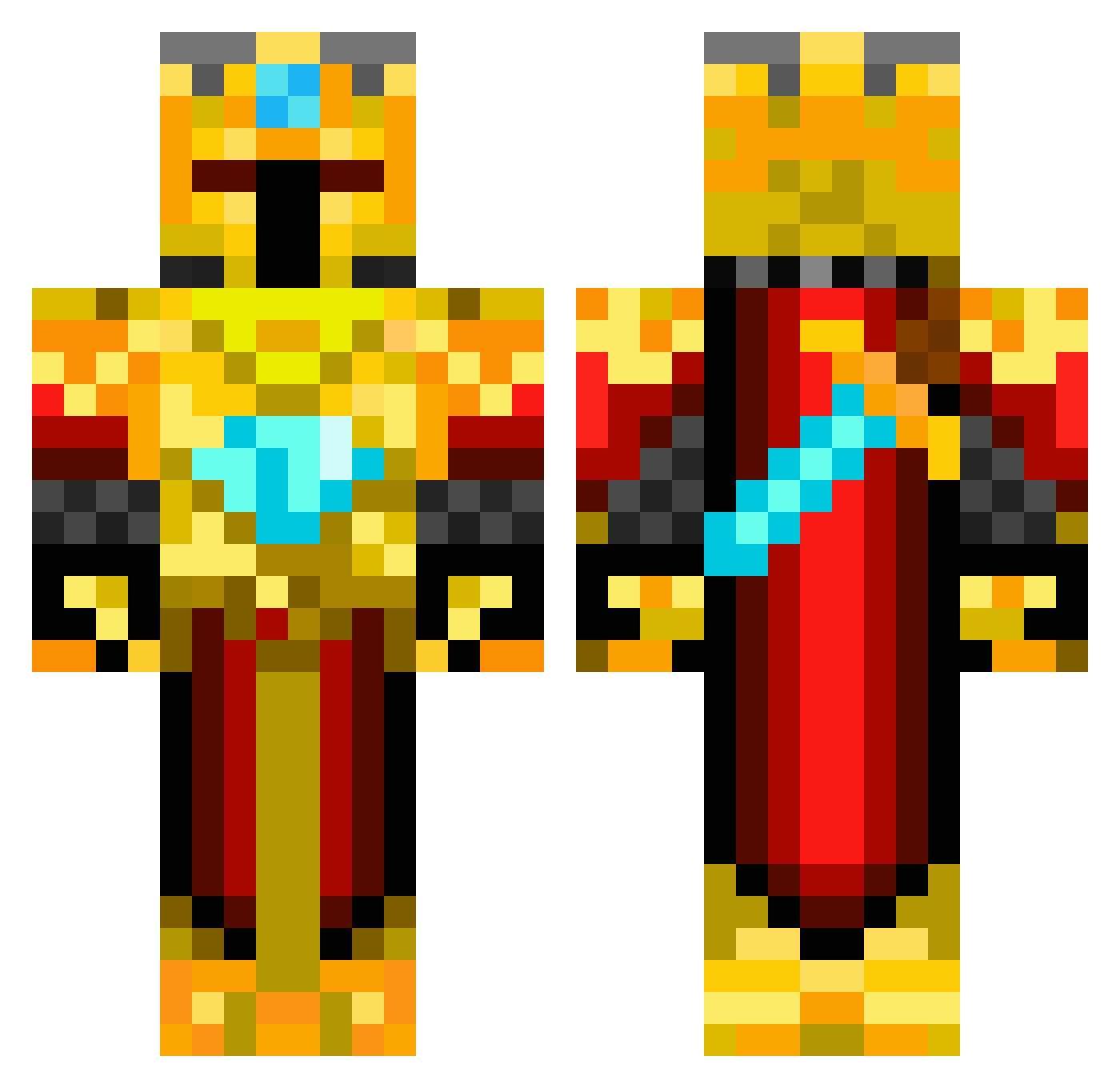
Current Minecraft skin of the player CROWN_11, loaded from the official Mojang API. Rotate the 3D model with your mouse or finger, then download the skin as a PNG file and use it in Minecraft: Bedrock Edition or Java Edition for free. When CROWN_11 changes their skin, this page updates automatically and the old skin stays in the history below.
Other players with this skin (217)
CROWN_11 was the 147th player we have seen with this skin, first spotted on 25.09.2026. The same skin was seen on these players. Open a nickname to see their current skin and skin history.
 max80098 CORSICATROOPER FreddyFrazbear2 schkrisz EmperorChungus46 rotian12 RAD456 kingmarvin GoldenHydra4 BigBurgerColonel PTM_Nicolas1603 Baconcooker123 jiwanchicken DiorNometry Darkstar947 avitalim timimbv2 Pikizio Golden_Knight2 BenevolentLlama1 sharp_matt822 SCKPHANTOM sorazerfazer TeteREY LBO_Lighthunter_ crb_277 S4FOGGY Vrougue mmirac Prince_Of_Punjab iRares xXTheForkyXx edo235 SonofCombat RealTimrod YYDS2253 mb62 ShallowsFPS pedroleonm11 fuga0813 MaraSov7414 killmaster555 Yuhan__Liu Scorpion7522 Patoburn Dash174 redrocket33 Pro_Cornelius kizikaktus BananasPalace Vinnyle lucaleander CooLSpy321 Vtality Armedian_AK Temmze Villdrainee mad_mad5 trippyhitman A1ucardR
More Golden Armor Minecraft skins
See all 170 Golden Armor skins
How to install the CROWN_11 skin
- Press the Download button above to save the skin as a PNG file.
- Minecraft: Bedrock Edition (PE): open the Dressing Room from the main menu (or tap your character → Edit Character), go to Classic Skins → Owned, press the + (new skin) button, choose the downloaded PNG and pick the Classic (Steve) model. Works on PC and mobile; consoles cannot import custom skins.
- Minecraft: Java Edition: open the Minecraft Launcher, go to the Skins tab, click New Skin, load the PNG, pick the Classic (Steve) model and press Save & Use. You can also upload it at minecraft.net → Profile → Change Skin.
The skin does not show up after import - what should I do?
Restart Minecraft and open the Dressing Room again - imported skins sometimes appear only after a restart. Also make sure you selected the imported skin and picked the Classic (Steve) model.
Which model should I choose, Classic or Slim?
This skin is designed for the Classic (Steve) model. If you pick the wrong model, the arms of the skin will look stretched or squeezed.
Is the skin of CROWN_11 free to download?
Yes. Press Download, save the PNG file and use it in Minecraft: Bedrock Edition or Java Edition - no payment or registration needed. The skin also works on multiplayer servers and Realms.
More skins
Looking for more? Go back to all Minecraft skins and check the top skins of the week, month and all time, or find any player's skin by nickname.