
COVIDWARRIOR - Minecraft Skins & Skin History
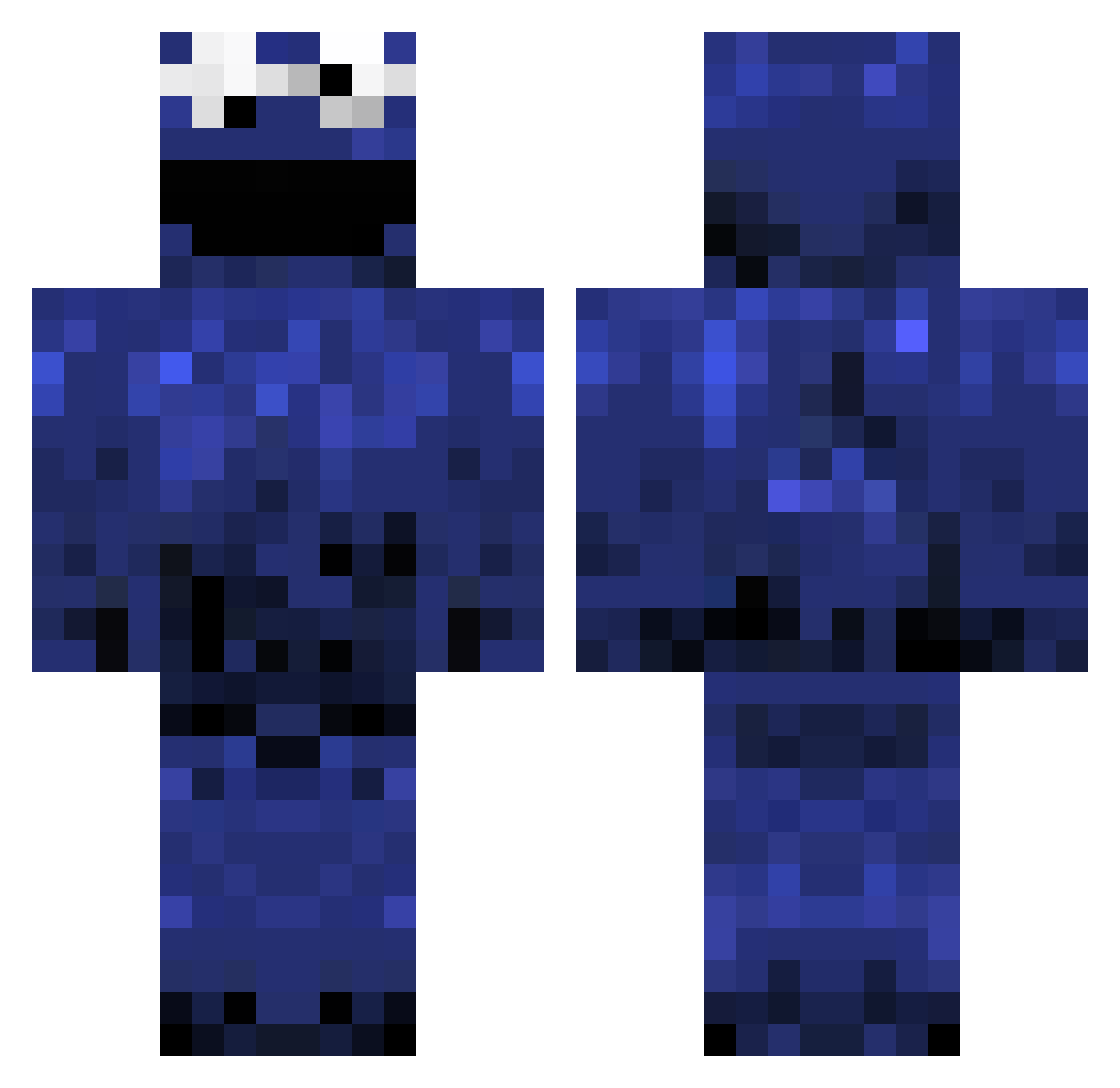
Current Minecraft skin of the player COVIDWARRIOR, loaded from the official Mojang API. Rotate the 3D model with your mouse or finger, then download the skin as a PNG file and use it in Minecraft: Bedrock Edition or Java Edition for free. When COVIDWARRIOR changes their skin, this page updates automatically and the old skin stays in the history below.
Other players with this skin (396)
COVIDWARRIOR was the 145th player we have seen with this skin, first spotted on 30.08.2026. The same skin was seen on these players. Open a nickname to see their current skin and skin history.
 Harry_186 WaffelDog777 GGEZGONEXT ___Han zvrwy JuJuTHEdudes RChir BlackMOnst3r Omaha441 MrSpiikey Danbruler MashallaB 7ADIJAH murufus DeSynced_ Returned1337 JustJames10345 Mazzirella asashi1242 Materweloen lSKIESl OrrukMegaBoss mangacomsal Maplestory76 CrunchyKekse martinez08 devalexander14 SireSpooby suzumaki6810 Woo_min 3613 _ORLANDOS_ gdlx Winfree1997 Zuckerhuetl1 ShurikenCookies HolaDosPuntosTre Wobbert_ hicke07 esploit dacookie4u Poteyno Ceayeat v0t0a0s Chopback Mr_Walkway Tinchoxar ponderx Gaantrix SparkplugZip FinROMPHA Zigi303 Krizohhh _clel_ Lionboy37318 defstar101 pikachju bigmacwithchips Gurkenpaule jordanparrello
More Cookie Monster Minecraft skins
See all 241 Cookie Monster skins
How to install the COVIDWARRIOR skin
- Press the Download button above to save the skin as a PNG file.
- Minecraft: Bedrock Edition (PE): open the Dressing Room from the main menu (or tap your character → Edit Character), go to Classic Skins → Owned, press the + (new skin) button, choose the downloaded PNG and pick the Classic (Steve) model. Works on PC and mobile; consoles cannot import custom skins.
- Minecraft: Java Edition: open the Minecraft Launcher, go to the Skins tab, click New Skin, load the PNG, pick the Classic (Steve) model and press Save & Use. You can also upload it at minecraft.net → Profile → Change Skin.
The skin does not show up after import - what should I do?
Restart Minecraft and open the Dressing Room again - imported skins sometimes appear only after a restart. Also make sure you selected the imported skin and picked the Classic (Steve) model.
Which model should I choose, Classic or Slim?
This skin is designed for the Classic (Steve) model. If you pick the wrong model, the arms of the skin will look stretched or squeezed.
Is the skin of COVIDWARRIOR free to download?
Yes. Press Download, save the PNG file and use it in Minecraft: Bedrock Edition or Java Edition - no payment or registration needed. The skin also works on multiplayer servers and Realms.
More skins
Looking for more? Go back to all Minecraft skins and check the top skins of the week, month and all time, or find any player's skin by nickname.