
COMMANDOLORIAN - Minecraft Skins & Skin History
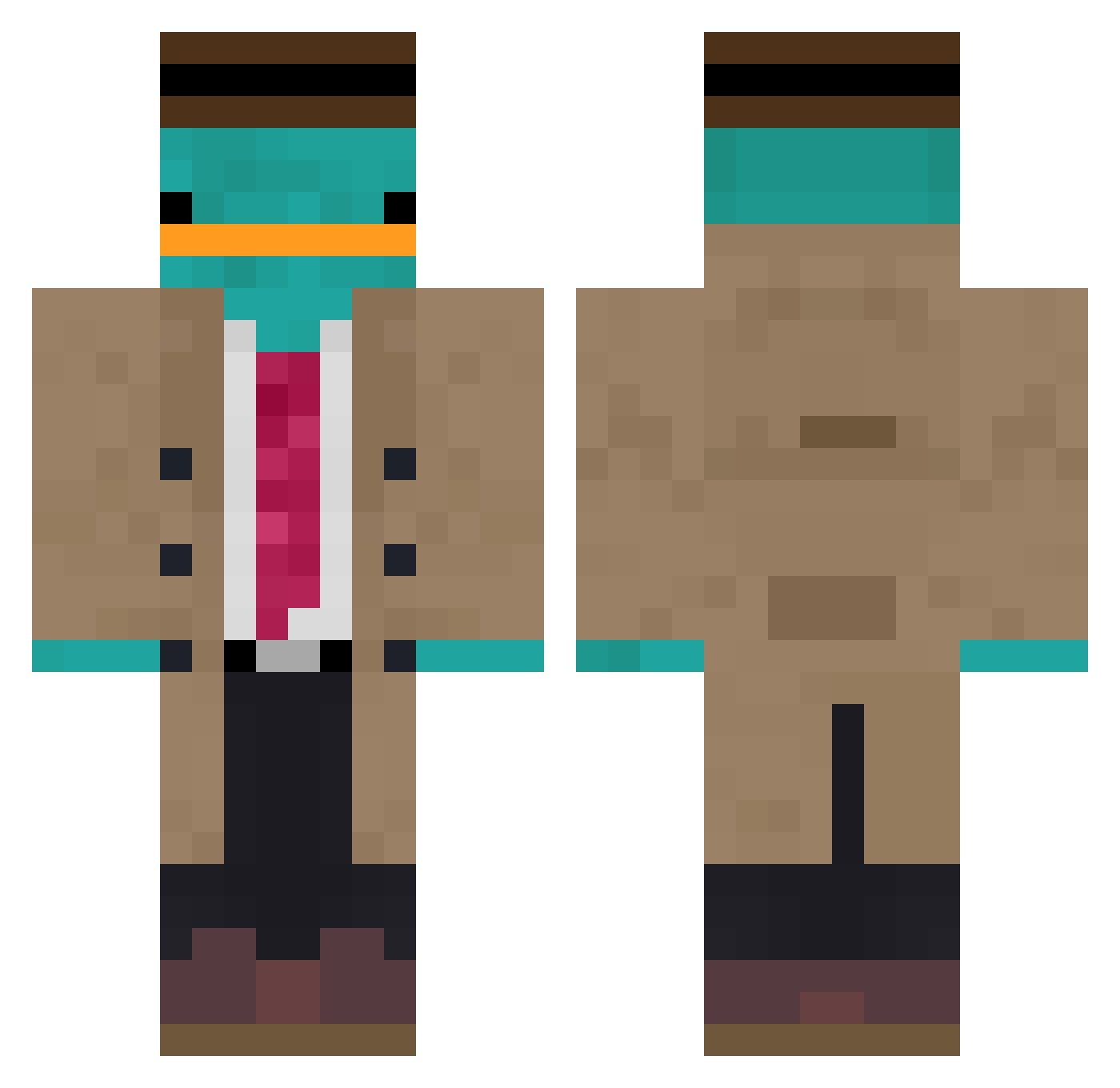
Current Minecraft skin of the player COMMANDOLORIAN, loaded from the official Mojang API. Rotate the 3D model with your mouse or finger, then download the skin as a PNG file and use it in Minecraft: Bedrock Edition or Java Edition for free. When COMMANDOLORIAN changes their skin, this page updates automatically and the old skin stays in the history below.
Other players with this skin (853)
COMMANDOLORIAN was the 815th player we have seen with this skin, first spotted on 16.10.2026. The same skin was seen on these players. Open a nickname to see their current skin and skin history.
 Alfo1426 allen81924 CareGivers Toekage Profesorlee Fallopriego Desmaiei noobmaster_051 Big_E_Wrecktion ClippySc Apocalypse_21 CoinCoinn_ TheRam21uwu JEONG_JIMIN tekutokiz ur_moon GAGA_e irineu131 EntenHd66 w172226 ni_c_e_ im_so_bad3412 officialLivia SoloShiro23 Loocass blackoo828 Mazzo815 Arkery123 Zumo__ Trollfried BlockingFire EinSalvo TheRussl aboood88 IParaadox Fenister Yawaradii FrostRex Seatamer72 CharlieEcho0713 Thekebabus Sz4manTomeQ Sockra23 LucasRRS314 C013J COOKcoco NIKITV_official HAMEKINTV amoxxii epicoen LittleCampas uuuhx MokaiViIndtager chuckroll FoxyIsMe BallisticMaker Gloxing idrasticz Cloorofila AChristianBoy
More Platypus Minecraft skins
How to install the COMMANDOLORIAN skin
- Press the Download button above to save the skin as a PNG file.
- Minecraft: Bedrock Edition (PE): open the Dressing Room from the main menu (or tap your character → Edit Character), go to Classic Skins → Owned, press the + (new skin) button, choose the downloaded PNG and pick the Classic (Steve) model. Works on PC and mobile; consoles cannot import custom skins.
- Minecraft: Java Edition: open the Minecraft Launcher, go to the Skins tab, click New Skin, load the PNG, pick the Classic (Steve) model and press Save & Use. You can also upload it at minecraft.net → Profile → Change Skin.
The skin does not show up after import - what should I do?
Restart Minecraft and open the Dressing Room again - imported skins sometimes appear only after a restart. Also make sure you selected the imported skin and picked the Classic (Steve) model.
Which model should I choose, Classic or Slim?
This skin is designed for the Classic (Steve) model. If you pick the wrong model, the arms of the skin will look stretched or squeezed.
Is the skin of COMMANDOLORIAN free to download?
Yes. Press Download, save the PNG file and use it in Minecraft: Bedrock Edition or Java Edition - no payment or registration needed. The skin also works on multiplayer servers and Realms.
More skins
Looking for more? Go back to all Minecraft skins and check the top skins of the week, month and all time, or find any player's skin by nickname.